

You’ve hit your search limit
Start your free trial to keep exploring full traffic and performance insights.
Get StartedAnalyse de l'application CavernSeer pour le 18 février
CavernSeer
- Samuel Grush
- App Store Apple
- Gratuit
- Utilitaires
Designed for cave and shelter surveying, CavernSeer leverages the LiDAR scanner of the 2020 iPad Pro and the iPhone 12 Pro, and RealityKit's scene reconstruction, to generate relatively-accurate 3D meshes of real-world spaces and render them in various convenient ways.
### App Usage ###
All iOS/iPadOS 14 devices can run the app and view existing scans shared by others, but devices with a LiDAR scanner (currently iPhone 12 Pros and newer iPad Pros) can capture new scans.
### Viewing ###
Scans created by the user or imported from elsewhere will appear in the "Scan List" tab, which lists out the names and the starting photo of the scan.
Selecting a scan displays the start and end photos (if available), *export* options for the scan file as well as a plaintext .OBJ render, as well as the following:
* Advanced - underlying information about the scan.
* 3D Render - a 3D perspective rendering view navigable based on the setting "3D render interaction mode".
* Plan Projected Render - a "top-down" orthographic projection complete with scale bar. Defaults to north-up. The height control allows for raising or lowering the camera to show or hide obstructions.
* Elevation Projected Render - a "side-view" orthographic projection with scale bar, compass, and various controls. The angle controls change the direction the camera is facing relative to magnetic-north. The depth control is similar to the plan-projected height control, allowing for pushing the camera through obstructions.
* Cross Section Render - an elevation projection (see above) with an inset plan-projection indicating the position and size of the camera, and a switch for making the camera "depth-of-field" 1-meter deep to create a cross-section slice.
All of the renders support high-resolution screenshots scaled to higher detail than the device itself.
### Scanning ###
Devices with a LiDAR scanner can capture new scans in the "Scanner" tab.
Pressing the center button starts a scan, after which you can enable Apple's debugging overlays, either showing _Debug_ information or a _Mesh_ preview which displays the currently captured mesh on screen, as well as enabling the device's flashlight.
Clicking the center button again will complete and save the scan, which will appear in the scan list.
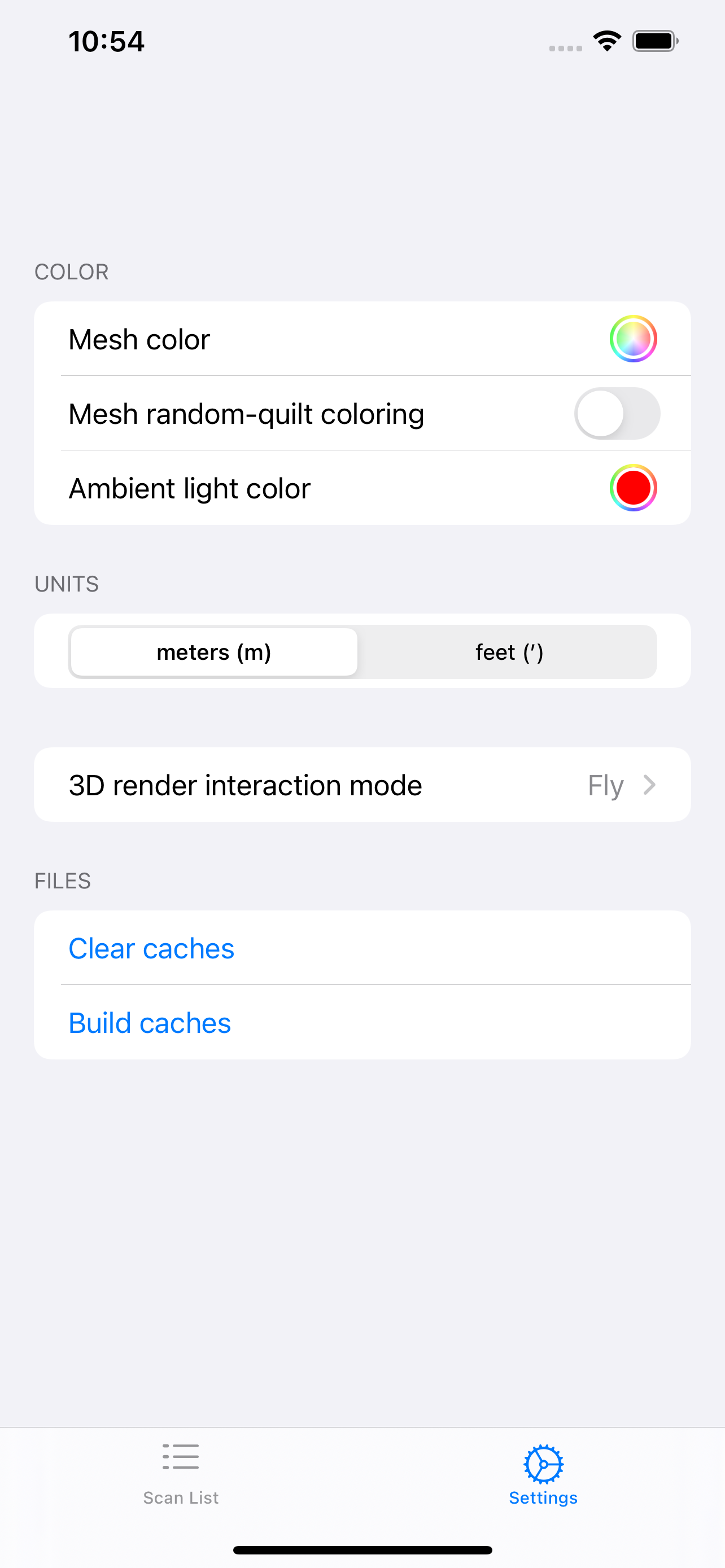
### Settings ###
* Three settings for mesh color change the way that the meshes in the various viewers are displayed.
* Switch for changing between meters and decimal-feet in any distance contexts.
* Setting for changing the interaction mode in the 3d Render view. The recommended option is "Orbit angle mapping".
* Debugging options where appropriate.
Classement dans le store
Le classement des stores est basé sur plusieurs paramètres définis par Google et Apple.
Toutes les catégories dans
États-Unis--
Utilitaires dans
États-Unis--
Principaux concurrents & apps alternatives
Applications ayant une forte probabilité d'être utilisées par les mêmes utilisateurs, à partir du même store.

3D Lidar Viewer

Agerpoint Capture

KickTheMap

ScanAce
 CavernSeer VS.
 février 18, 2026