

You’ve hit your search limit
Start your free trial to keep exploring full traffic and performance insights.
Get StartedAnalyse de l'application Notator | Annotate Documents pour le 18 février

Notator | Annotate Documents
- CIMTOPS SG LAB PTE. LTD.
- App Store Apple
- Gratuit
- Productivité
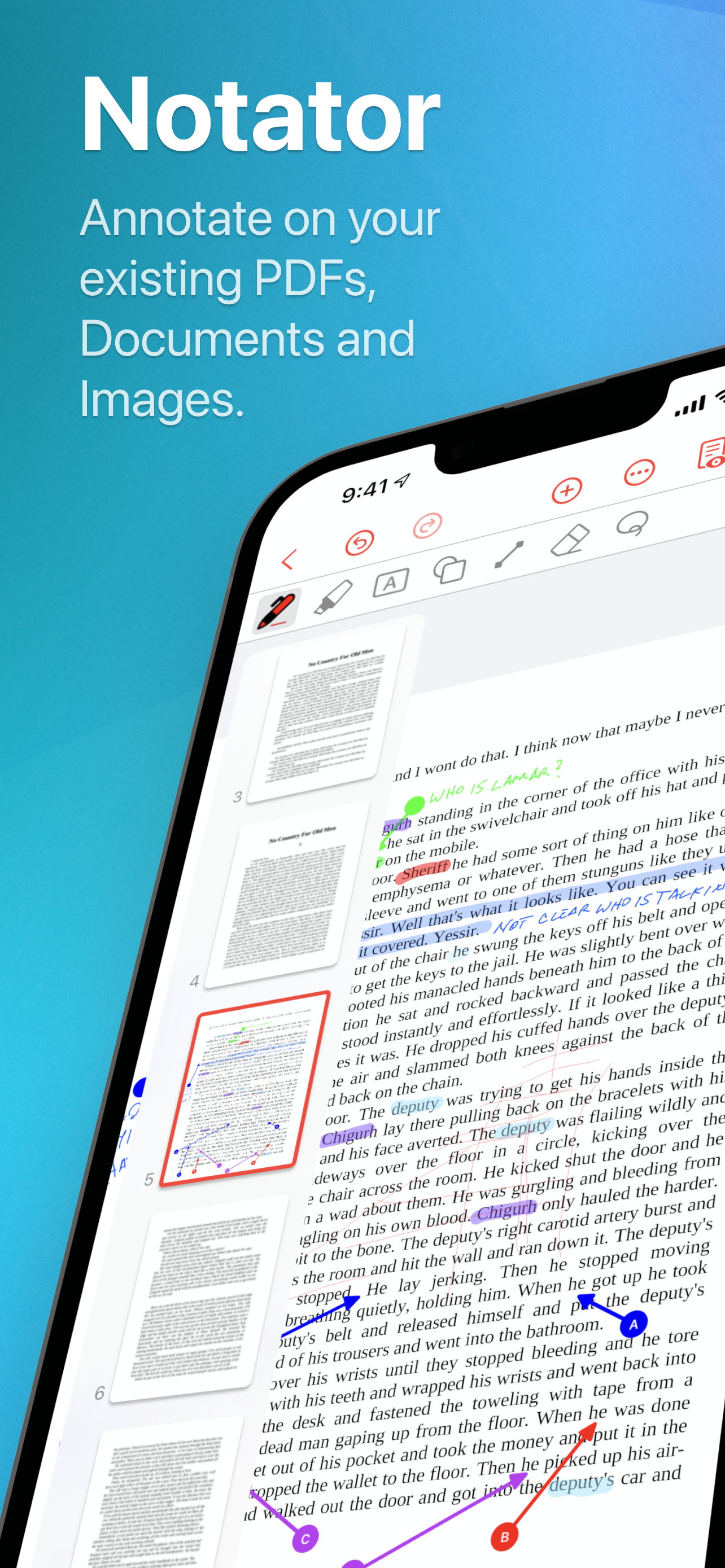
Notator is the ultimate app for all your PDF and image annotation needs, along with seamless note-taking capabilities. It adapts effortlessly to any situation, whether you're studying, working, or simply organizing your personal life. Experience the versatility of Notator today!
What does Notator have in store for you?
1. Easy Annotation on PDFs and Images
Effortlessly elevate your PDFs and images using a range of editing tools like pens, text boxes, and shapes. Infuse your own style by adding annotations, whether it's making notes on drawings, creating study guides, or refining your materials to perfection.
2. Supports Apple Pencil
Our platform is fully compatible with the Apple Pencil, guaranteeing a seamless and precise writing experience when working on your documents. Additionally, you have the flexibility to utilize your fingers as an alternative input method.
3. Flexible PDF Import
Extract specific portions from images saved on your device, recently captured photos, or PDF materials, and seamlessly insert them into your document while editing.
4. High-Quality PDF Support
No need to worry about image degradation when importing large PDFs, even ones as big as A0 size. Edit detailed drawings and extensive project materials with ease, so you can stay stress-free while working on your documents.
5. Clipping and Pasting of PDFs & Photos
Extract specific portions from images saved on your device, recently captured photos, or PDF materials, and seamlessly insert them into your document while editing.
6. Zoom Function
Enables zooming up to 1000%, ensuring a hassle-free experience for annotating and reviewing intricate details in drawings.
7. Intuitive Page Management
Effortlessly manage pages in imported PDFs or created documents with an intuitive interface. Rearrange, duplicate, delete, or add pages with ease, putting you in complete control.
8. Cloud Storage Compatible
Easily import PDFs and images from cloud storage services like iCloud, Dropbox, Box. You can also upload your own documents hassle-free.
9. Notator Pro
By upgrading to Notator Pro, you unlock the following features:
- Export your created documents as PDFs or JPGs to easily share them with other apps.
- Edit documents created by colleagues, friends, or family on different devices (note: real-time co-editing is not available).
Stay tuned for more exciting updates as we add more useful features.
To register, simply head to the "Settings" menu and select "Notator Pro." And guess what? You can enjoy a free trial for the first week!
◆ Ideal for a wide range of situations including:
- Annotating intricate drawings or documents with precision.
- Extracting specific sections from multi-page PDFs and adding your notes.
- Annotating PDFs and images stored in cloud storage effortlessly.
- Cutting out sections from various PDFs and images and compiling them into a single document.
◆ Contact Us
If you have any questions, problems, or requests about using the app, feel free to contact us via our contact form.
https://cimtops-sglab.com/about#contact-us
◆ Terms of Service
https://cimtops-sglab.com/terms
◆ Privacy Policy
https://cimtops-sglab.com/privacy-policy
Classement dans le store
Le classement des stores est basé sur plusieurs paramètres définis par Google et Apple.
Toutes les catégories dans
États-Unis--
Productivité dans
États-Unis--
Principaux concurrents & apps alternatives
Applications ayant une forte probabilité d'être utilisées par les mêmes utilisateurs, à partir du même store.

Reader's Bench: PDF & Notes

i-Repo FreeDraw

NoteWork

notototo -Notes,PDF & Images
 Notator | Annotate Documents VS.
 février 18, 2026