

You’ve hit your search limit
Start your free trial to keep exploring full traffic and performance insights.
Get StartedAnalyse de l'application Universal Copy pour le 24 février

Universal Copy
- Camel Corporation
- Google Play Store
- Gratuit
- Réseaux sociaux
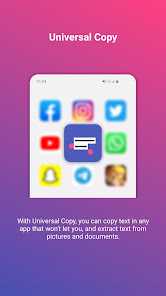
Universal Copy is the fastest way to copy text on Android, even from the apps that won’t let you or inside images.
In any app, launch Universal Copy, select the text you want to copy, it’s done!
Easy. Simple. Super fast.
********
MAIN FEATURES
- Normal mode: copy text from any application such as Facebook, Twitter, Instagram, Youtube, Chrome, WhatsApp, Tumblr, News Republic, Snapchat...
- Scanner mode: copy text inside images (OCR technology). It currently works with Chinese, Devanagari (Hindi...), Japanese, Korean and Latin (English, Portuguese...) character sets.
- Smart detection of entities: addresses, emails, phone numbers, @, #... are automatically detected by Universal Copy.
- Copy-Paste in 1-tap: perform quick actions (translate, locate, share…) on the text you selected. This saves a lot of app switching.
- Scroll mode: select texts from multiple screens or apps to copy them all.
- Harvest mode: launch Harvest mode and capture all entities that you encounter while you navigate.
********
DISCOVER THE NEW CAMEL CORP APP
The Camel Corp Team is working on a new messaging app that blends innovation, privacy, and creativity. Join the waiting list here:
https://camel-corporation.com
********
A FEW EXAMPLES WITH UNIVERSAL COPY
You can use Universal Copy to:
- copy Youtube comments (the app normally prevents you to)
- copy text that is inside an image
- copy all the text that appears on your screen
- copy all the text from multiple pages and apps (with scroll mode)
- extract an address inside a text message and open Google Maps to locate it in no time
- detect multiple hashtags on Instagram or Twitter and copy them all at the same time, even they are not originally next to one another
- extract all the accounts tagged in a post or comments
These are only a few examples, the possibilities with Universal Copy are limitless!
********
HOW TO USE IT?
1. Go to the App / Picture / Document you want to copy text from
2. Launch the Universal Copy mode from your notification bar or via a shortcut. Select Normal or Scanner mode.
3. 🪄 The magic happens: Universal Copy smartly detects all text areas and extracts addresses, emails, phone numbers, @, #...
4. Select the text(s) you want to copy or a quick action (translate, locate, share…), it’s done!
********
HOW TO SET IT UP?
1. Download and install the app
2. Activate the Universal Copy accessibility service (Settings > Accessibility). This service is required for the app to work properly.
3. Universal Copy is ready, you can launch it anytime via: your notification drawer, a tile, a long press on a physical button of your phone
Note: The service can be deactivated automatically by your Android system, then you should enable the setting ‘let app run in background’ in Universal Copy and disable battery optimizer for Universal Copy. Unfortunately, this matter is out of our hands.
********
IN-APP CONTENTS: UNIVERSAL COPY PLUS
Universal Copy is free to use and contains ads.
We believe that everyone should be able to copy in any app. That's why we decided to make Universal Copy free for everyone. Ads suck, but that's the only way for our team to keep on improving Universal Copy for you.
Universal Copy Plus removes ads and shows us your support.
★ Featured by Android Police ★
http://www.androidpolice.com/2016/03/09/universal-copy-can-copy-text-fields-from-apps-that-dont-let-you-copy-and-paste-natively/
★★★★★ Do not hesitate to rate the app and write a review if you like Universal Copy
This app uses Accessibility services. (BIND_ACCESSIBILITY_SERVICE to access the text displayed on your screen to be able to copy it)
Rang d'utilisation de Universal Copy
Le classement d'utilisation est basé sur l'algorithme de Similarweb qui calcule les installations actuelles et les utilisateurs actifs sur une période de 28 jours.
Toutes les catégories dans
Brésil#2,172
Réseaux sociaux dans
Brésil#54
Intérêts des utilisateurs & catégories principales
Principales catégories et applications utilisées par les utilisateurs de Universal Copy
Top des catégories
Affinité
Top des applications pour cette catégorie
Plus d'applis
27%





13%





7%





7%


Principaux concurrents & apps alternatives
Applications ayant une forte probabilité d'être utilisées par les mêmes utilisateurs, à partir du même store.

Sentenceify: My Text Converter

Gaminik: Auto Screen Translate

Smallpdf: Scanner & PDF Editor

RecCloud - AI Speech to Text
Universal Copy VS. février 24, 2026