

You’ve hit your search limit
Start your free trial to keep exploring full traffic and performance insights.
Get StartedAnalyse de l'application Bluetooth Radar - Find Devices pour le 21 avril
Bluetooth Radar - Find Devices
- FruitMobile LLC
- Google Play Store
- Payant
- Outils
Why pick Bluetooth radar to track your lost bluetooth accessory?
------------------------------------------------------------------------------------------
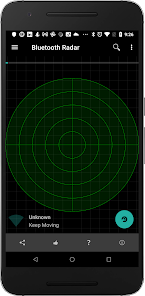
It's easy to use and it updates the position of the device on the radar every second so that you can see whether you're moving away or towards it.
Fruitmobile 'Bluetooth Radar' is the perfect app to find a lost fitness accessory or simply to find all beacons and bluetooth accessories around you.
No Root , No Ads, No internet permission. Location permission is for finding devices on Android Marshmallow.
Features:
1. Shows bluetooth smart devices and updates their position on the radar every second.
2. Find a lost bluetooth accessory or any other saved device.
3. Find all beacons around you like EddyStone , iBeacon, or alt beacon.
4. See the URLs advertised by EddyStone beacons.
5. See full details of other types of EddyStone beacons (TLMor Uid).
6. Tap on each device on the radar and get all details about it.
7. Connect to a device and find the services running on it.
8. Save favorite devices so that they can be found later if lost.
====================================
For more details on this app with screenshots go to:
Discover How to Use Bluetooth Radar to Find Lost devices
===========================================
Questions, Suggestions, Feature requests? mail us at support@fruitmobile.com
FAQ
-------
1. Should I save all my devices ?
Ans:
Definitely. This way you can find the device if you misplace it later.
2. I lost my fitbit. How can I find it ?
Ans:
a. Go to menu > Find a Device
b. Pick your device from saved devices list
c. Move around in the room/home where you think you might have misplaced it. If the device is somewhere there it'll show up on the radar. Once it does try moving around till you have the device right in the middle of the radar like the last screenshot.
Rang d'utilisation de Bluetooth Radar - Find Devices
Le classement d'utilisation est basé sur l'algorithme de Similarweb qui calcule les installations actuelles et les utilisateurs actifs sur une période de 28 jours.
Toutes les catégories dans
États-Unis--
Outils dans
États-Unis--
Principaux concurrents & apps alternatives
Applications ayant une forte probabilité d'être utilisées par les mêmes utilisateurs, à partir du même store.

EGO Connect

Unified Care+

Weenect - GPS
 Bluetooth Radar - Find Devices VS.
 avril 21, 2026