

You’ve hit your search limit
Start your free trial to keep exploring full traffic and performance insights.
Get StartedAnalyse de l'application CapCut - Video Editor pour le 24 avril

CapCut - Video Editor
- Bytedance Pte. Ltd.
- Google Play Store
- Gratuit
- Lecteurs vidéo & Éditeurs
CapCut offers easy-to-use video editing functions, in-APP fonts and effects, advanced features such as keyframe animation, smooth slow-motion, chroma key, and stabilization, to help you capture and snip moments.
Create fancy videos with other unique features: auto captions, text-to-speech, motion tracking, and background removal. Show your personality and go viral on TikTok, YouTube, Instagram, WhatsApp, and Facebook!
FEATURES
Basic video editing
• Trim and shorten clips and split or merge videos.
• Adjust video speed from 0.1x to 100x, and apply speed curves to clips.
• Animate video clips with incredible zoom in/out effects.
• Highlight the best moments with the freeze feature.
• Explore transition options with awesome effects on and between clips.
Advanced video editor
• Keyframe video animation is available for all settings.
• Edit videos to create smooth slow-motion with the optical flow feature and speed curve tool.
• Use the chroma key to remove specific colors from videos.
• Easy to arrange and preview clips on multi-track timeline.
• The stabilizing feature keeps video footage steady.
Intelligent features
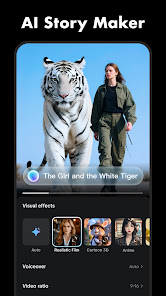
• Auto captions: automate speech recognition and subtitles in videos.
• Text-to-speech: apply text-to-speech in multiple languages and voices.
• Background removal: automatically remove backgrounds.
Text & Stickers
• Add text to videos with different fonts and styles, choose unique text templates. Fonts can be imported locally.
• Subtitles can be added to the timeline of video tracks and can be moved and adjusted in one step.
Trending Effects & Filters
• Match video content with diverse filters that are updated weekly with the latest trends.
• Edit videos with hundreds of trending effects, including Glitch, Blur, 3D, etc.
• Add movie-style video filters or adjust video brightness, contrast, etc.
Music & Sound Effects
• Add millions of music clips and sound effects to videos.
• Extract audio, clips, and recordings from videos.
Easy to Share
• Custom video export resolution, HD video editor supports 4K 60fps exports and smart HDR.
• Adjust the format and share with your friends on social media platforms.
CapCut is an all-in-one video editor and video maker application with everything you need to create stunning, high-quality videos. Beginners can get started with CapCut in a matter of seconds, while advanced users can enjoy all the functions they need to edit videos.
Terms of Service —
https://www.capcut.com/clause/terms-of-service
Privacy Policy —
https://www.capcut.net/clause/privacy
Contact Us
Any questions about CapCut? Please contact us at capcut.support@bytedance.com.
Facebook: CapCut
Instagram: CapCut
YouTube: CapCut
TikTok: CapCut on TikTok
Rang d'utilisation de CapCut - Video Editor
Le classement d'utilisation est basé sur l'algorithme de Similarweb qui calcule les installations actuelles et les utilisateurs actifs sur une période de 28 jours.
Toutes les catégories dans
États-Unis#105
Lecteurs vidéo & Éditeurs dans
États-Unis#2
Intérêts des utilisateurs & catégories principales
Principales catégories et applications utilisées par les utilisateurs de CapCut - Video Editor
Top des catégories
Affinité
Top des applications pour cette catégorie
Plus d'applis
21%






11%





8%


8%





Principaux concurrents & apps alternatives
Applications ayant une forte probabilité d'être utilisées par les mêmes utilisateurs, à partir du même store.
TikTok - Videos, Shop & LIVE

Spotify: Music and Podcasts

Snapchat
CapCut - Video Editor VS. avril 24, 2026