

You’ve hit your search limit
Start your free trial to keep exploring full traffic and performance insights.
Get StartedAnalyse de l'application AirDroid Cast-screen mirroring pour le 2 mai

AirDroid Cast-screen mirroring
- SAND STUDIO
- Google Play Store
- Gratuit
- Outils
AirDroid Cast is a powerful and easy-to-use screen sharing & controlling tool that allows sharing mobile screens to any Windows or macOS computers, or take direct control of these mobile devices on a computer. It's a perfect tool for both individual and business users to enhance productivity during remote meetings, remote casting, and more.
Main Features:
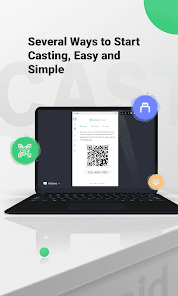
Several Ways to Start Casting, Easy and Simple
Scan a QR code or input the Cast Code, or use a USB cable to cast the screen, eliminate the delays and enjoy the clear images. Suitable for game streaming and entertainment.
Control mobile device on computer
No matter you are in the office or at home, You can use AirDroid Cast to view and control your surroundings mobile device on a computer. As long as the AirDroid Cast is installed on a macOS/Windows computer, you can use it to control all mobile phones and tablets. You can click, scroll, and type on your mobile device through desktop, things that require you to take your phone in hand.
Mirror Android screen to pc with audio
AirDroid Cast streams not only the screen but the device microphone audio. Directly communicate with the meeting attendees using the two-way audio feature to enhance work efficiency
Works with a remote network
All features of AirDroid Cast are available under the local area network. Upgrade to Premium user, network type will not be limited; AirDroid Cast works even under the remote network to suit scenarios such as remote meetings.
Multi-screens on one computer
AirDroid Cast supports casting a maximum of 5 devices onto a computer simultaneously. With this in mind, you can enjoy multiplayer gaming, or view all the attendees' PowerPoint slides during a meeting.
What can you do with AirDroid Cast?
Remote & Multi-attendees Meeting
When you are on a business trip or working from home, AirDroid Cast can help bridge the communication gap in a remote meeting. By scanning the QR code or entering the Cast Code, the meeting attendees can easily share their mobile device screens with the meeting host. Each attendee can directly draw and show his/her idea, using the two-way audio feature to make the communication more effective.
Online Presentation
You can nail in-house meetings, training, or product demonstration with AirDroid Cast. It enables you to share your mobile device screen to the meeting room computer whether the devices are under the same local area network. AirDroid Cast also supports AirPlay, allowing you to share macOS or iOS device screens to Windows or Mac computers.
Remote Online Teaching
As an instructor, you can turn your mobile device into a handy whiteboard by using AirDroid Cast. You can type down key points or draw the formula right onto your device and share the screen with the computer. In addition, you can get your students' feedback right away using the two-way audio feature.
Gaming & Live-streaming
With AirDroid Cast, you can easily share your Android/iOS device screen along with the audio to your computer by Wi-Fi. In this way, your fans can enjoy watching the live game streams. Furthermore, AirDroid Cast supports up to 5 devices casting at the same time, your friends can join you and show their skills with you.
Rang d'utilisation de AirDroid Cast-screen mirroring
Le classement d'utilisation est basé sur l'algorithme de Similarweb qui calcule les installations actuelles et les utilisateurs actifs sur une période de 28 jours.
Toutes les catégories dans
Brésil--
Outils dans
Brésil#2,101
Intérêts des utilisateurs & catégories principales
Principales catégories et applications utilisées par les utilisateurs de AirDroid Cast-screen mirroring
Top des catégories
Affinité
Top des applications pour cette catégorie
Plus d'applis
28%



12%


12%





12%





Principaux concurrents & apps alternatives
Applications ayant une forte probabilité d'être utilisées par les mêmes utilisateurs, à partir du même store.
Cast for Chromecast & TV Cast

Universal Remote for Smart TV

All Data Transfer: Phone Clone

Smart Connect
AirDroid Cast-screen mirroring VS. mai 2, 2026