

You’ve hit your search limit
Start your free trial to keep exploring full traffic and performance insights.
Get StartedAnalyse de l'application Screen Brightness Control pour le 23 avril

Screen Brightness Control
- TLCM Photo Montage and Photo Frames Editor
- Google Play Store
- Payant
- Outils
Lux control the screen brightness for your Android smartphone.
Avoid the nuisance of adjust your screen brightness opening the Android screen brightness control.
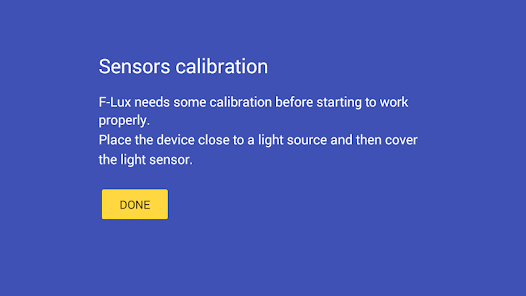
The innovation introduced by Lux Control consist in the correction of the calibration error of the light sensor during the screen brightness control usage.
Flux is smart enough to adjust and control the brightness of your screen based on the environment you are in.
If you go in the daylight room the app will automatically increase the brightness of your screen to make it easily visible, while if you move in a dimly room Flux will dim the light of your screen even below 0% to make it comfortable to read and to also preserve the battery.
The configuration is minimized in order to ensure for simplicity of use that is missing in all the other Screen Dimmer or Lux Control/Brightness Control apps.
The reduction of the battery consumption is ensured by the automatic screen brightness control and by configuring the minimum brightness subzero it is possible to further increase the savings, especially on Samsung devices.
FEATURES
- Automatic management of the screen screen brightness control
- Manual Brightness selector to calibrate the appropriate screen brightness level
- Customizable smoothness fade for backlight calibration
- Subzero brightness screen dimmer for night mode viewing and battery savings
- Dim color and screen dimmer color for persons with eye problems and sensitivity to daylight
- Simple configuration: download Flux and enjoy it no configuration is needed (the default configuration is enough) and the app automatically learns
- Battery efficient, in fact with Flux screen dimmer you can save around 15% of battery
- No ads or nuisances
SETTINGS
Smoothness: enabling this option will change the screen brightness sweeter
Minimum Brightness (related to the lux perceived in the environment): adjusts the minimum brightness of the screen for the lux control handler, if you set this value subzero Flux will apply a filter to further reduce the screen brightness
Maximum Brightness: adjusts the maximum brightness of the screen
Dimmer Color: when the brightness go subzero the dim color is applied
Filter Color: choose the color of the filter to apply when Flux is active
Filter Color Opacity: adjusts the filter opacity level
Flux lux control app: when you discover it you will never live without it.
Rang d'utilisation de Screen Brightness Control
Le classement d'utilisation est basé sur l'algorithme de Similarweb qui calcule les installations actuelles et les utilisateurs actifs sur une période de 28 jours.
Toutes les catégories dans
États-Unis--
Outils dans
États-Unis--
Intérêts des utilisateurs & catégories principales
Principales catégories et applications utilisées par les utilisateurs de Screen Brightness Control
Top des catégories
Affinité
Top des applications pour cette catégorie
43%



26%


23%


9%

Principaux concurrents & apps alternatives
Applications ayant une forte probabilité d'être utilisées par les mêmes utilisateurs, à partir du même store.

Game Booster GFX - No Lag

Dynamic Fitness Texas

KultureCity

Food Scanner AI: Gluten & Diet
 Screen Brightness Control VS.
 avril 23, 2026