

Fokus: Text Highlighting app analytics for August 30

Fokus: Text Highlighting
- Aaron Raimist
- Apple App Store
- Free
- Utilities
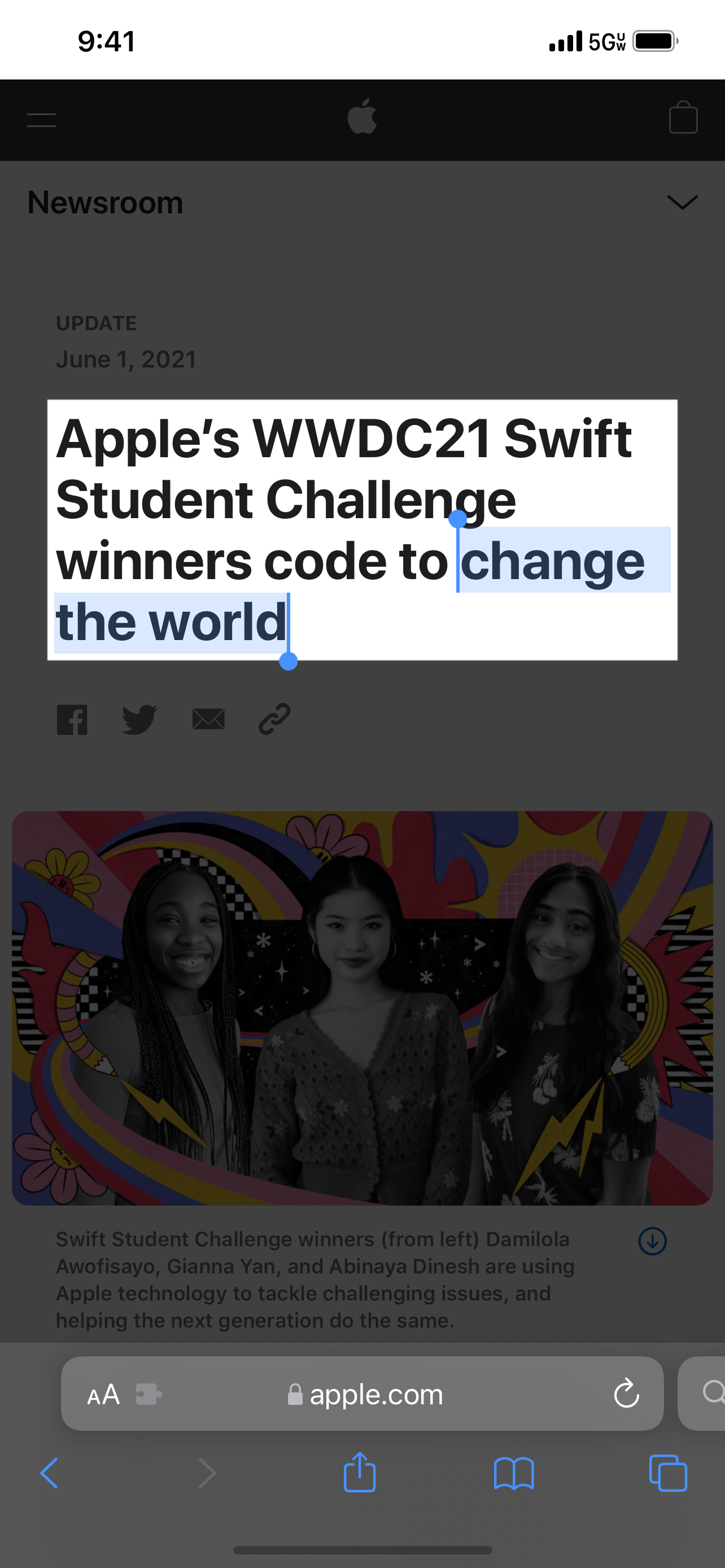
Fokus is a Safari extension that emphasizes anything you select on the web by covering the rest of the page with a semi-transparent black overlay.
This allows you to focus on what you are reading or to emphasize part of a web page during a presentation.
Fokus has options to:
- Adjust the overlay opacity
- Specify a modifier key such as Shift, Control, Option, or Command which must be held down to active the overlay
- Adjust the padding around selection
To use:
1. Open Settings
2. Scroll down to Safari and tap on it
3. Scroll down to Extensions and tap on it
4. Enable Fokus
5. Open the Safari app and go to a website
6. Tap the "aA" button
7. Tap Manage Extensions
8. Enable Fokus
9. Tap Fokus
10. Allow Fokus to access the website
Store Rank
The Store Rank is based on multiple parameters set by Google and Apple.
All Categories in
United States--
Utilities in
United States--
Top Competitors & Alternative Apps
Apps with a high probability of being used by the same users, from the same store.

Highlighter for Safari

Ad Blocker for Safari — Bolt

Toast for Safari

Clean My Tabs: save, organise
 Fokus: Text Highlighting VS.
 August 30, 2026