

Create a Car vs Build A Truck: Duck Duck Moose Usage & Stats
Create a car and drive it! Create a Car is a top-selling creativity app for children ages 3 to 6. The app has been featured in numerous print publications and is an Apple "Staff Favorite."
Create a Car is developed specifically for young children.
Features:
-Five player profiles
-Over 70 parts
-30 fun car styles
-Save creations to the garage
-Drive creations on the road
-Higher order questions based on Bloom’s Taxonomy
Education:
Sample lesson idea
Students use their imagination to invent vehicles to do specific tasks. Once the vehicle has been designed, students can save the vehicle in the garage. Next students can type information to describe the vehicle by following an instructional objective or by using the guidance questions provided. Finally, students can share the vehicle and their description with the class or teacher for feedback. All this can be done without leaving the Create a Car application!
Sample Bloom’s Taxonomy questions for the vehicle description feature
1. Knowledge: List and describe some of the vehicle parts.
2. Comprehension: Explain what this vehicle can do.
3. Application: Where can this vehicle be driven?
4. Analysis: Identify the most important vehicle parts and explain why they are important.
5. Synthesis: If you could create a part that is not in the game, what would it be?
6. Evaluation: How could your vehicle be improved?
How to create a car
-View parts by swiping left of right on the parts bin
-Select a part by dragging it from the parts bin to the work area
-Move a part around the work area by touching and dragging it
-Select a part in the work area by tapping it
-Deselect a part in the work area by touching the white background or another part
-Delete a part by dragging it to the parts bin
*Move the vehicle and all parts used together by touching the vehicle body and dragging it
-Scale a part by pressing and holding
-Flip a part by tapping once
-Rotate a part by pressing and holding
-Save vehicle to your garage
-Exit the work area and return to your profile
How to use My Garage
-View vehicles in the garage by swiping left or right on a vehicle
-Start your vehicle
-Add or edit vehicle information (name, description, features)
-Edit your vehicle’s appearance
-Delete your vehicle
-Exit the garage
How to drive (as far as you can)
-Touch anyplace on the screen to accelerate and steer
-Avoid skulls
-Collect suns
Game Settings (found in information)
Delete player profiles
-----------------------------
PRIVACY DISCLOSURE
Create a Car:
- Does not contain third-party ads.
- Does not contain in-app purchases.
- Does not contain integration with social networks.
- Does not use analytics/data collection tools.
- Does include links to apps by ABCya.com in the iTunes App Store.
For more information on our privacy policy please visit:
http://www.abcya.com/mobile_app_privacy_policy.htm
Create a Car is kidSAFE Certified.
---------------------------
- Apple App Store
- Paid
- Education
Store Rank
- -
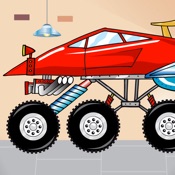
BUILD and RACE your very own monster trucks! Build A Truck allows you to customize and build monster trucks. But choose carefully, as each decision and building block will have real impact on your trucks when the races begin! Experiment with the physics of speed, torque, drag, mass, inertia, friction, acceleration, gravity and more. Build A Truck is the third new app in Duck Duck Moose’s award-winning Trucks series. AGES: 4-8.
CATEGORY: Play
ACTIVITIES
- FACTORY: Choose a body, paint, decal, wheels, engine, and exhaust! Come try dragon wings, sirens, propeller hat, and more on your Truck
- GARAGE: Start collecting cars and earning medals in the Garage
- RACE: Race your truck through snow, jungles, sewers and an ever changing surprise track for unlimited play
ABOUT DUCK DUCK MOOSE
(A wholly-owned subsidiary of Khan Academy)
Duck Duck Moose, an award-winning creator of educational mobile apps for families, is a passionate team of engineers, artists, designers, and educators. Founded in 2008, the company has created 21 top-selling titles and has received 21 Parents’ Choice Awards, 18 Children’s Technology Review Awards, 12 Tech with Kids’ Best Pick App Awards, and a KAPi award for “Best Children’s App” at the International Consumer Electronics Show.
Khan Academy is a nonprofit with a mission to provide a world-class education for anyone, anywhere. Duck Duck Moose is now part of the Khan Academy family. We rely on our community of volunteers and donors. Get involved today at www.duckduckmoose.com/about.
Check out the Khan Academy app to learn and practice all kinds of topics for elementary school through college and beyond.
We’d love to hear from you! Visit us at www.duckduckmoose.com or drop us a line at support@duckduckmoose.com.
- Apple App Store
- Free
- Education
Store Rank
- -
Create a Car vs. Build A Truck: Duck Duck Moose ranking comparison
Compare Create a Car ranking trend in the past 28 days vs. Build A Truck: Duck Duck Moose
Rank
Create a Car vs. Build A Truck: Duck Duck Moose ranking by country comparison
Compare Create a Car ranking trend in the past 28 days vs. Build A Truck: Duck Duck Moose
All categories
Education
Compare to any site with our free trial
 Create a Car VS.
  Build A Truck: Duck Duck Moose
August 24, 2026