

You’ve hit your search limit
Start your free trial to keep exploring full traffic and performance insights.
Get StartedAMAZE VR Concerts app analytics for September 11

AMAZE VR Concerts
- AmazeVR, Inc.
- Apple App Store
- Free
- Music
■ How to Use
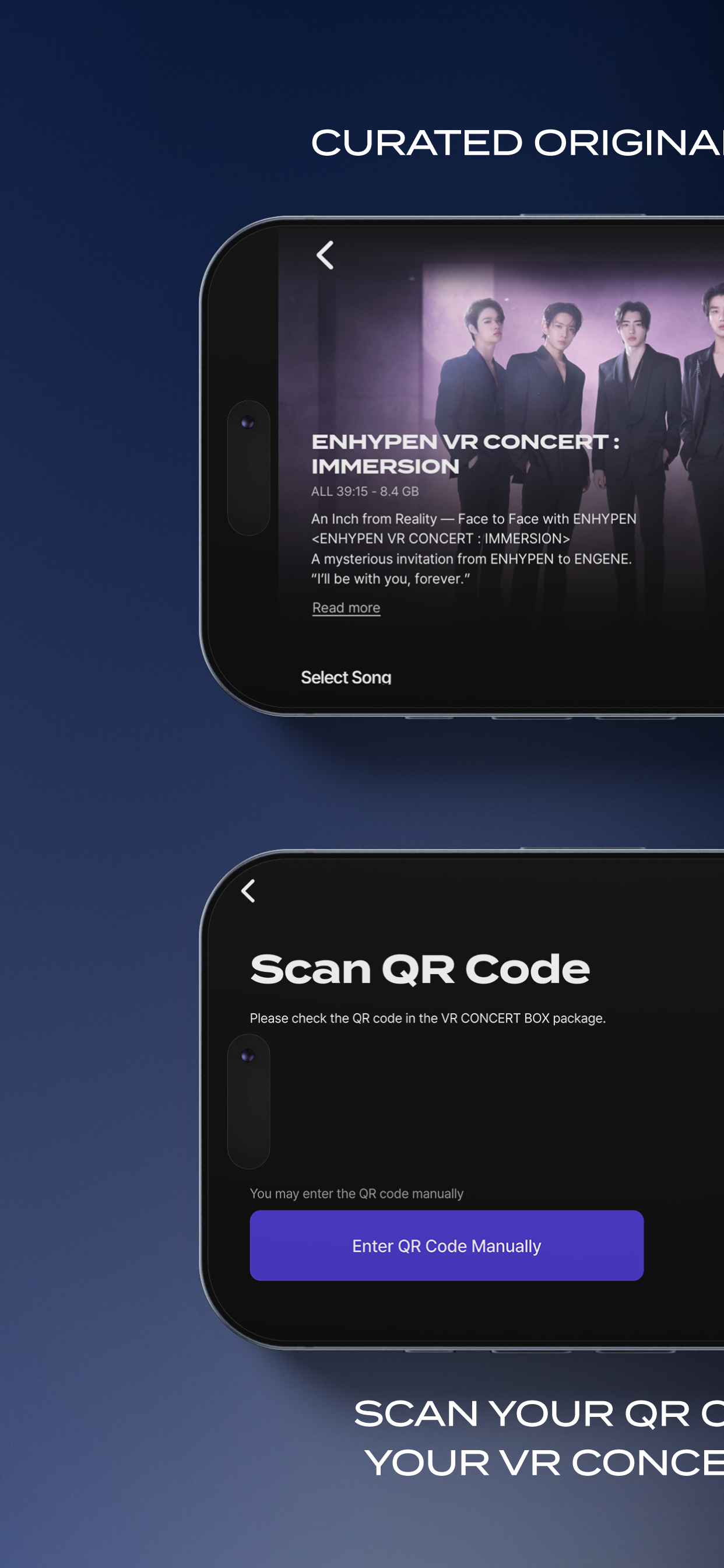
Have you purchased a VR Concert Box? Concert viewing begins once you register the QR code included with your VR Concert Box.
1. Install the app and sign up with your email, phone number, or a social media account.
2. Scan the QR code included with your VR Concert Box to register the concert to your account.
3. Download the concert. (Approximately 9GB per concert; Wi-Fi is recommended.)
4. Insert your smartphone into the VR Concert Box and the concert will begin.
If the screen appears off-center, look straight ahead and double-tap the screen.
■ VR Concert Lineup
[ENHYPEN]
● ENHYPEN VR CONCERT : IMMERSION
[TOMORROW X TOGETHER]
● HYPERFOCUS : TOMORROW X TOGETHER VR CONCERT
● TOMORROW X TOGETHER VR CONCERT : HEART ATTACK
You can watch each concert by registering the QR code from your purchased VR Concert Box. If you register multiple QR codes, you can enjoy all concerts with a single account.
■ Supported Devices
For smooth playback, please check that your device is supported before viewing.
● iPhone 11 or later (iOS 14+)
● Samsung Galaxy S22 or later, Galaxy Z Flip 4 or later (Android 13+)
● Optimized for screens sized 4.5–7 inches
■ Please Note
● Concert viewing begins once you register the QR code from your purchased VR Concert Box. Before that, only app installation and sign-up are available.
● Playback may not work properly on devices that are not officially supported. Please check the supported devices before viewing.
● Each concert is approximately 9GB or larger, and file size varies by concert. Please check your available storage before downloading.
● You can re-download concerts an unlimited number of times. Even if you delete a concert or switch devices, simply log in with the account you used to register the QR code.
● Each QR code can only be registered to one account.
● An internet connection is required during playback.
● To protect artist content, screen recording and screenshots are restricted during playback.
■ Permissions Guide
[Required Permissions] None
[Optional Permissions]
● Camera: To scan QR codes
● Notifications: To receive concert updates
● Storage: To download concert content
You may use the service without granting optional permissions.
Support: support@amazevr.com
Terms of Service: https://www.amazevr.com/terms-and-conditions
Privacy Policy: https://www.amazevr.com/privacy-notice
Store Rank
The Store Rank is based on multiple parameters set by Google and Apple.
All Categories in
United States--
Music in
United States--
Top Competitors & Alternative Apps
Apps with a high probability of being used by the same users, from the same store.

Smart Music Card

KiTplayer

Weverse Albums

musicat: Music, Stats, Reviews
 AMAZE VR Concerts VS.
 September 11, 2026