

ContentCam: Dual Camera Video app analytics for September 18

ContentCam: Dual Camera Video
- Jimmy Yip
- Apple App Store
- Free
- Photo & Video
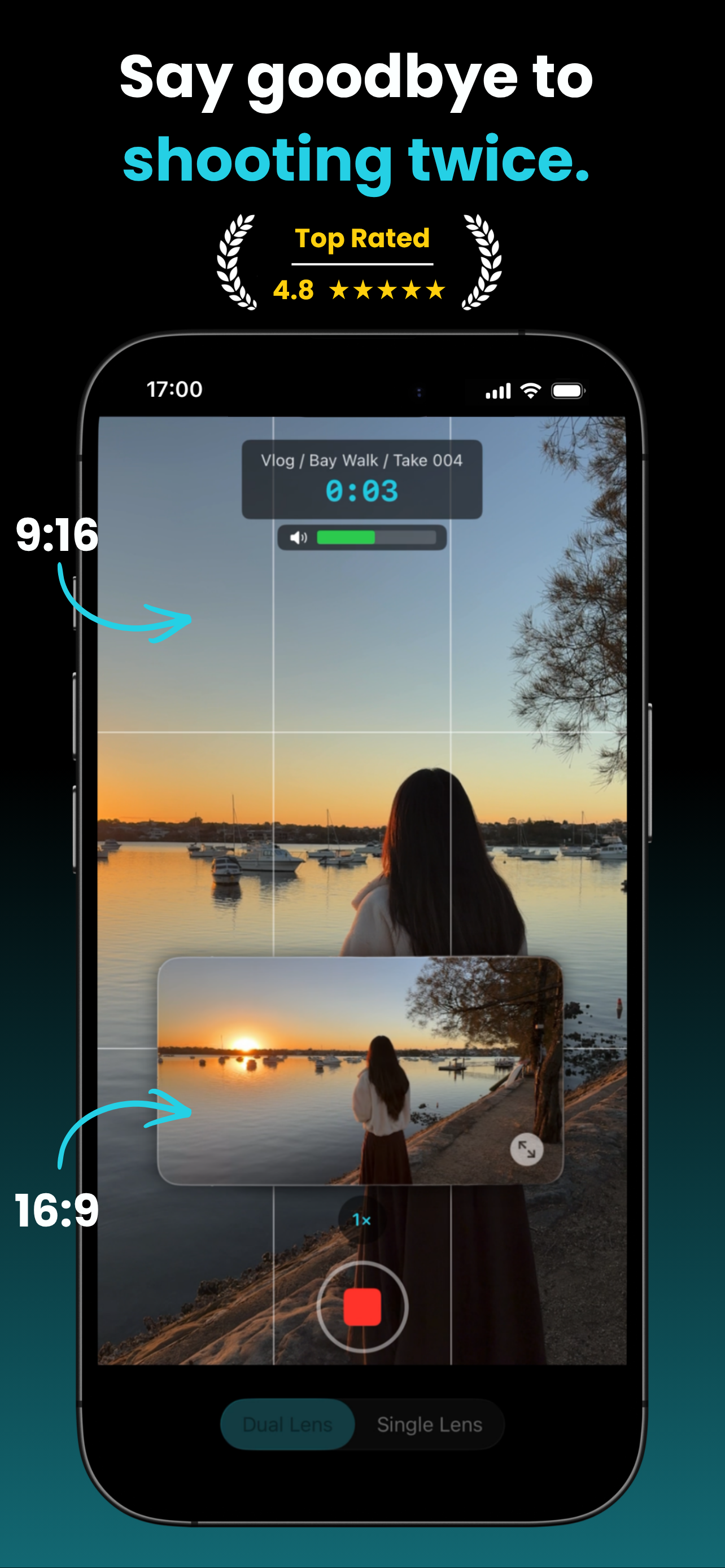
One take, both formats. ContentCam records portrait and landscape at the same time, so one shoot covers TikTok, Reels and YouTube.
Get two separate files from a single tap, ready to post everywhere. No re-shooting, no cropping in post.
MANY WAYS TO RECORD
• Single Lens: one camera captures the full 4:3 sensor and crops both. Portrait keeps the full vertical view, landscape the full horizontal one. Neither is a crop of the other.
• Dual Lens: the wide and ultra-wide cameras record together. Two perspectives, in one take.
• Front/Back: the selfie and rear cameras record together. Your reaction and your scene, at the same time.
• Front Cam: flip to the selfie camera and keep recording both formats.
• Stock Cam: turn landscape off and shoot a single portrait file, like a normal camera.
PHOTO
• Shutter beside the record button: one press saves a 9:16 and a 16:9 photo of the same moment.
• Dual Lens and Front/Back fire both cameras at once, so your photos cover both angles too.
• Stills sit in the same take list as your clips, and save to Photos together.
VIDEO
• Resolution and frame rate: HD or 4K, set independently for portrait and landscape, at 24, 30 or 60fps.
• Manual controls: exposure, white balance, ISO, shutter.
• Focus and exposure: tap to focus, or press and hold to lock both together.
• Teleprompter: scroll your script as you record. Adjustable speed, size, colour and mirror.
• Stabilisation and HDR: native-grade stabilisation on every lens and true 10-bit HDR when you want it.
• Timelapse: 0.5s to 30s intervals, 10x to 900x speedup.
• Guides: grid, level indicator, centre crosshair, and an audio meter that pulses red when clipping.
• Zoom: 0.5x, 1x and 2x buttons, pinch, or the dial.
WORKFLOW
• Projects, scenes, and takes: organise your shoots and have files name automatically. Review, trim, export, favourite, and share at any time.
• Review and trim: play both clips side by side with a synced scrubber, then trim to the frame.
• Storage estimator: see how long you can record before you start.
• Crash protection: an interrupted recording is recovered on next launch.
• Thermal monitoring: warnings and auto-stops before your device overheats.
Record both formats from a single lens in HD, free, no watermark, unlimited takes with no account.
PREMIUM UNLOCKS
→ Dual Lens mode - unlimited takes
→ Front & Back mode - unlimited takes
→ Photo mode
→ 4K portrait and landscape, independently
→ 60fps
→ Manual controls - exposure, white balance, ISO, shutter
→ Teleprompter
→ Timelapse
→ Trim in review
→ Unlimited projects
Zero tracking. Zero data collection. Totally private.
Built by Jimmy, solo developer who reads every feature request and bug report, and ships them.
Terms of Use (EULA): https://www.apple.com/legal/internet-services/itunes/dev/stdeula/
Store Rank
The Store Rank is based on multiple parameters set by Google and Apple.
All Categories in
United States--
Photo & Video in
United States--
Top Competitors & Alternative Apps
Apps with a high probability of being used by the same users, from the same store.

Dual-Shot Recorder: 2 Cameras

DualCam: Dual Video Recorder

GEN Cam & Vintage Film Camera

ReFrame: Multi-Angle Recorder
 ContentCam: Dual Camera Video VS.
 September 18, 2026