






Muse app breakdown: what Meta's AI agent means for brands
by Noam Kadyshevitch5 Min.
Oct 29, 2026
The most effective SEO tactics are the ones that help your users. Internal linking is one of these tactics, as an intelligent use of internal links benefits both users and search engine crawlers. The reason is, it’s not just about connecting your pages; it’s about guiding users and search engines to your most valuable content in a strategic way.
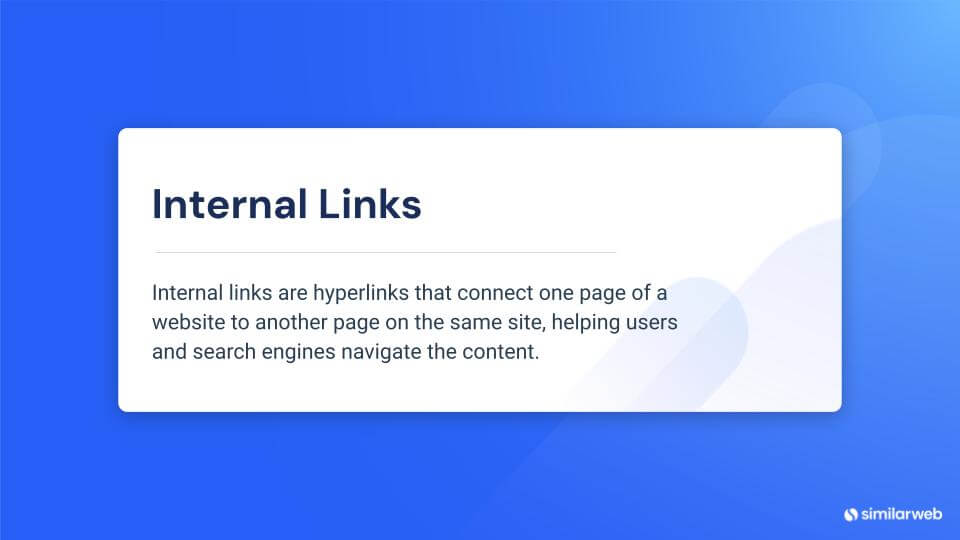
Internal links are hyperlinks that connect pages within the same website. They’re important because they organize your content logically, helping users explore your site . Unlike external links, internal links keep users on your site, potentially improving engagement and boosting your search engine rankings.
By strategically using internal links, you can improve both user experience and your site’s SEO performance.
While internal and external links are both important in SEO, they perform different functions.
Internal links connect different pages within your website, helping organize content and making it easier for users and search engines to navigate your site. They are an important part of any SEO activity, helping to establish a clear site structure while directing visitors to your most valuable pages.
External links are hyperlinks that link one website to another. There are two types of external links:
Anchor text is the clickable text in a hyperlink. It plays a crucial role in SEO, and effective anchor text provides context for users and signals to search engines about the linked page’s content. Furthermore, having relevant keyword-rich anchor text can strengthen the likelihood that the linked-to content will rank for relevant searches.
For example, if you link to an article titled “Keyword Mapping in 4 Easy Steps: Guide + Free Template” using anchor text like “keyword mapping,” “keyword mapping guide,” or “how to do keyword mapping,” you’re helping Google and readers recognize the page’s focus while strengthening the keyword’s relevance.
Nofollow links instruct the search engines not to pass on link equity to the target page. Although there may be some value in using nofollow on external links, it’s better to use dofollow for internal links, which spreads the link equity evenly across your site, helping your whole site to perform better in the search engines.
A carefully considered and consistent internal linking strategy can benefit your website in two ways. Internal links:
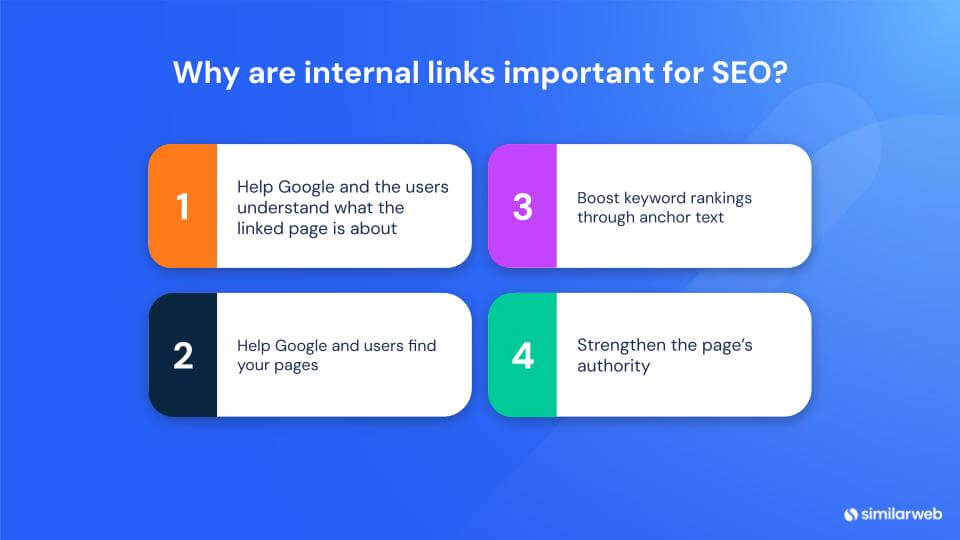
Strategic internal linking supports content across your site by connecting users to relevant information. This practice not only guides visitors deeper into your site but also helps search engine crawlers map your content more effectively, potentially boosting relevance and rankings. Moreover, well-planned internal links establish a clear content hierarchy, showcasing relationships between pages and highlighting key information.
Effective internal linking ensures all pages are discoverable, reducing the occurrence of orphan pages that search engines might overlook. If search engines can’t find them, you can be sure that users can find them either. Internal linking facilitates faster and more comprehensive crawling of your site, improving both user experience and SEO performance.
Internal links also create a relationship map that connects the terms searchers are looking for and shows the relationship between various pages on your site. Proper use of internal links helps search engines understand your site’s structure and allows search engines to recognize a thematic grouping of content on your site. This makes it easier for users to navigate from page to page.
By linking out from your high-authority pages to less authoritative pages within your site, you can pass along link equity. This practice strengthens your site’s overall SEO foundation and improves the ranking potential of lesser-known pages.
Different types of internal links work in different ways to enhance user experience and SEO. Using each of the internal link types in your content around your site is a smart way to improve your site’s navigation and on-page SEO.
Here are some best practices to help you develop a well-structured, efficient internal linking strategy that complements your general SEO strategy:
When you audit your internal links some internal link problems might show up along the way. Here are some common issues to watch out for:
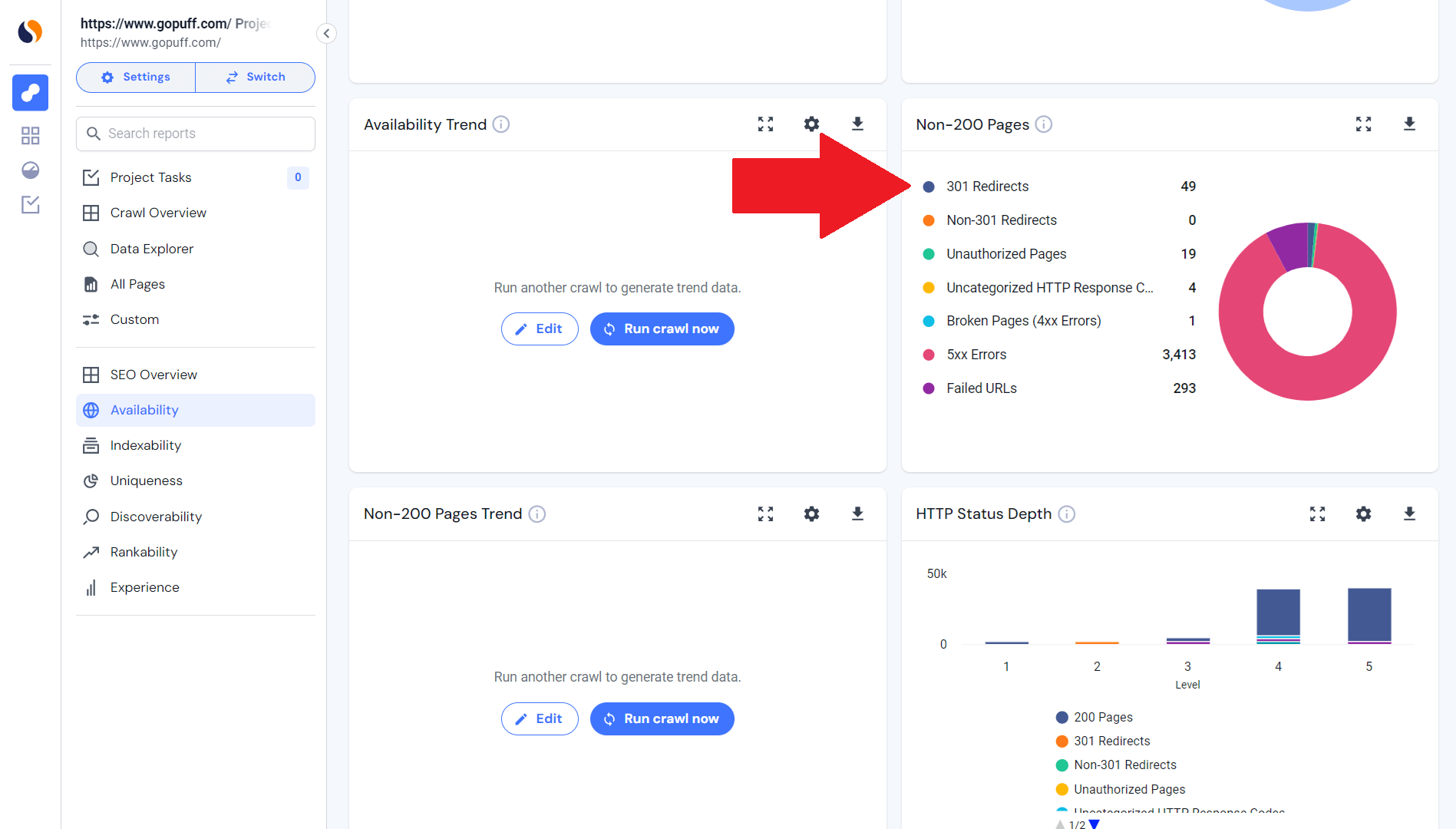
Internal 301 redirects can either slow down your site speed or leech link equity. These can be identified using Similarweb’s Site Audit tool, under the ‘SEO’ drop-down, and then ‘Availability’. Once here, the report can help to eliminate any unnecessary 301 redirects so that your site runs faster and your link equity is better distributed.
Broken links will frustrate your users and make it harder for search engine crawlers to discover your site. Find them with Similarweb’s Site Audit tool by going to ‘SEO’ > ‘Discoverability’ > ‘Internal Linking’. Fixing these broken links will keep your site usable while improving your SEO.
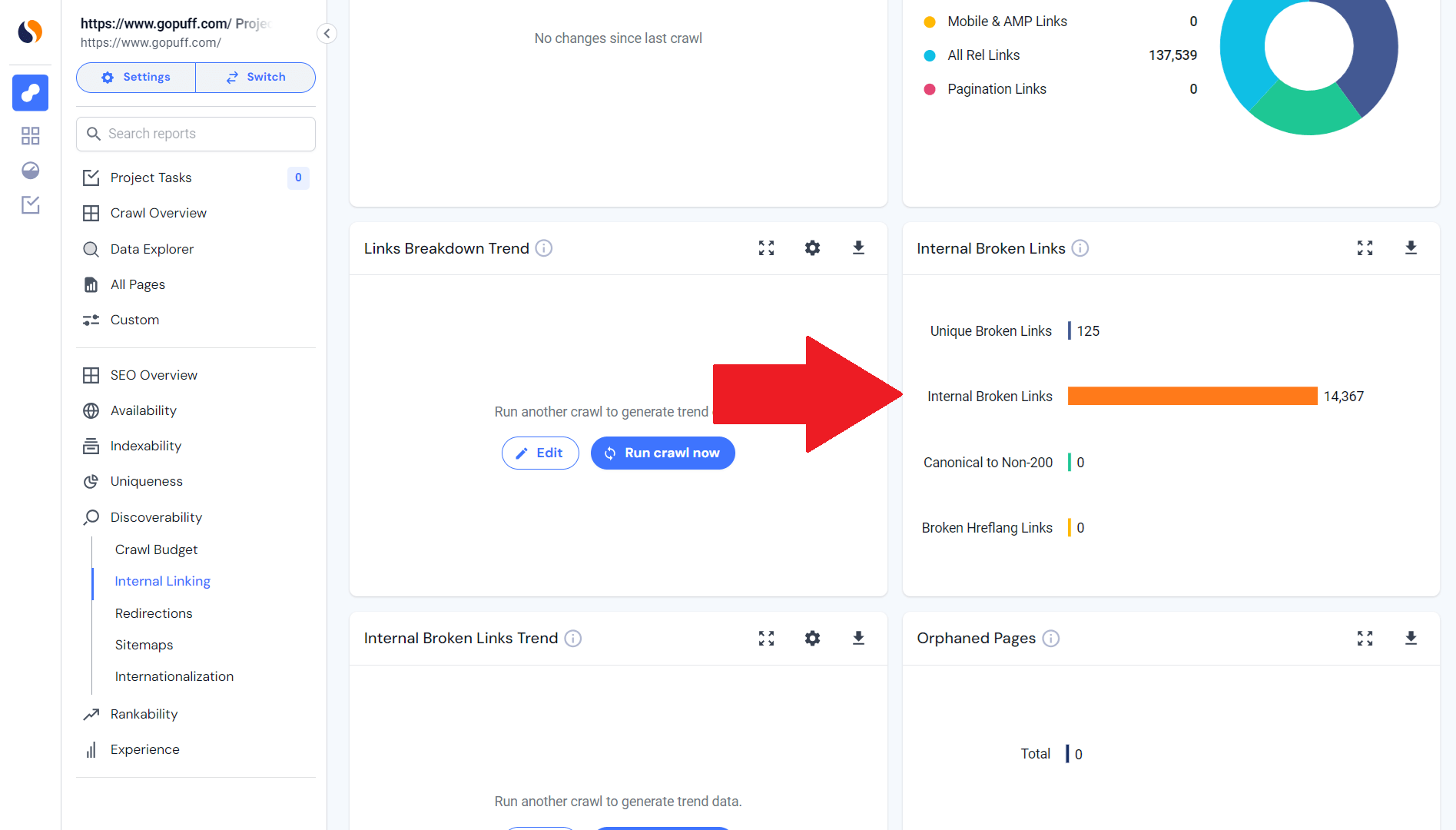
Orphan pages make it hard for users and search engines to find content, reducing visibility. There’s an easy way to identify these using Similarweb: select the tab Site Audit under the left navigation bar and click on ‘SEO’, ‘Discoverability’, and ‘Internal Linking’. Then, click on ‘Orphan Pages’.
Make sure users can find them by linking back to them. This will help with crawlability, which in turn improves your SEO.
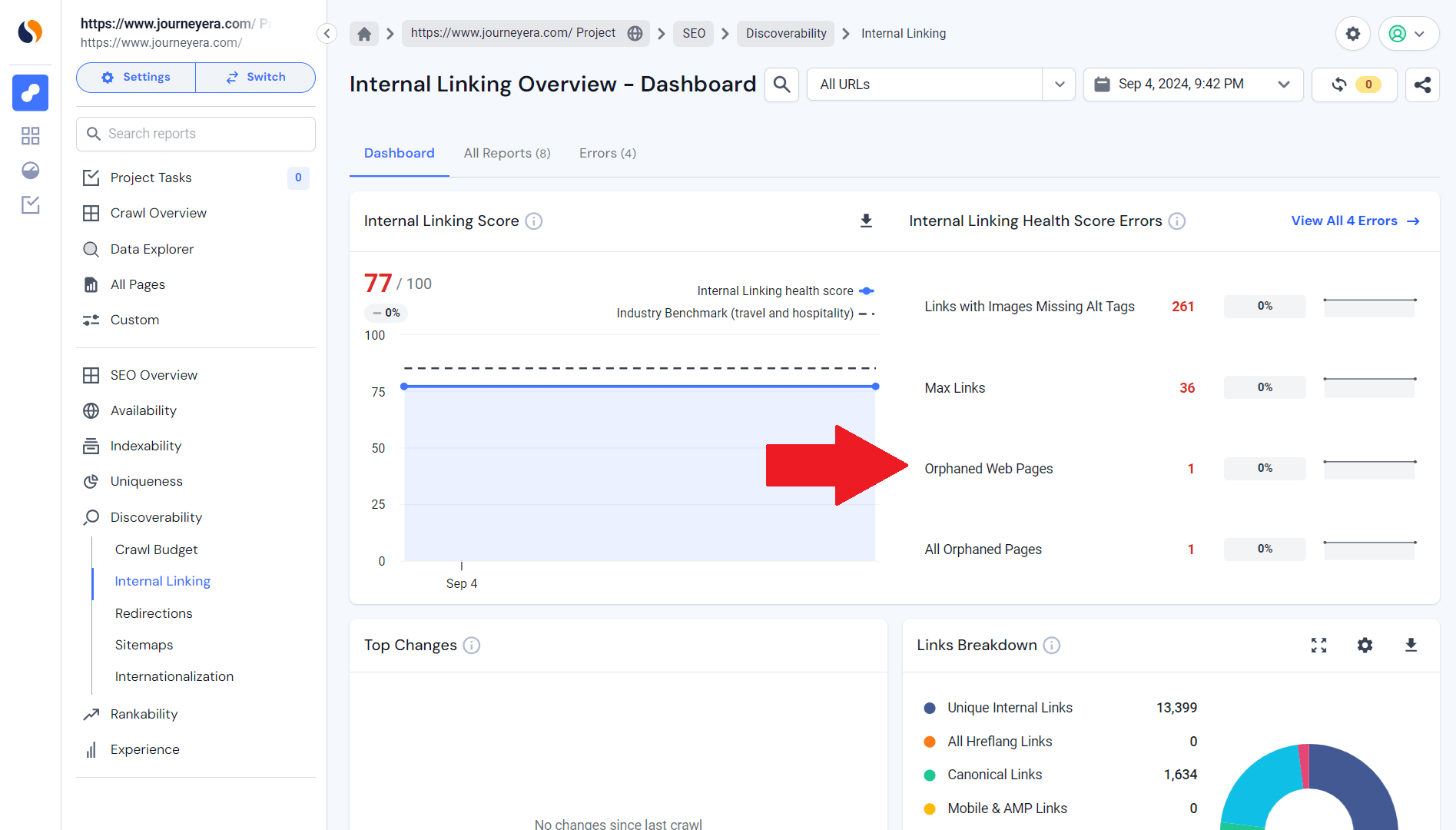
User journeys are cut off by dead end pages with no outbound links. Regular audits and link optimization will allow you to identify and fix these, and optimizing these pages with internal links can improve user engagement and retention.
Cannibalization occurs when similar pages vie for the same keywords, which is often exacerbated by linking them from the same anchor. To prevent this, be sure that each page has a different anchor, including from internal links.
For instance, if a category page called ‘running shoes’ and a blog post on ‘best running shoes’ are linked from ‘running shoes’, this will create competition. This should be remedied by linking the category page from ‘running shoes’ and the blog post from ‘best running shoes’. A keyword map helps to distribute keywords correctly.

Regular internal link audits can help make sure they are working as intended and that they aren’t negatively impacting technical SEO or leading visitors astray. Using an internal link checker like Similarweb’s Site Audit or Google Search Console will provide you with the data that you need to address any internal link issues and improve your site:
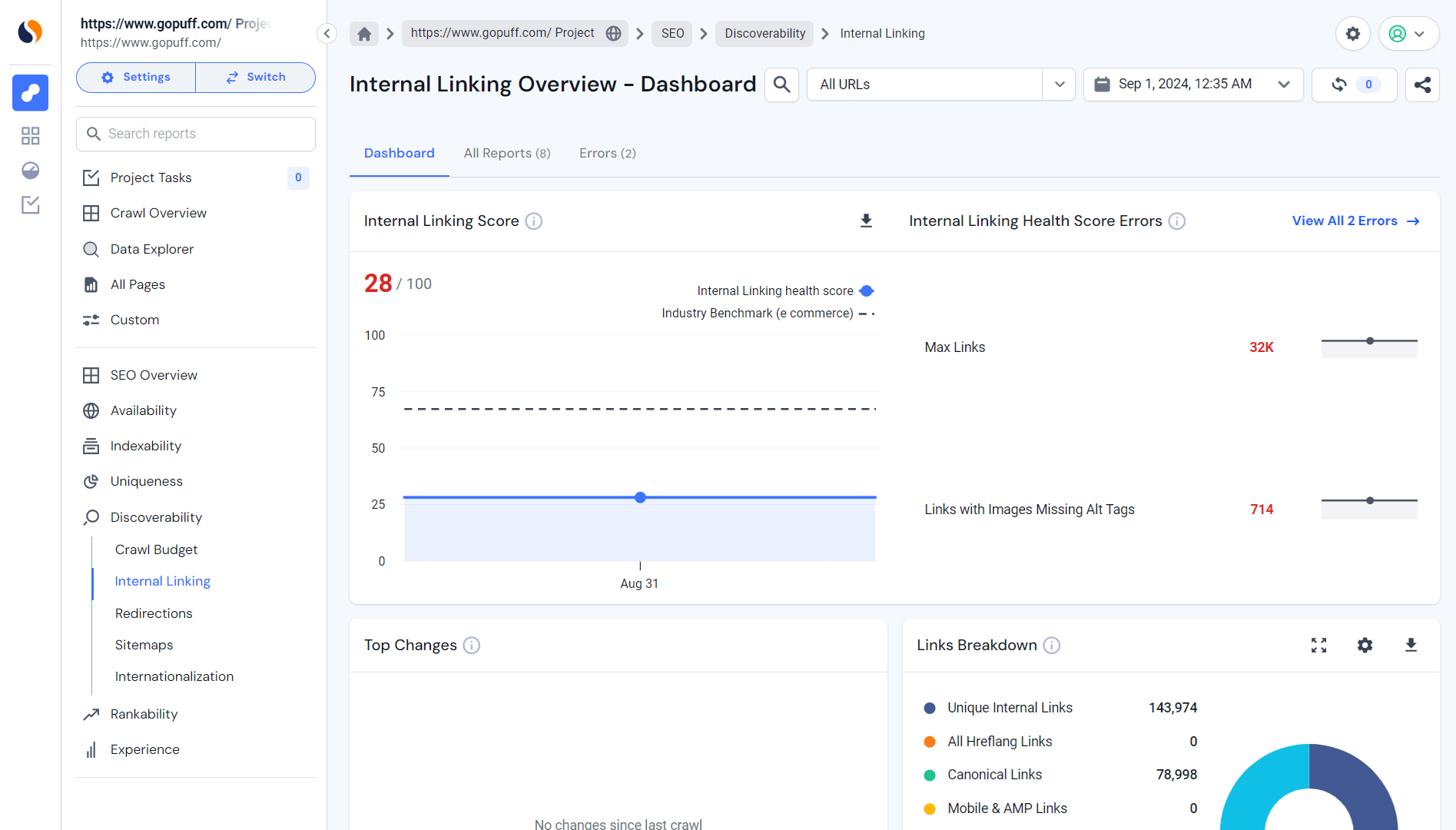
Similarweb’s internal link audit tool is an effective way to internally audit your website. Go to the ‘SEO’ tab in Similarweb, and click ‘Discoverability,’ then ‘Internal Linking’.
When you get there, you’ll be able to review your site’s internal linking structure, which will help you understand how your pages are connected throughout the site. This will help you notice any gaps and other low-hanging fruit that you might have missed with your internal linking strategy.
This tool can be helpful when you want to optimize your site to improve SEO, user experience, or both. When you audit your internal links with this technical site audit, it will make your website easier to discover.
One of the best ways to conduct an internal link audit is by using Google Search Console, which provides a detailed breakdown of how Google indexes your site. To do so, just log in to your Google Search Console account and head to ‘Links’, where you can find a list of external and internal links pointing to your web pages. You can then review internal links and see the distribution of internal links among your pages.
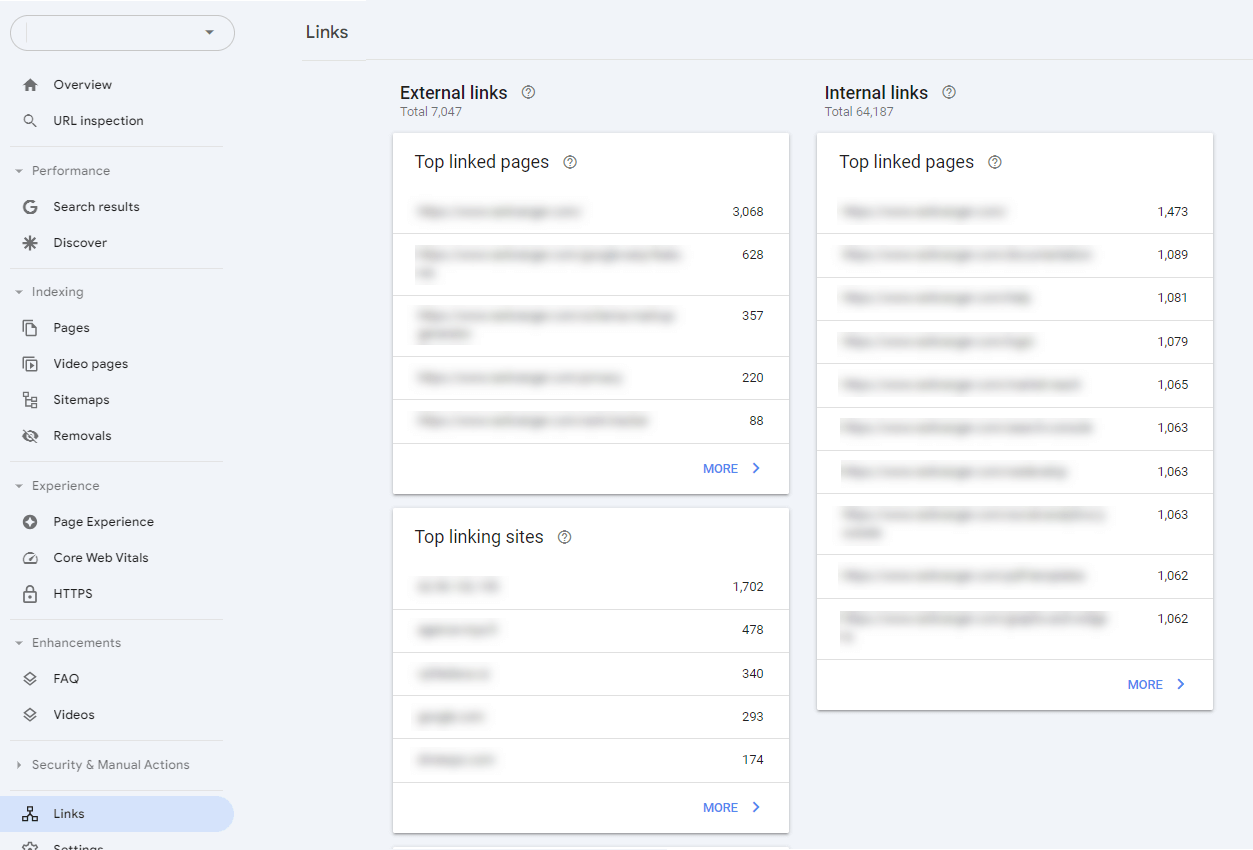
It’s highly recommended to use Google Search Console for SEO. This data can reveal areas for optimization if there are too many internal links pointing to one page and not enough to another, which could mean that some of its important pages are getting less internal link authority. This will help you boost your SEO and ensure the best user experience on your site.
In addition to making your web a more useful place for anyone to visit, internal links act as an important component of your off-page optimization strategy. After all, if users and crawlers can wade through your site with ease, then you’re setting it up to be more discoverable and more rewarding for everybody who visits it.
Your internal linking strategy can be better streamlined by running regular audits of your website to make sure that your links are working properly and improving your site structure. Similarweb’s Site Audit will give you a detailed report of your internal links, and show you where problems lie, and how to fix them. Start making your internal links work now, and reap the benefits of your increased SEO efforts.
With the right SEO tools, your next big digital growth opportunity is just within reach.
How many internal links are recommended per blog post?
There isn’t a specific rule for the number of internal or outbound links you should use in a blog post. The ideal amount depends on factors like the post’s length, whether you’re trying to boost the visibility of certain pages, and the competitiveness of the focus keywords. However, as a general guideline, including 5-10 internal links for every 2,000 words is often recommended to ensure effective link equity distribution.
How many internal links should a product page have?
There isn’t a set rule for the number of internal links to include on a product page. The optimal number depends on factors like the length of the product description, the importance of related pages, and the competitiveness of the keywords you’re targeting. As a general suggestion, aim for 5-10 internal links for every 2,000 words to effectively distribute link equity and enhance user navigation across your site.
How many internal links should you include in a blog post?
When adding internal links to a blog post, balance is key. Too many links can dilute their value, making it harder for search engines to understand which pages are most important. Aim for a clear structure, where primary pages link to categories, and categories link to relevant content. As a guideline, include 5-10 well-placed internal links in longer posts (around 2,000 words), but avoid overlinking to ensure search engines can easily determine your blog’s hierarchy and prioritize important pages.
How often should I audit my internal links?
You should take the time to audit your internal links at least once every quarter. If you have the resources for doing it on a monthly or weekly basis – even better. By auditing your links on a regular basis, you check that they can remain in good working order, be relevant and functional and that they can offer users and search engines the best way to navigate through your site.

by Lior Shapira
SEO Manager
Lior is an SEO Manager at Similarweb. She who is passionate about content creation and learning new tools. Outside Similarweb, she manages a few blogs and writes for a newspaper.
Muse app breakdown: what Meta's AI agent means for brands


What Is Retail Intelligence? How It Works and Why It's Essential to Digital Commerce
Give it a try or talk to our marketing team - it’s free!
