






Muse app breakdown: what Meta's AI agent means for brands
by Noam Kadyshevitch5 Min.
Oct 29, 2026
 Marketing Intelligence
A poorly organized website can significantly deter visitors. Imagine the ease of locating a book in an orderly library versus searching through a random pile of books. Not only does a well-planned site structure enhance user experience, but it also plays a critical role in your SEO success.
In this article, we’ll explore the concept of website structure and outline the best practices for site structure for SEO.
Site structure refers to the organization and hierarchy of a website’s content and pages. It involves structuring the top-level categories, subcategories, and individual pages and planning how they all interlink. A well-designed site structure makes it easy for users and search engines to navigate and understand the information on a website.
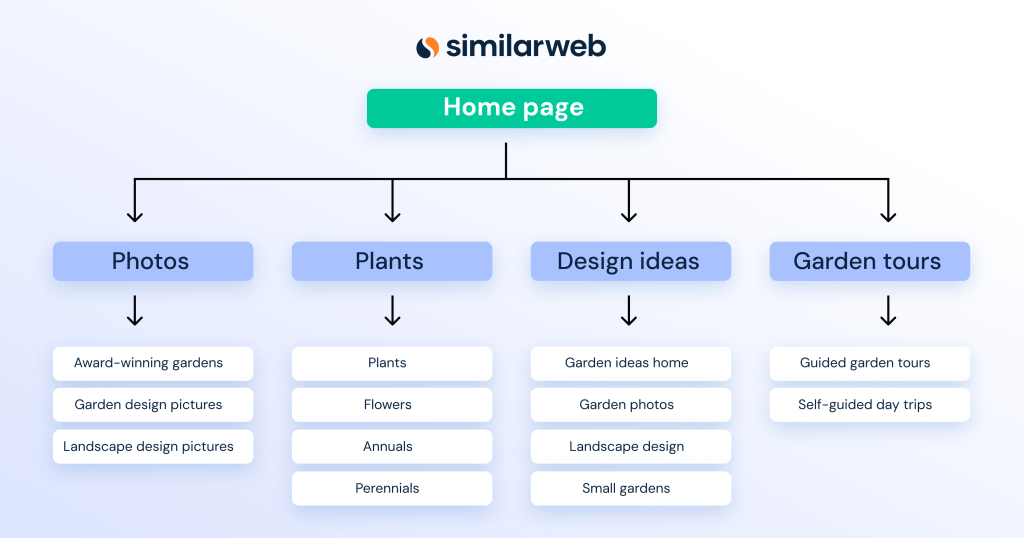
Below, you can see the site structure for gardendesign.com, an informational website for gardeners. Each menu header represents a category and is broken down further into subcategories:
Search engine bots need to be able to crawl through a website and find all of its content. A well-structured site with clear hierarchies and internal linking makes it easier for bots to discover and index all the relevant pages.
If you arrange your content in neat, easy-to-understand silos, search engines will read your navigation to figure out your information structure which helps them understand the topic your site covers. This will enable the search engine to understand what subtopics your site includes and will help them locate all of your content.
The better the search engine understands your content, the more it will consider your site an authority in its chosen niche, which will likely result in higher rankings.
Structuring your content into a clear hierarchy directly improves your user experience by helping users navigate your site to quickly find what they want. If users find your site genuinely useful, they are more likely to visit regularly, increasing their likelihood of becoming your clients or customers.
You can enhance your user experience by adding features like breadcrumbs, which provide contextual navigation, and well-designed dropdown header menus that offer access to your topics and subtopics at a glance.
In this section, we’ll cover seven easy-to-follow steps to create a website structure that both search engines and users love.
Your site structure should be designed to help users easily navigate your content. The best way to do that is to use a pyramid or hierarchical category structure.
Your home page should be at the top of the structure. The next level should include categories followed by subcategories. Your navigation hierarchy should look like this:
Level 1: Home page
Level 2: Categories
Level 3: Subcategories
Level 3: Product or content pages
For example, if you had an ecommerce store, you might have a main “Clothing” category, with subcategories like “Men’s,” “Women’s,” and “Children’s.” Under “Men’s,” you’d have more subcategories like “Shirts,” “Pants,” etc.
Your site structure should be:
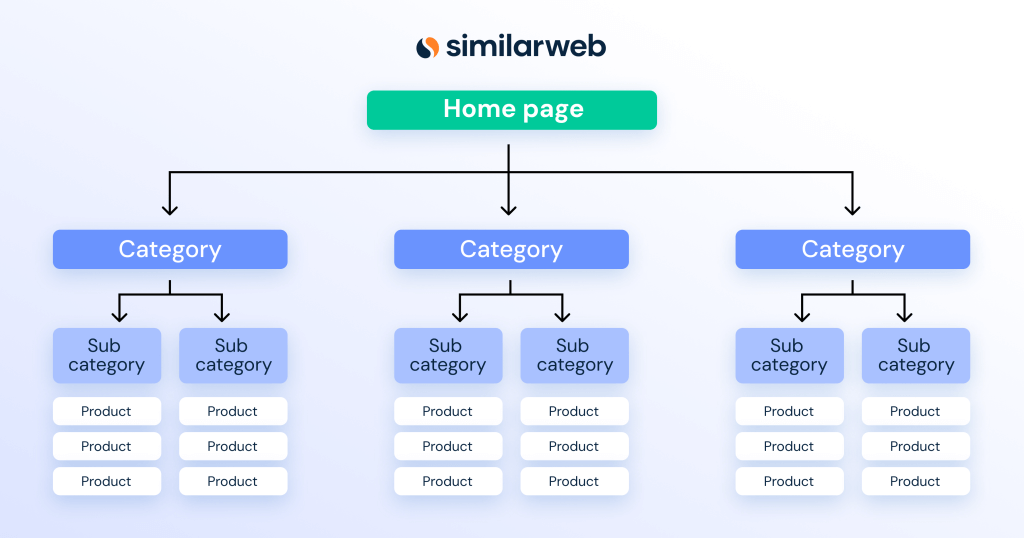
In the structure above, it takes one click to get from the homepage to the category pages, another click to get to the subcategories, etc. It’s important to ensure that any page is accessible from your homepage within three or four clicks. This is not only important for your users, as it ensures your pages are accessible, but search engines also consider pages that are far away from your homepage to be less important and may rank them lower in search results.
One of the best ways to figure out how to structure your content is to research your organic competitors. This will give you inspiration and show you how successful brands are structuring their content. There are two ways to do that:
When getting started, you’ll find many ideas on how to structure your content by visiting your competitors’ sites.
Take a look at their:
By exploring competitor sites, you can identify common shared features and discover unique elements. Browsing these sites from an end-user’s perspective allows you to experience their content firsthand, sparking ideas about structuring and enhancing your own site.
To analyze a large site, you’ll need a data-driven approach to see the big-picture site structure. The Similarweb Organic Pages report will give you a list of all of your competitors’ organic pages. By downloading the data in an Excel doc, you’ll be able to filter their URLs and see their folder structure.
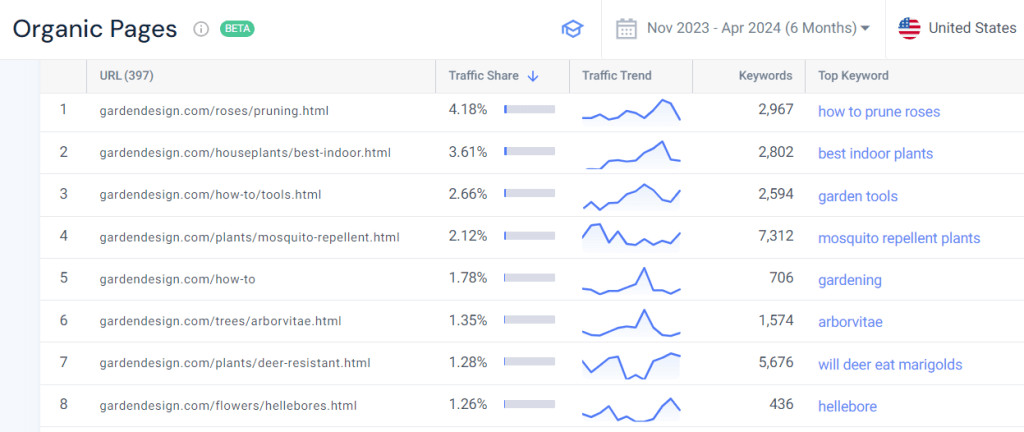
When working on an existing website, reviewing its site structure should be part of your technical site audit. You can do that by crawling the site’s URLs using a tool like Similarweb’s Site Audit software or by looking at its sitemap.
By analyzing the crawled URLs, you’ll gain insights into the site’s folder and subfolder structure, which reflects the categories and subcategories present on the site. Alternatively, you can review the site’s URL structure by examining the sitemap.
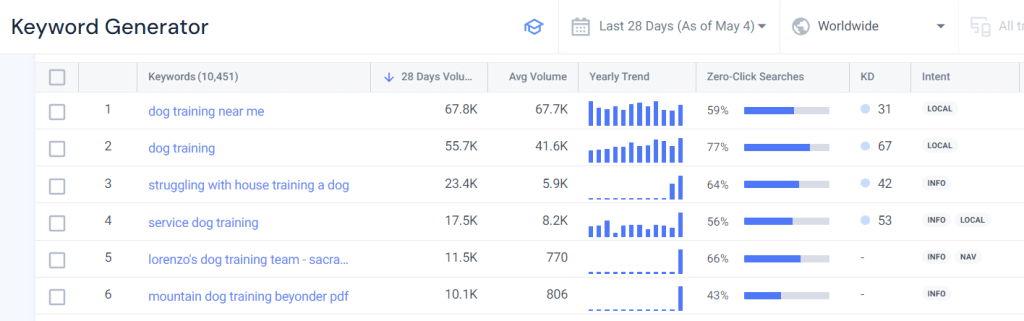
Keyword research will help you determine what keywords to target at all levels of your site. Generally, you should target head terms for the top of your hierarchy, such as your category pages. Further down the hierarchy, you should introduce middle and long-tail keywords.
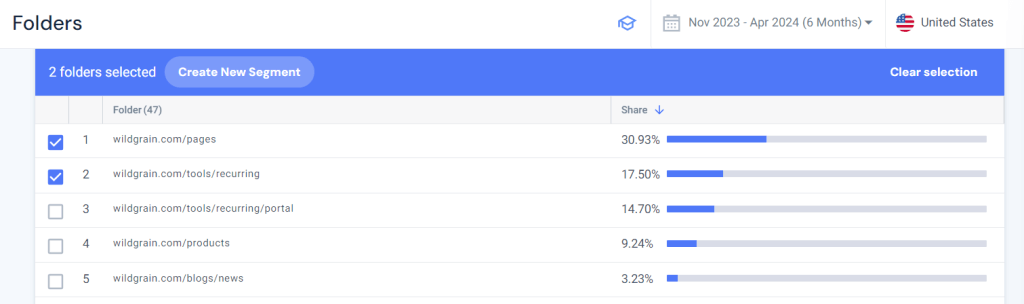
You can do this easily with your keyword research tool by researching your head term and using filters to find middle and long-tail keywords. For example, below, we’ve used the Similarweb Keyword Generator to search the head term ‘dog training’. With a few filters, we found specific keywords like:
From a site structure point of view:
It’s not enough to have your site structure in your menus. As we mentioned above, the structure should also be included inyour URLs.
For instance, here is a URL structure for an outdoor equipment and apparel ecommerce site:
https://www.trailblazers.com/
Category 1: trailblazers.com/camping-gear/
Subcategory: trailblazers.com/camping-gear/tents-and-shelters/
Products:
Category 2: trailblazers.com/hiking-equipment/
Subcategory: trailblazers.com/hiking-equipment/backpacks-and-bags/
Products:
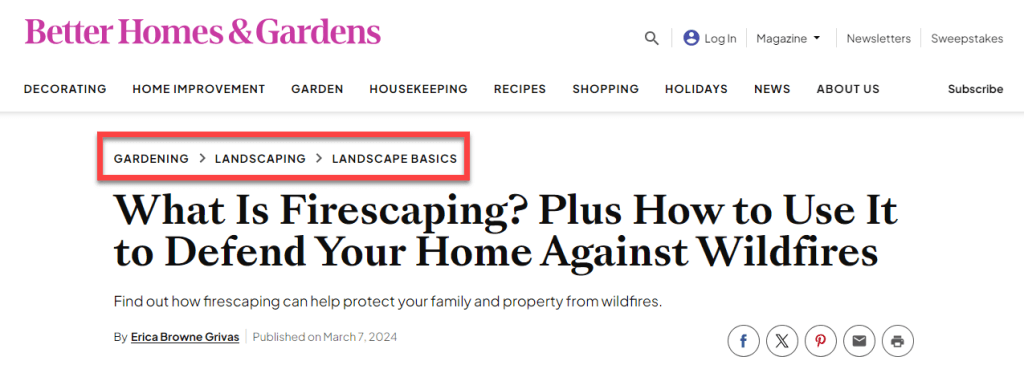
Breadcrumbs are a navigational feature that identify where a page is in the site’s content hierarchy. You can use them to add an additional layer of site structure to help users navigate your pages by showing users their current location within the site’s hierarchy. But that’s not the entire story. Google uses breadcrumbs to understand what your site content is about.
For example, below, we see that Better Homes & Gardens presents its topical hierarchy in its breadcrumbs:
Including an intuitive header menu that features a site’s main pages is crucial for a better user experience. This clear navigation structure helps users quickly find the subtopical content they need within each topic.
From an SEO perspective, a well-organized menu signals to search engines the importance and hierarchy of a site’s key pages, which can positively influence ranking as it demonstrates a logical information architecture.

Garden Design’s menu includes Photos, Plants, Design Ideas, 2024 Webinars, and GardenTours.
Internal links are a crucial aspect of site structure, which help you:
Information without structure is useless to an end user. However, with structure, your site might become a highly valued resource that users come back to again and again. This will give you an opportunity to form a relationship with your users and establish your brand as an authority in your niche.
Similarweb’s Keyword Research Suite will help you create order out of chaos by helping you:
What is the best website structure?
There is no single “best” website structure, and the best structure depends on the specific needs and goals of your website. But here are some general principles to follow:
What is a flat structure in SEO?
A flat website structure, from an SEO perspective, refers to a site architecture where all of the website’s URL addresses are at the same distance from the Homepage URL and are reachable in one to three clicks.
Is site structure a ranking factor?
Although it’s not clear if it’s a direct ranking factor, it can help your site rank higher in search results by:

Darrell creates SEO content for Similarweb, drawing on his deep understanding of SEO and Google patents.
Muse app breakdown: what Meta's AI agent means for brands


What Is Retail Intelligence? How It Works and Why It's Essential to Digital Commerce
Give it a try or talk to our marketing team - it’s free!
