


 Marketing Intelligence
SERP Features: The Main Types and How to Track Them

For the past few years, Google has been refining the search experience to help users find information faster and more easily. To achieve this, SERP features were introduced.
As an SEO, it’s not enough to simply recognize SERP features, you need to know how to capture them. In this post, we’ll break down 14 key SERP features, show you how to find them, and explain how to track them effectively.
What are SERP features?
SERP features are dynamic elements that enhance search engine results beyond traditional blue links. Instead of a plain list of text-based results, users now encounter engaging elements such as featured snippets, knowledge panels, and image carousels directly on the search page. These features improve user experience by delivering relevant information instantly, catering to diverse search intents. As search engines evolve, SERP features are becoming more prominent, reflecting a shift from simple search results to an immersive, information-rich experience.
Why are SERP features important?
SERP features play a crucial role in how content is discovered and engaged with in search results. They are more than just visual enhancements—they influence traffic distribution and user interaction with content. Here’s why they matter:
a. Increasing visibility
SERP features are strategically positioned to capture user attention instantly. Elements like rich snippets, carousels, and knowledge panels occupy prime real estate in search results, giving businesses a stronger presence. This not only enhances brand recognition but also increases the likelihood of user interaction, keeping your brand top of mind for relevant searches.
b. Stronger brand authority
Appearing in SERP features signals credibility and expertise. Users are more likely to trust and engage with brands that appear in enriched formats such as reviews, FAQs, and video carousels. This visibility positions your content as authoritative in your industry, builds trust, and helps differentiate your brand from competitors.
c. Improved access to information
SERP features streamline the search experience by providing quick, relevant answers. Features like direct answers, local packs, and knowledge graphs enhance user satisfaction by delivering concise, easily accessible information. This positive interaction increases the chances of users revisiting your site or exploring your offerings further.
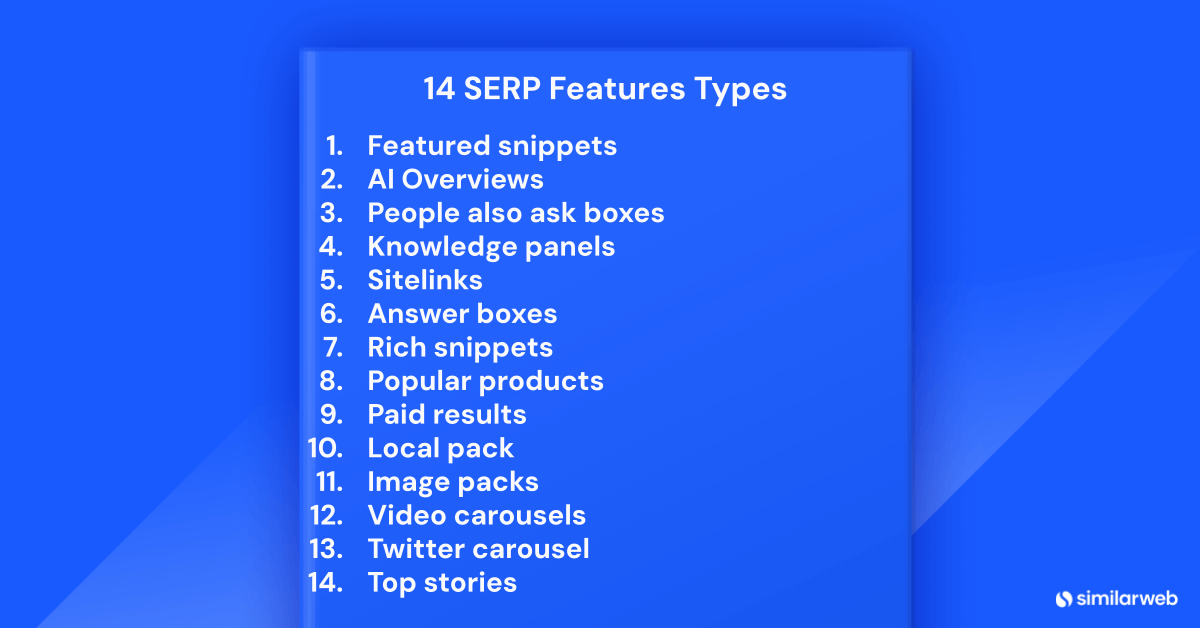
14 SERP feature types
Search results have evolved beyond a simple list of indexed websites. They now function as dynamic, multi-purpose platforms designed to deliver faster and more precise answers. Understanding these features allows businesses to optimize their strategies for greater visibility and engagement. Below, we explore 14 key SERP features and how they impact search results.
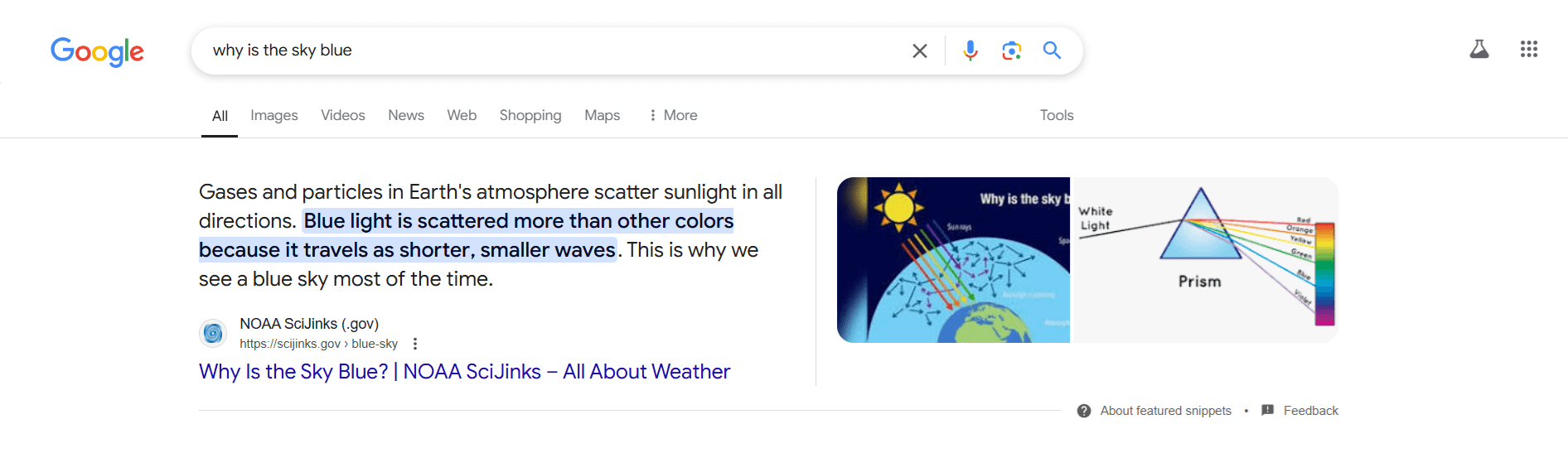
1. Featured snippets
Featured snippets are highlighted answer boxes that appear at the top of search results, providing direct responses to user queries. Businesses aiming to secure these snippets should focus on delivering clear, concise answers to frequently searched questions, using structured data that aligns with common search patterns. Earning a featured snippet boosts visibility and positions a brand as an authoritative source of information.
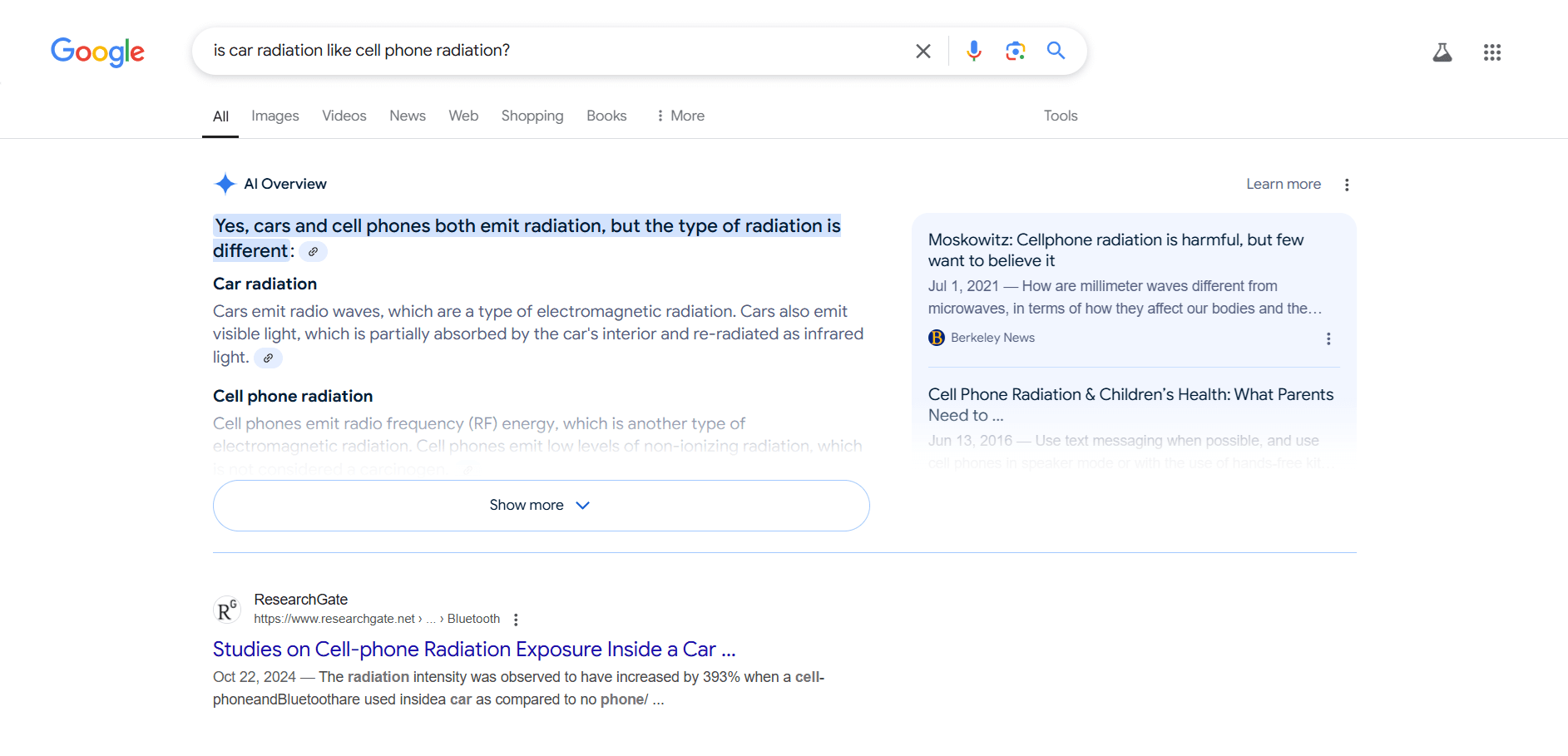
2. AI Overviews
Introduced by Google in 2024, AI Overviews are AI-powered summaries that provide quick answers by aggregating insights from multiple sources. Unlike traditional featured snippets, which pull information from a single page, AI Overviews integrate content from different websites into a cohesive response. This emerging SERP feature is challenging SEO, as it prioritizes high-quality, well-structured content that aligns with user intent.
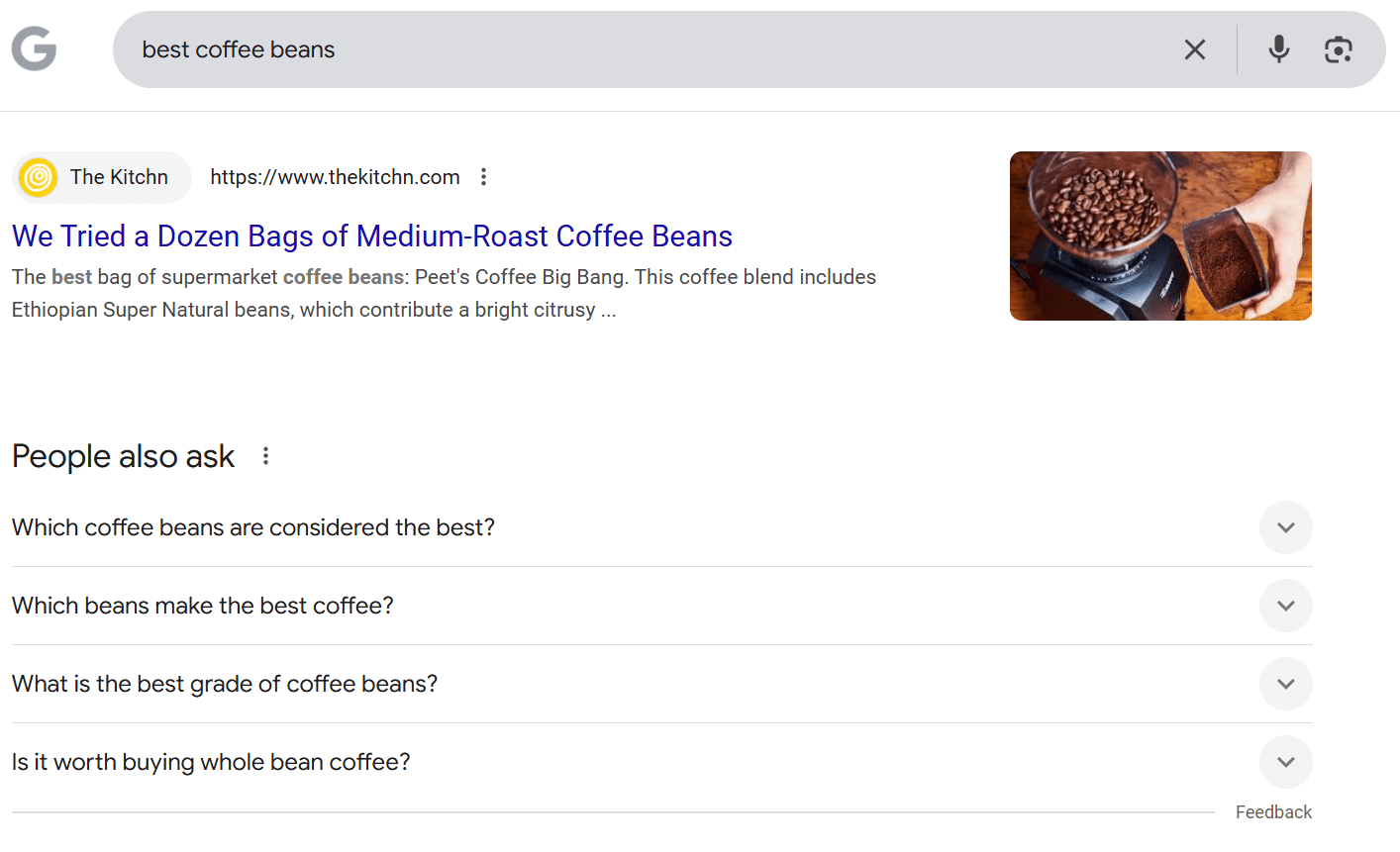
3. People also ask boxes
People Also Ask (PAA) boxes are interactive elements that display related questions based on a user’s original search query. For example, a search for ‘best coffee beans’ might generate follow-up questions like ‘What are the best coffee bean brands?’ or ‘How do I choose quality coffee beans?’ These boxes dynamically expand, encouraging deeper exploration. Optimizing for PAA involves identifying common user queries with keyword generator tools and crafting clear, concise answers that align with search intent.
4. Knowledge panels
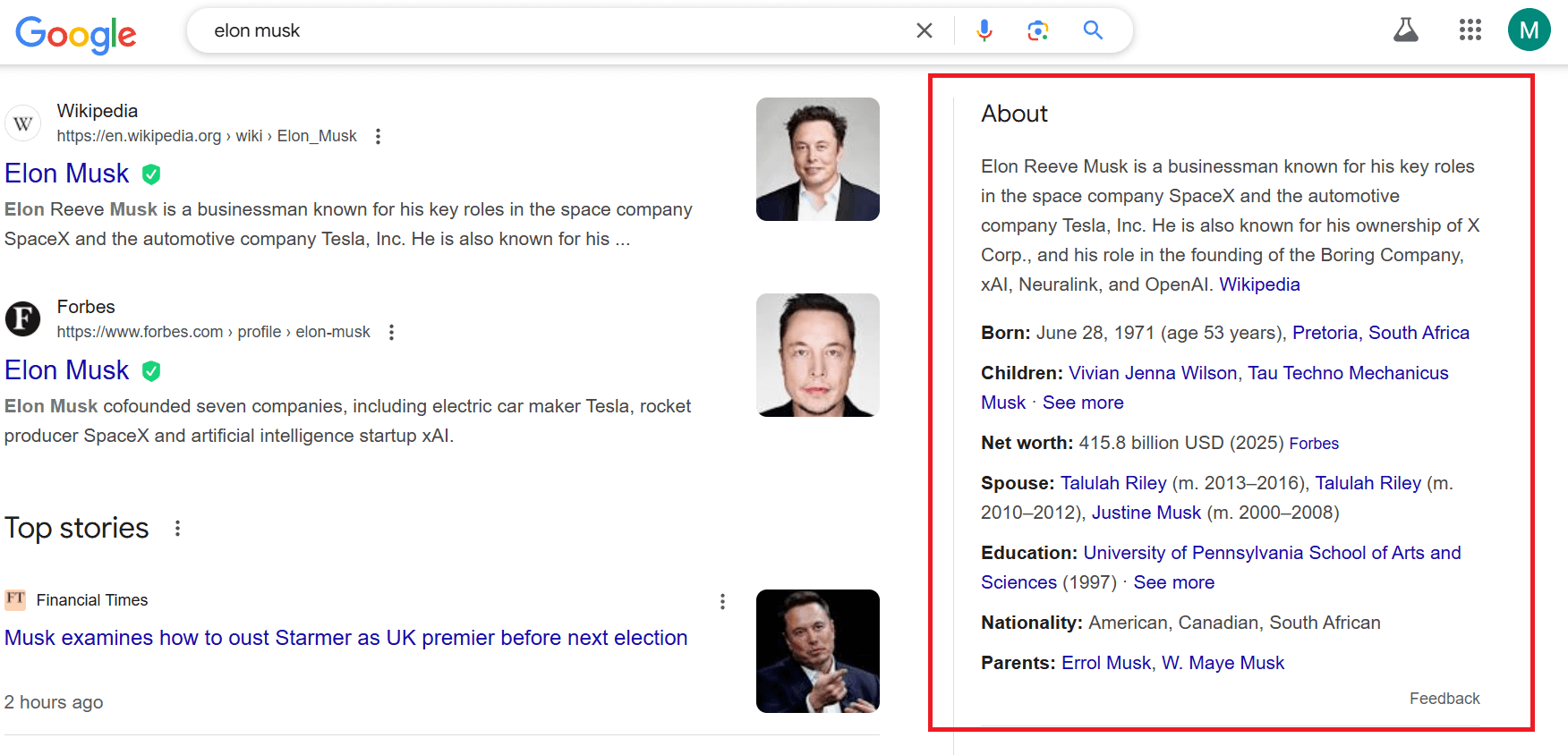
Knowledge panels provide authoritative, structured information about well-known entities, such as people, businesses, and landmarks. These panels pull data from Google’s Knowledge Graph, ensuring credibility and consistency. Businesses aiming to appear in a knowledge panel should focus on establishing authoritative sources, securing structured data, and ensuring accurate brand representation across platforms like Wikipedia, Google My Business, and authoritative directories. A presence in a knowledge panel reinforces brand trust and credibility.
5. Sitelinks
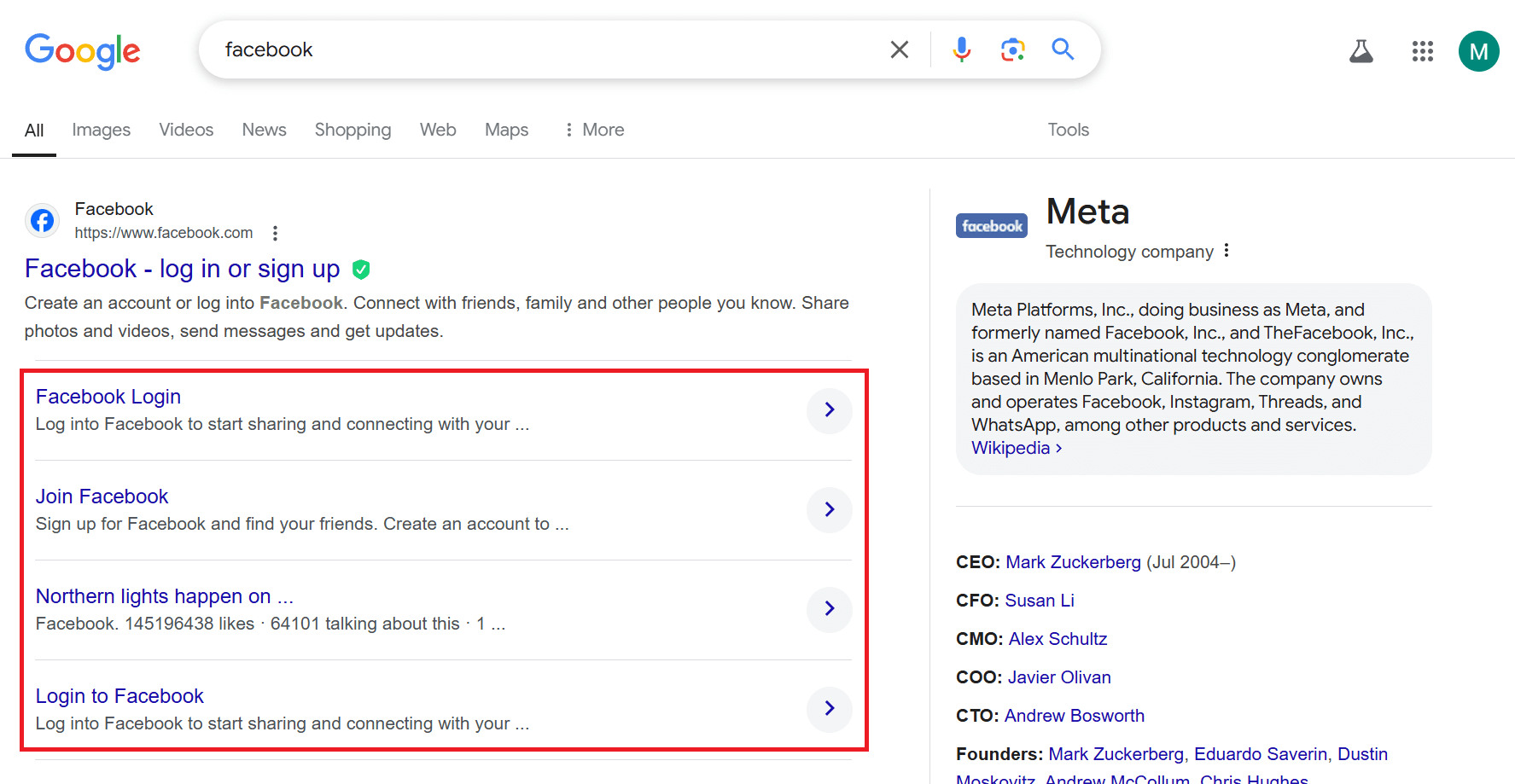
Sitelinks enhance navigation by displaying additional links beneath a primary search result, directing users to key sections of a website. These links improve user experience by providing quick access to relevant pages, such as product categories, pricing, or contact pages. Websites with a clear internal linking structure, strong navigation, and well-organized content are more likely to earn sitelinks, driving engagement and improving search visibility.
6. Answer boxes
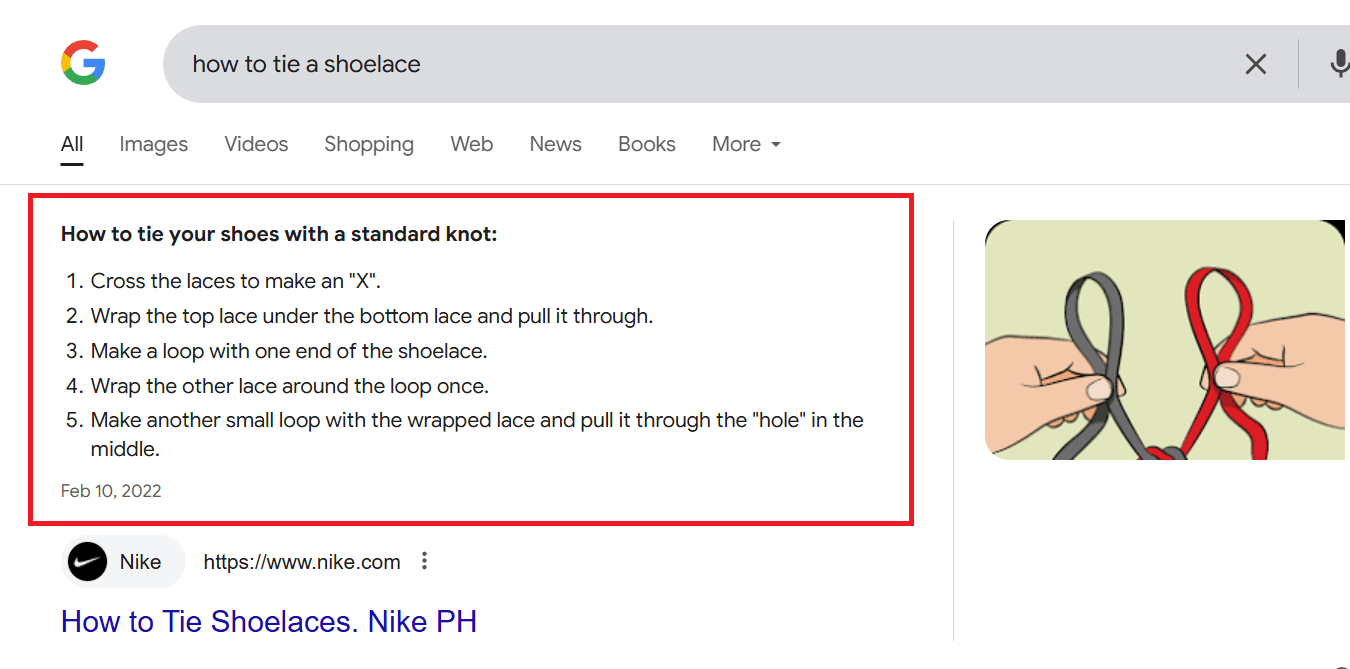
Answer boxes provide direct, concise responses to user queries, eliminating the need for additional clicks. For example, a search for ‘How do you tie a tie?’ might generate a step-by-step guide displayed at the top of the results page. To optimize for answer boxes, content creators should focus on delivering clear, well-structured answers using schema markup where applicable. Formatting responses as concise paragraphs, lists, or tables increases the likelihood of being featured.
7. Rich snippets
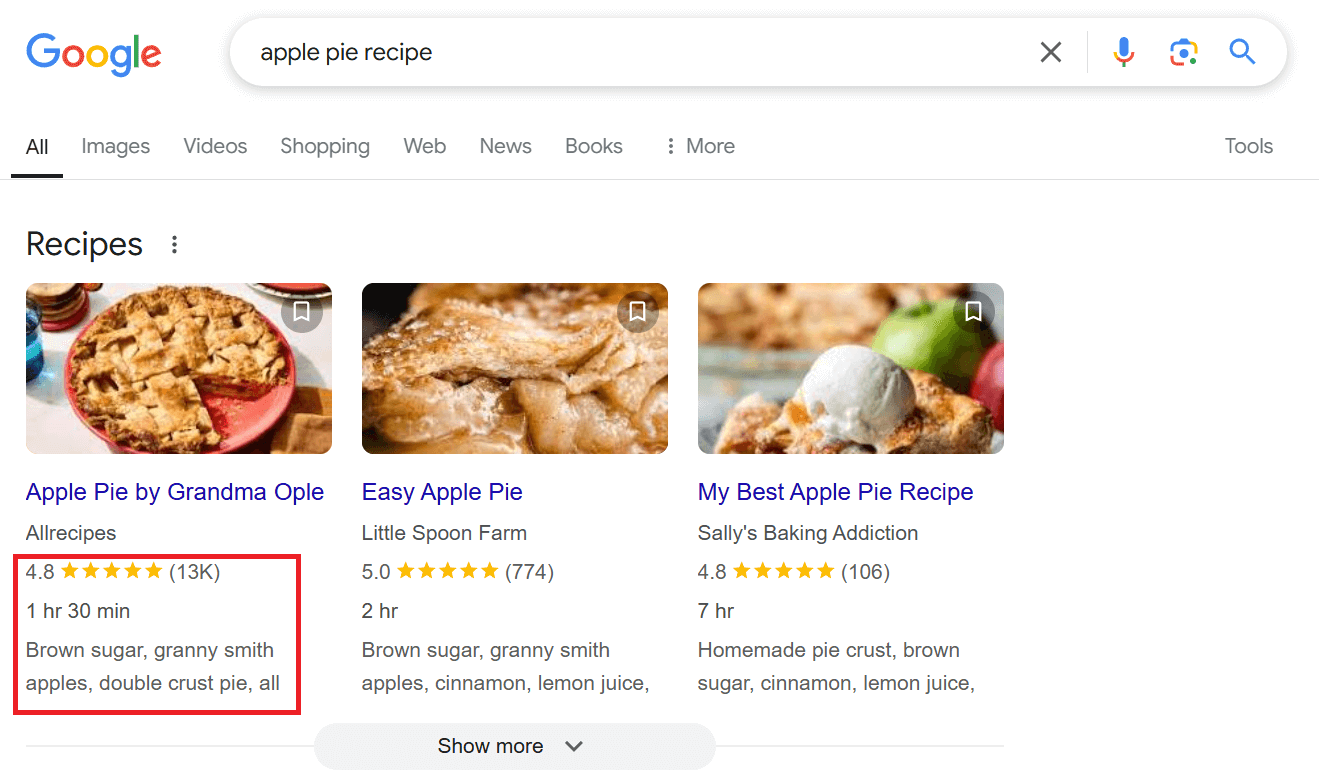
Rich snippets enhance standard search results by displaying additional details such as product specifications, star ratings, and images. These visual and informational elements improve click-through rates by making results more engaging and informative. To qualify for rich snippets, websites must implement structured data correctly. Businesses that leverage rich snippets effectively often experience higher engagement and improved search visibility.
8. Popular products
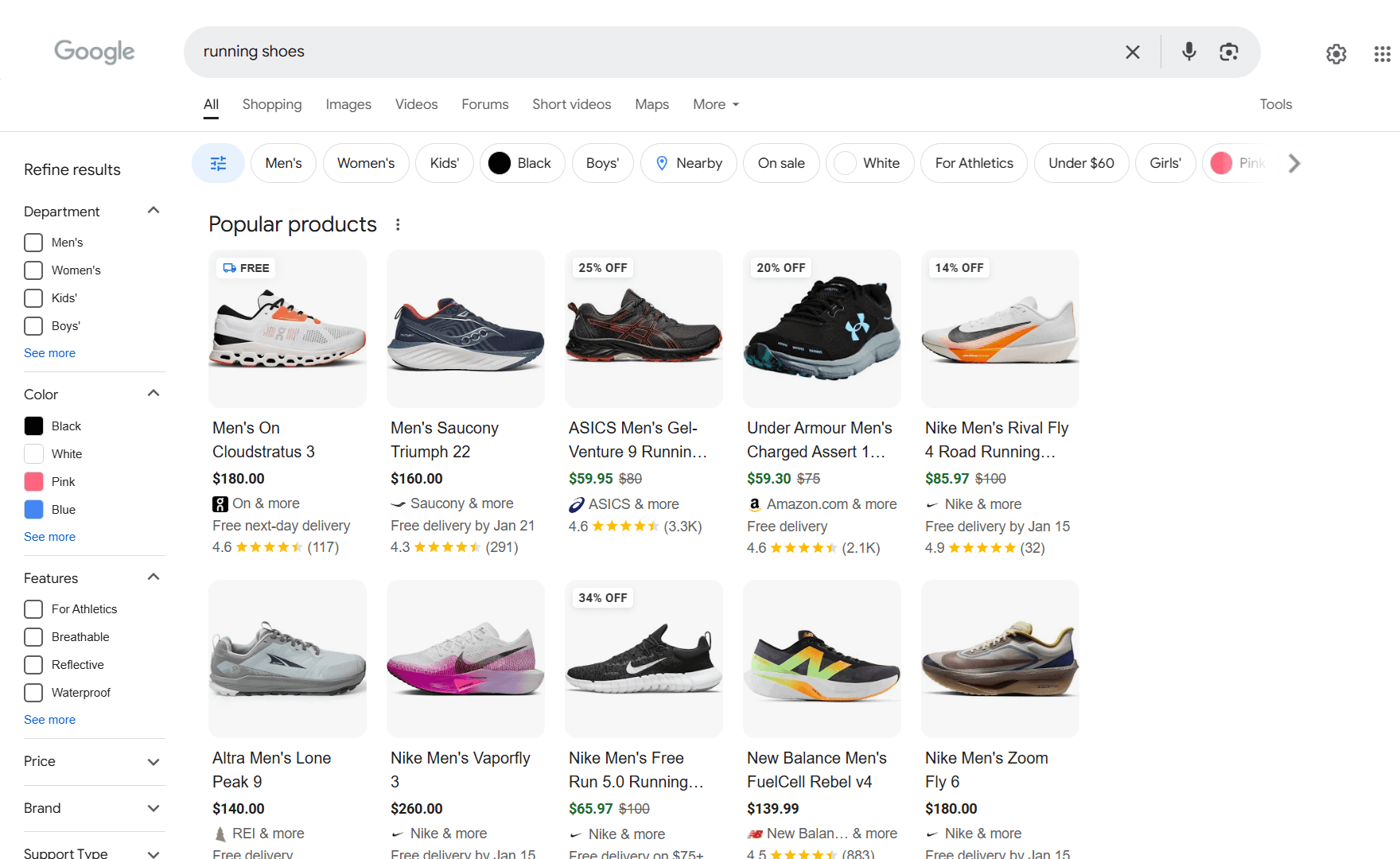
The Popular Products feature showcases ecommerce items in search results, complete with images, pricing, and reviews. This feature enhances product discovery by displaying items relevant to user searches. To improve visibility, businesses should register their products with Google Merchant Center and ensure product data is up-to-date. As consumer behaviors shift, optimizing for this feature helps brands maintain relevance and drive organic conversions in a competitive ecommerce landscape.
9. Paid results
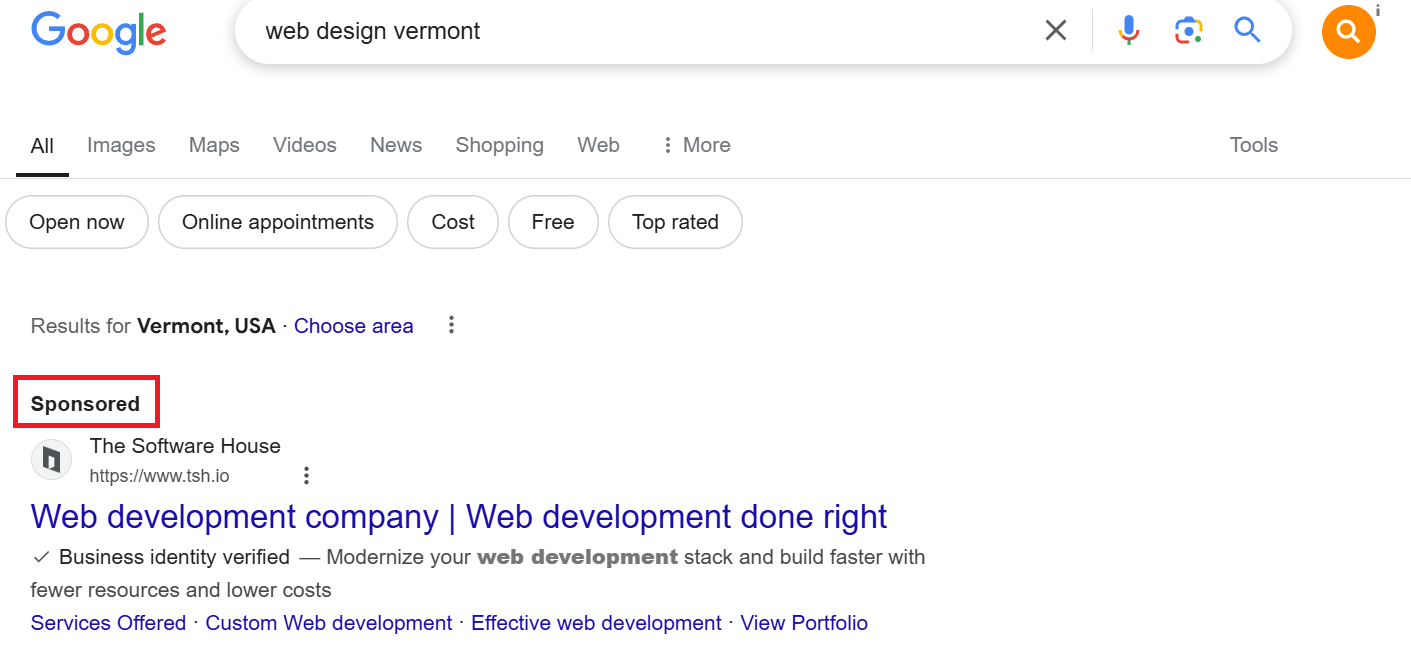
Paid results appear at the top and bottom of search engine results pages and are secured through bidding in ad platforms like Google Ads. Effective paid search strategies require careful keyword selection, compelling ad copy, and precise targeting. However, relying solely on paid results can be costly in the long run. A balanced approach, investing in both paid and organic visibility, builds trust and long-term brand recognition, fostering user loyalty and sustained market presence.
10. Local pack
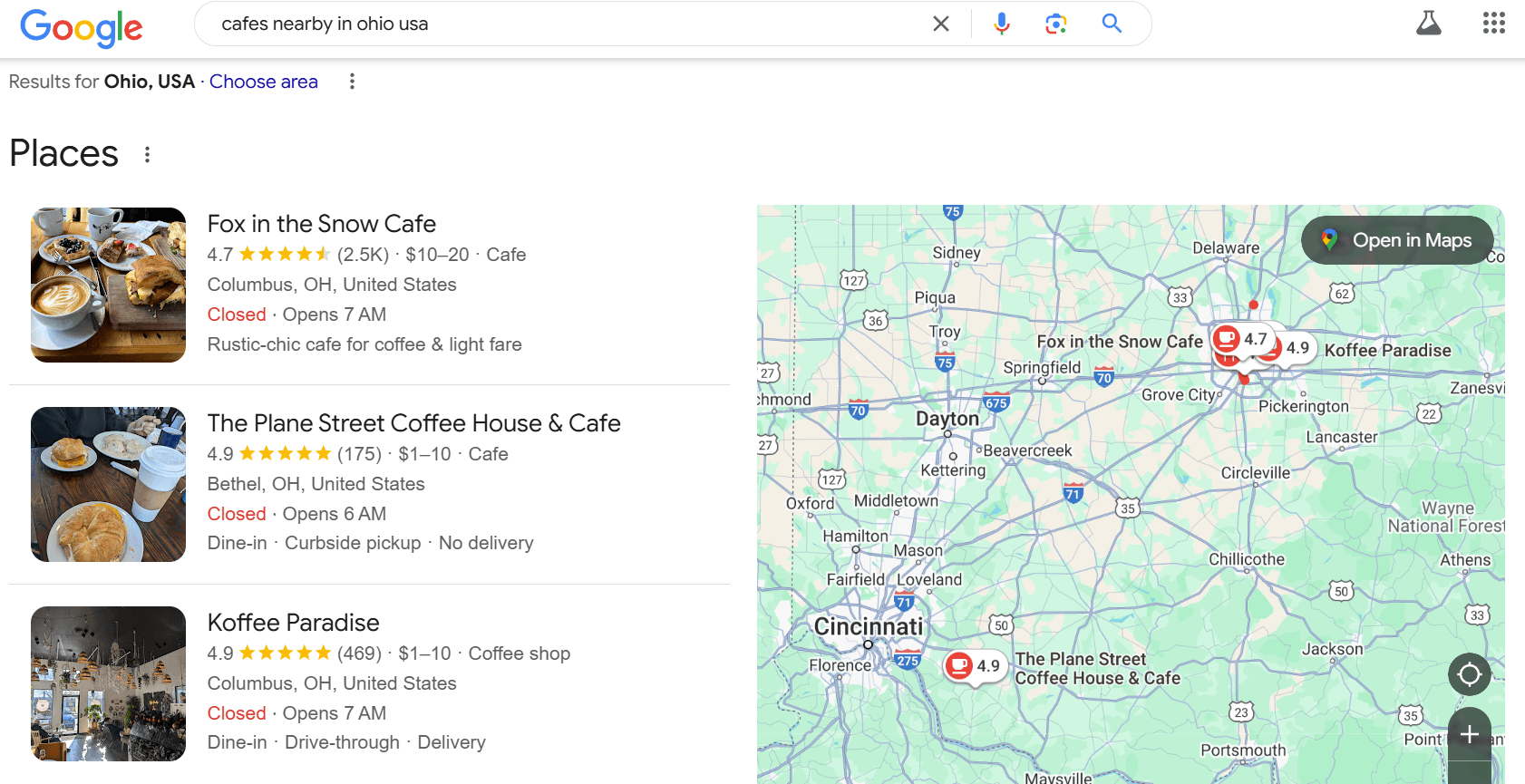
The Local Pack helps businesses reach geographically relevant users by displaying map locations, business details, and reviews. A search for ‘cafés nearby’ typically generates a list of local cafés with ratings, addresses, and directions. To increase the chances of appearing in the Local Pack, businesses should optimize their Google Business Profile, ensure NAP (Name, Address, Phone Number) consistency across platforms, and encourage customer reviews. A well-optimized local presence improves visibility and drives foot traffic.
11. Image packs
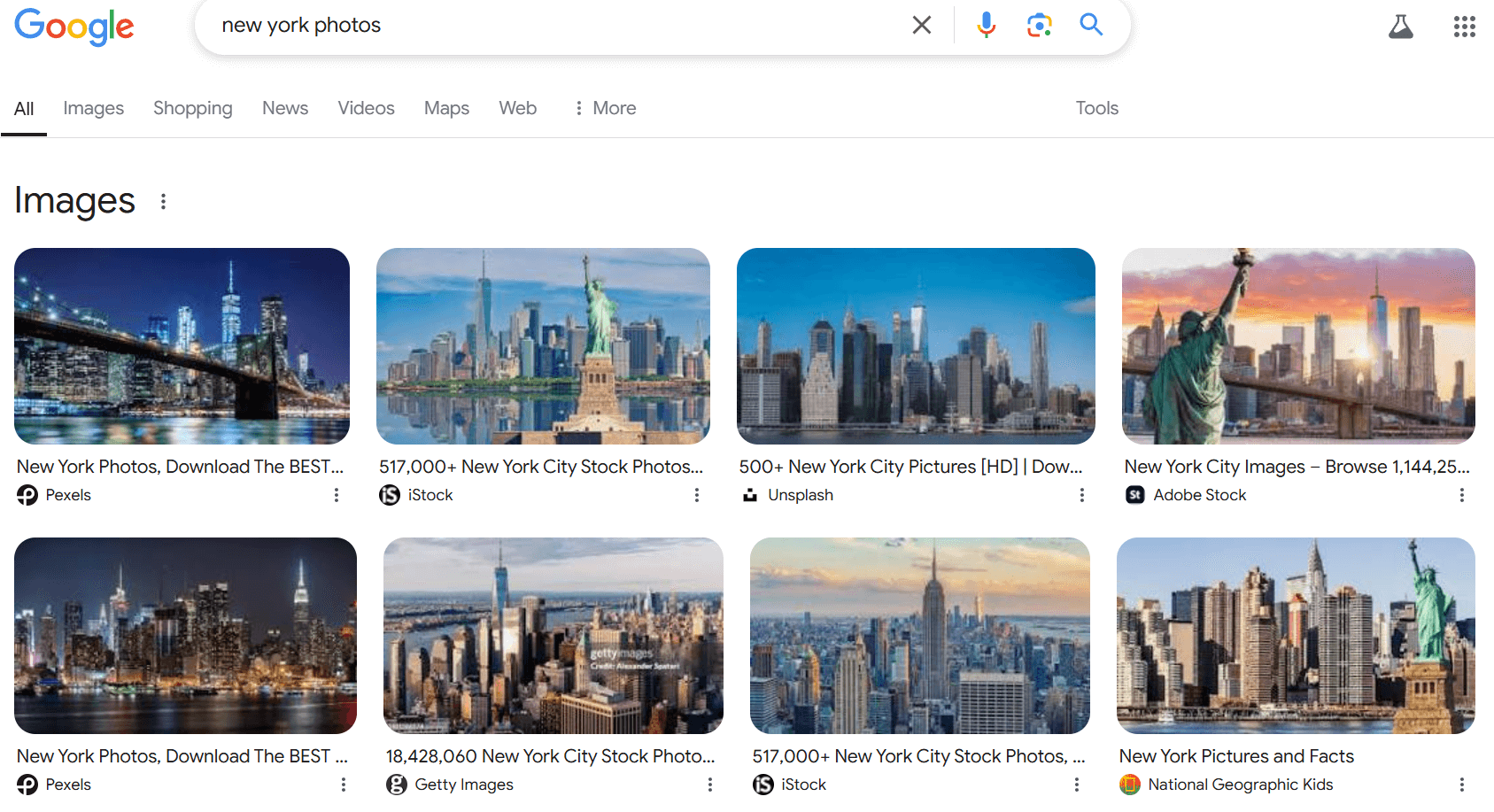
Image packs appear as a horizontal array of images in search results, often triggered by queries related to visually rich topics like vacation destinations. To increase your chances of being featured, use high-quality images with well-optimized filenames and alt tags. Proper tagging and relevant image context can enhance discoverability, making your site more engaging and encouraging users to explore further.
12. Video carousels
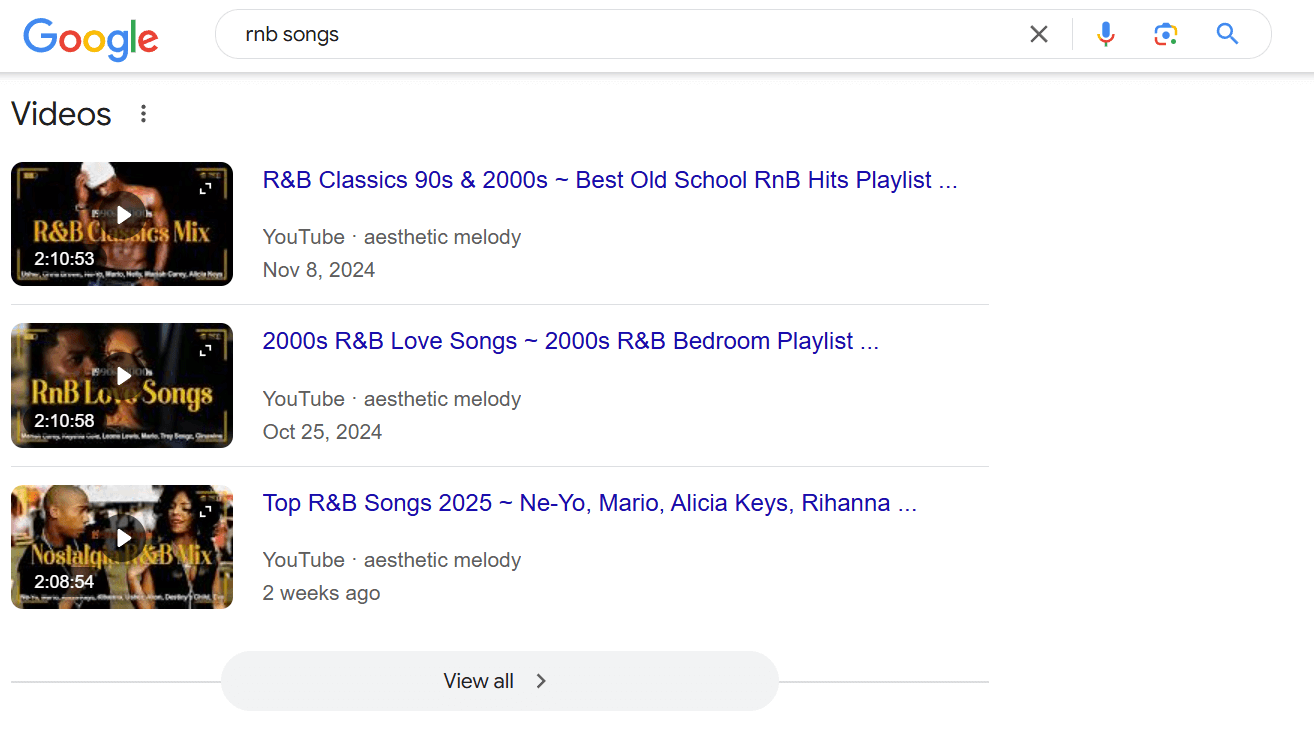
Video carousels feature content from platforms like YouTube, providing users with quick and easy access to relevant videos. To increase your chances of appearing in these carousels, optimize your video titles and descriptions with relevant keywords, and focus on trending or in-demand topics.
13. X (Twitter) carousel
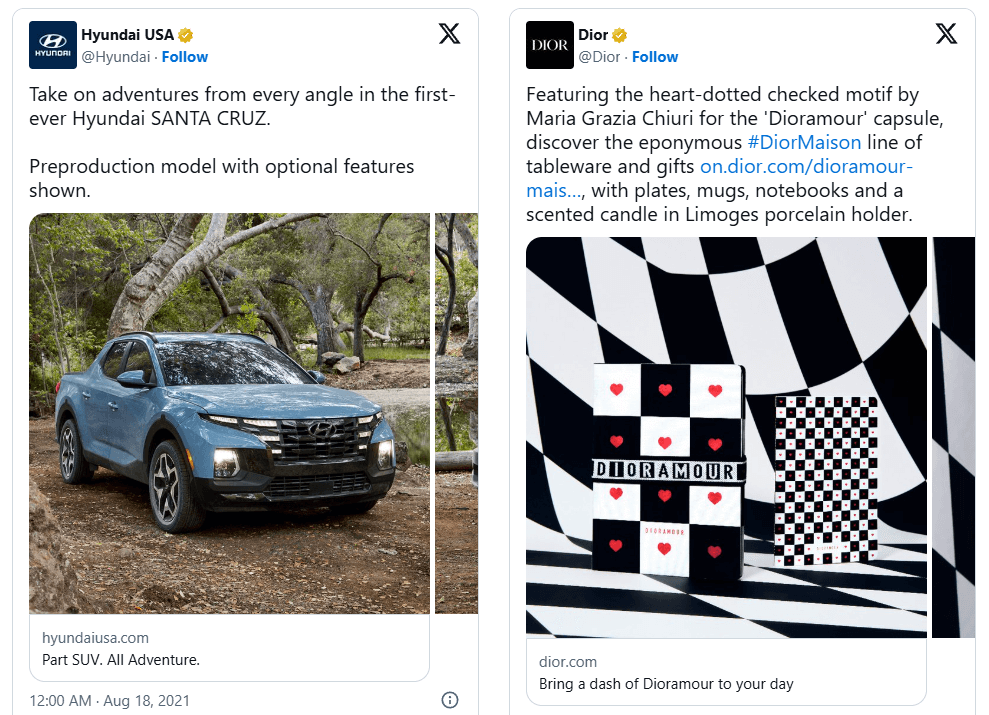
X (Twitter) carousels display real-time tweets related to a search query, offering instant visibility for timely and relevant content. Engaging consistently in trending discussions and using strategic hashtags can increase your chances of appearing in these results. A well-planned social media strategy can enhance your online presence and drive meaningful user engagement.
14. Top stories
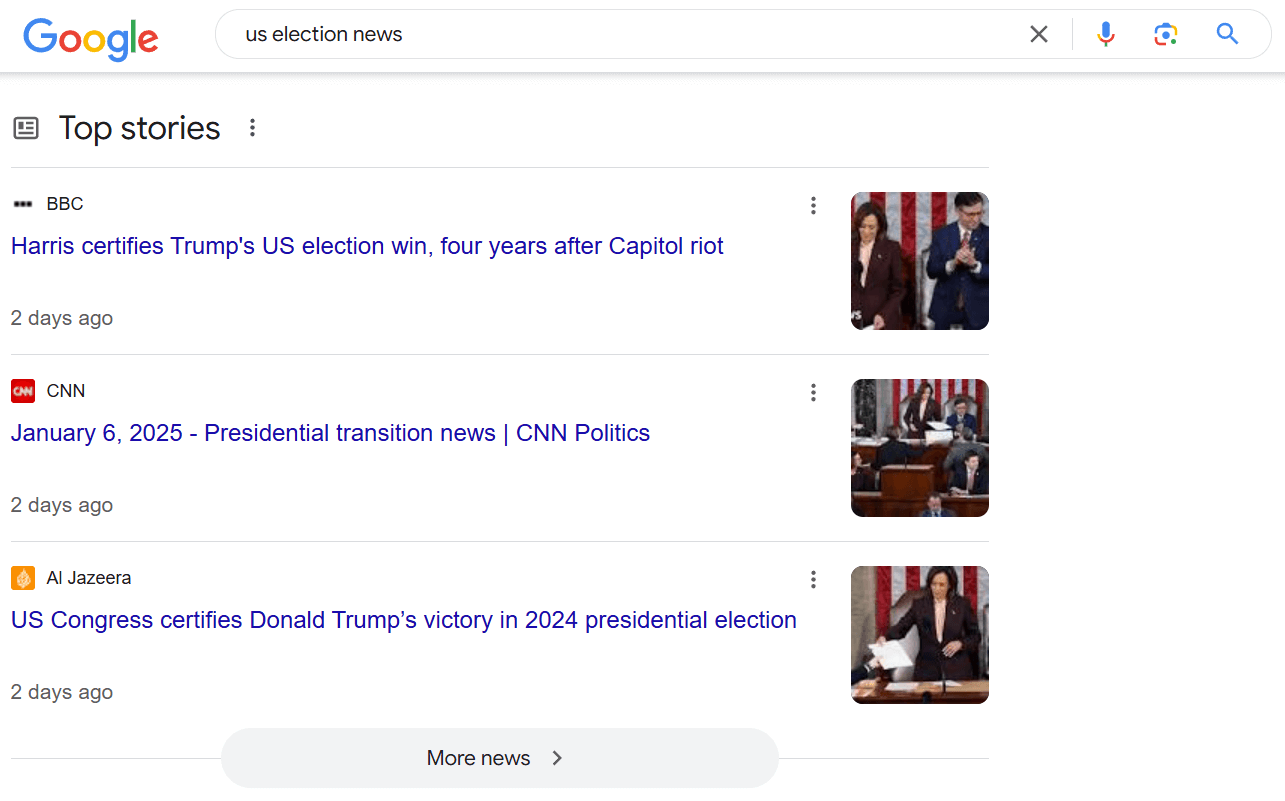
The Top Stories section highlights breaking news from trusted sources, typically well-established media outlets. To appear in this feature, content must be timely, authoritative, and provide fresh insights on trending topics. Companies aiming for inclusion need agile content teams capable of delivering in-depth, real-time coverage.
How to find SERP feature opportunities with Similarweb
Boosting brand visibility and authority requires understanding which SERP features you can optimize. Similarweb offers powerful SEO tools to help marketers uncover these opportunities and refine their strategies:
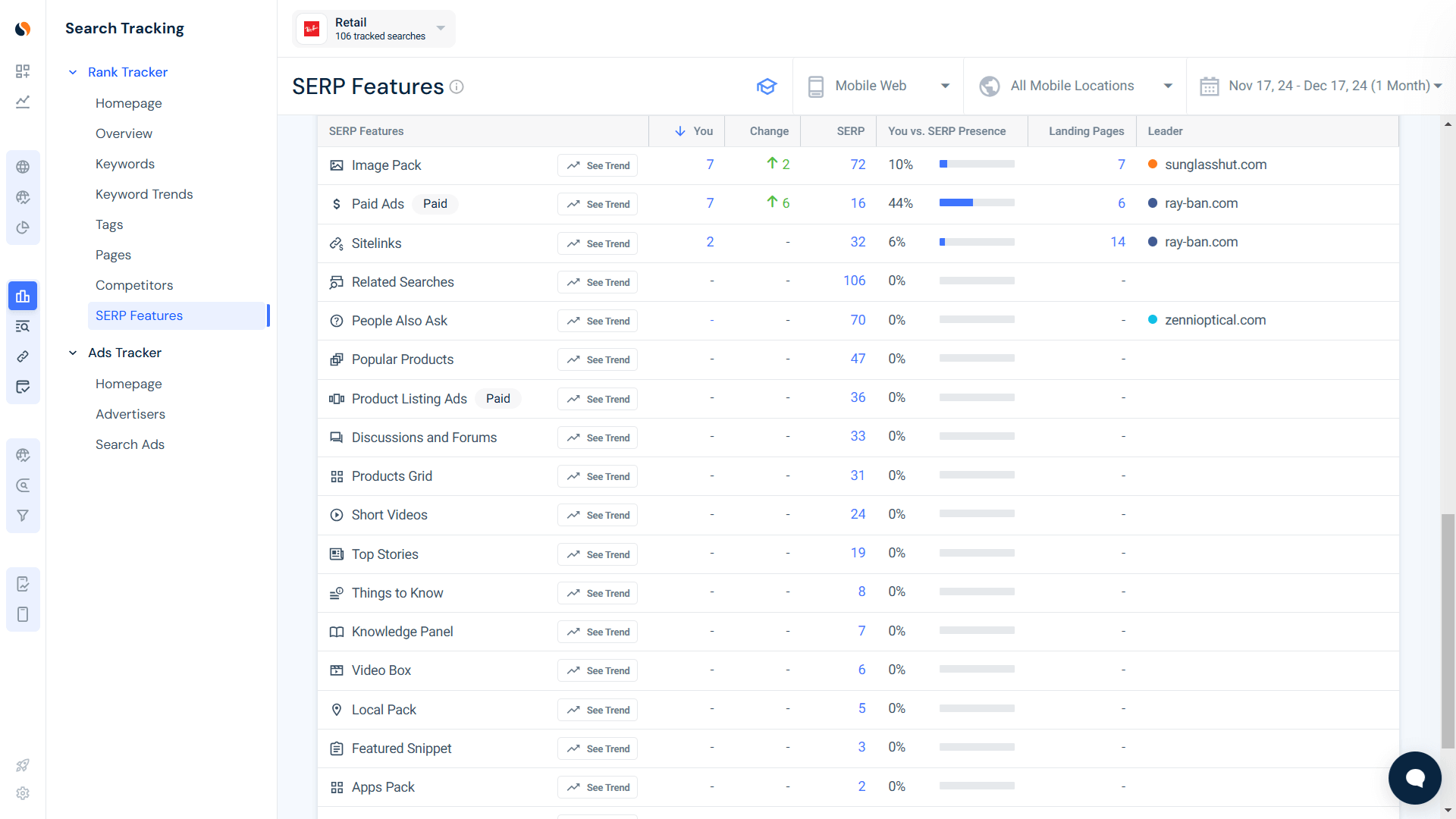
Rank Tracker SERP Feature report
Similarweb’s Rank Tracker helps identify keywords that trigger featured snippets and other SERP features, allowing marketers to fine-tune their content strategies. If your content has potential but hasn’t yet been included in these features, analyzing keyword gaps and making strategic adjustments can improve your chances of appearing.
To get started:
- Navigate to Similarweb Rank Tracker
- Select the SERP Features Report
- Review the list of potential pages
- Optimize your content to align with feature requirements
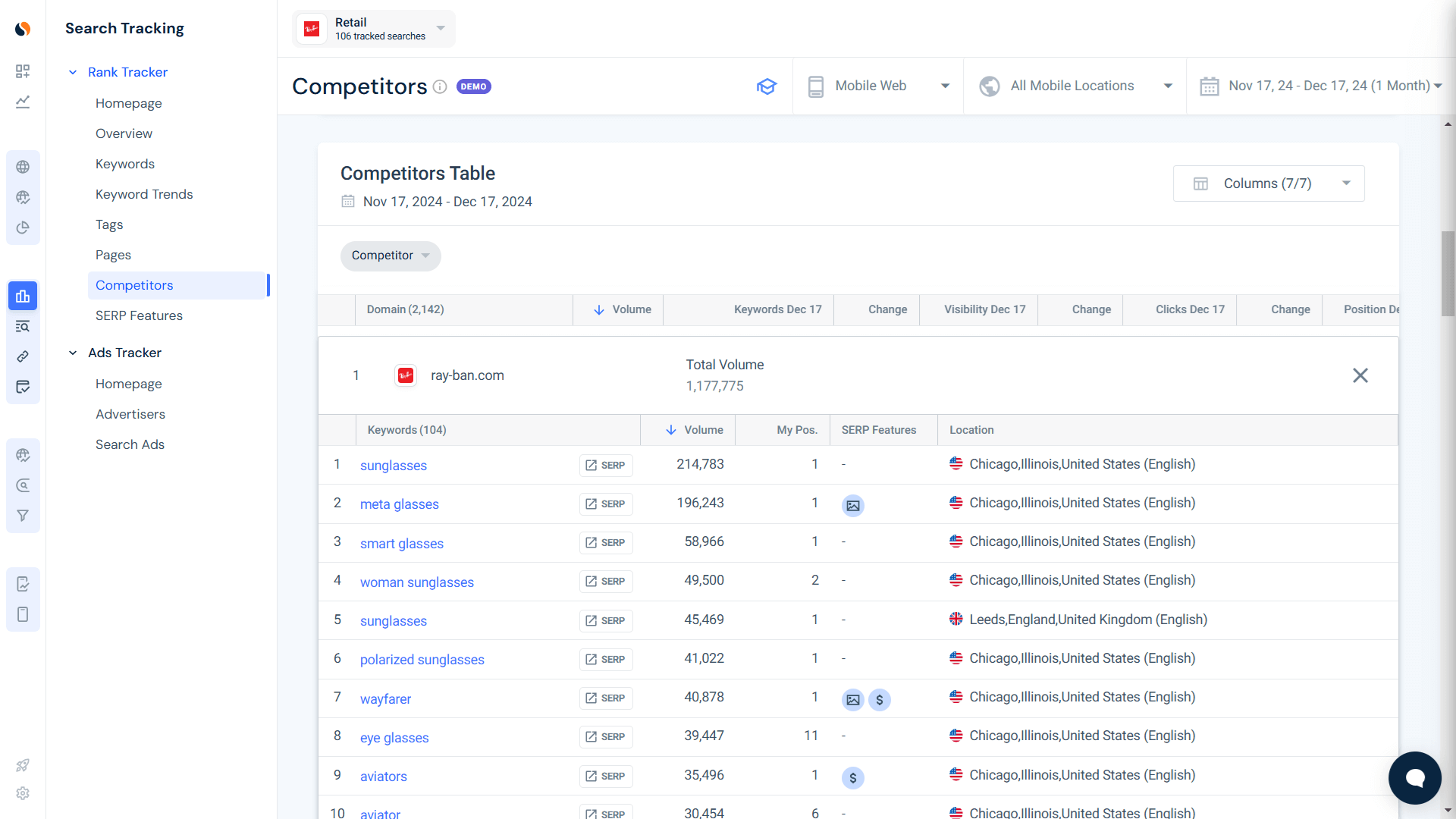
Rank Tracker Competitors report
Monitoring organic keywords and conducting a competitor analysis with Similarweb helps you understand how traffic is distributed across key search terms. This insight enables you to make informed strategic decisions, leveraging your strengths while identifying competitor weaknesses to capitalize on.
To analyze competitor performance:
- Navigate to Similarweb Rank Tracker
- Select the Competitors Report
- Identify the main competitors dominating SERP features for your target keywords
Zero-click searches
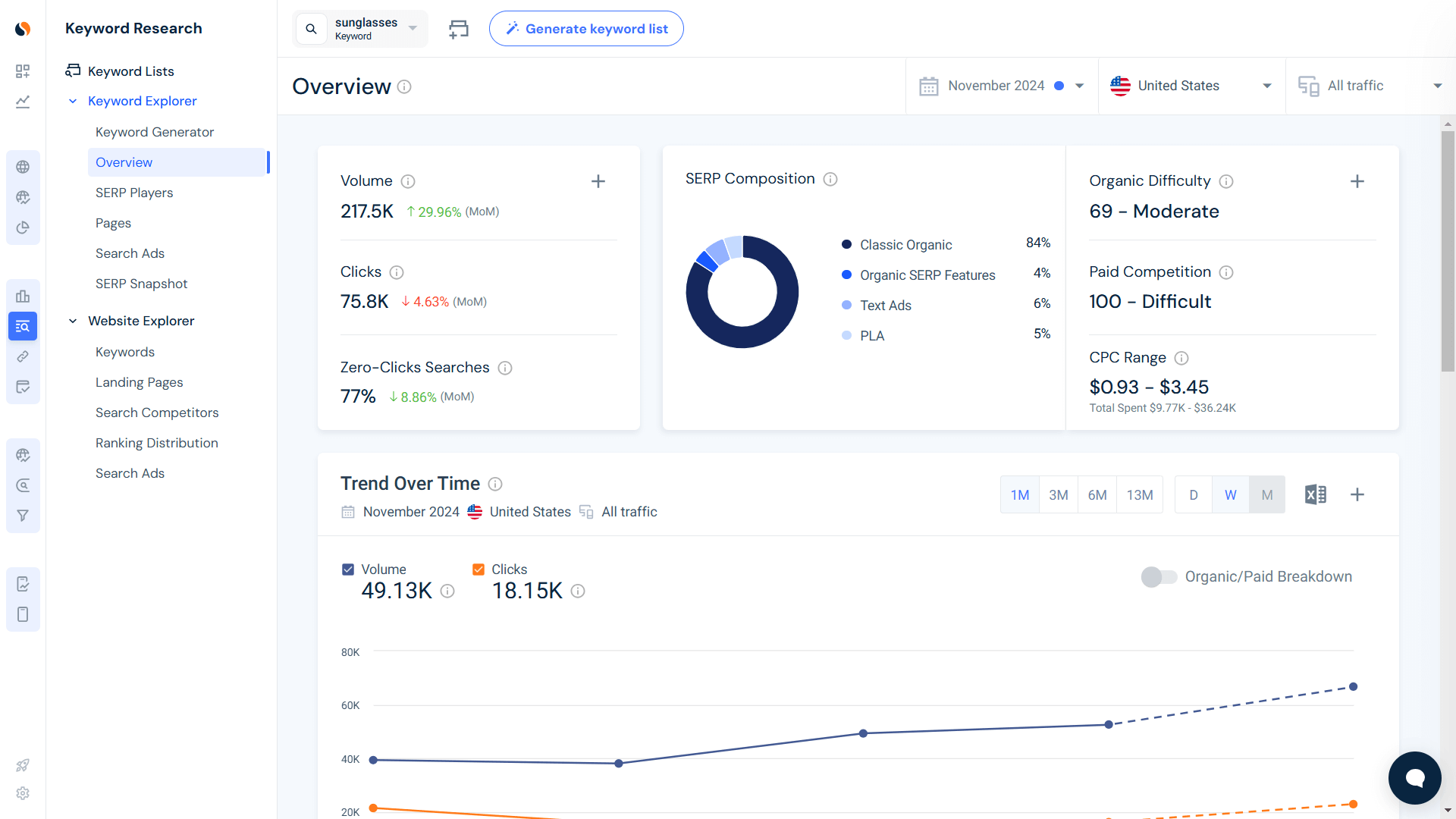
With the rise of zero-click searches, featured snippets often provide direct answers, reducing traditional click-throughs. However, Similarweb’s keyword analytics helps uncover high-value keywords where featured snippets present opportunities rather than obstacles. By targeting these snippets effectively, you can secure prime search visibility and drive meaningful engagement.
To find these opportunities:
- Go to Similarweb’s Keyword Research tool
- Select Keyword Explorer
- Open the Overview section to analyze zero-click trends and high-potential keywords
Incorporate SERP features into your SEO strategy
Integrating SERP features into your SEO strategy enhances your digital footprint, driving both visibility and engagement. These features do more than improve rankings—they increase reach, attract users, and establish authority in search results, making them essential for modern SEO success.
Begin by leveraging Similarweb’s SEO toolkit to identify high-impact keywords and optimize content for SERP features. This strategic approach not only expands your content’s influence but also improves its chances of securing prime search placements.
Use Similarweb’s powerful tools to develop a data-driven plan that ensures your content ranks on the first page. Start identifying SERP feature opportunities today and take your SEO strategy to the next level.
FAQs
What SEO benefits do SERP features provide?
SERP features like Featured Snippets, Local Packs, Image Packs, and People Also Ask improve SEO by delivering direct, intent-based solutions in a rich content format. These features enhance visibility, increase exposure, and drive more user engagement.
How can I increase my site’s chances of appearing in SERP features?
Creating high-quality content with targeted keywords, data-driven insights, and clear, concise answers improves your chances. Utilizing tools to identify the most effective keywords and structuring content to match user intent can significantly boost visibility.
What is a ‘Knowledge Panel’ in Google search results?
A Knowledge Panel is a structured information box that aggregates data from multiple sources to provide a snapshot of a topic, typically for well-known entities such as businesses, public figures, or organizations. It delivers key information at a glance, reducing the need for users to scroll through multiple search results.
How does an SEO strategy impact SERP feature placement?
Optimizing content with relevant keywords, structured data, and authoritative sources increases your chances of ranking in SERP features like Top Stories or Image Packs. A well-executed SEO approach strengthens your site’s credibility, improving rankings and driving more traffic.
Do SERP features really affect site traffic and engagement?
Yes, appearing in SERP features can significantly boost traffic, engagement, and brand authority. These features capture user attention and provide direct answers, increasing your content’s visibility while positioning your site as a trusted source in search results.

Related Posts

Why AI Engines Cite UGC Over Brand Content And How To Leverage It For AEO

AI Mentions vs. AI Citations: What’s the Difference and Why It Matters for GEO


How to Do A Competitive Analysis: Complete Guide & Free Templates


Track Gen-AI And Organic KPI's On The #1 SEO Platform
Give it a try or talk to our marketing team - it’s free!