

Sie haben Ihr Suchlimit erreicht
Starten Sie Ihren kostenlosen Testzugang, um weiterhin alle Traffic- und Performance-Insights zu erkunden.
Los geht'sBook Collect – Reading Log App-Analysen für 17. August

Book Collect – Reading Log
- Kenji Minoshima
- Apple App Store
- Kostenlos
- Bücher
How many volumes of this book do I own?
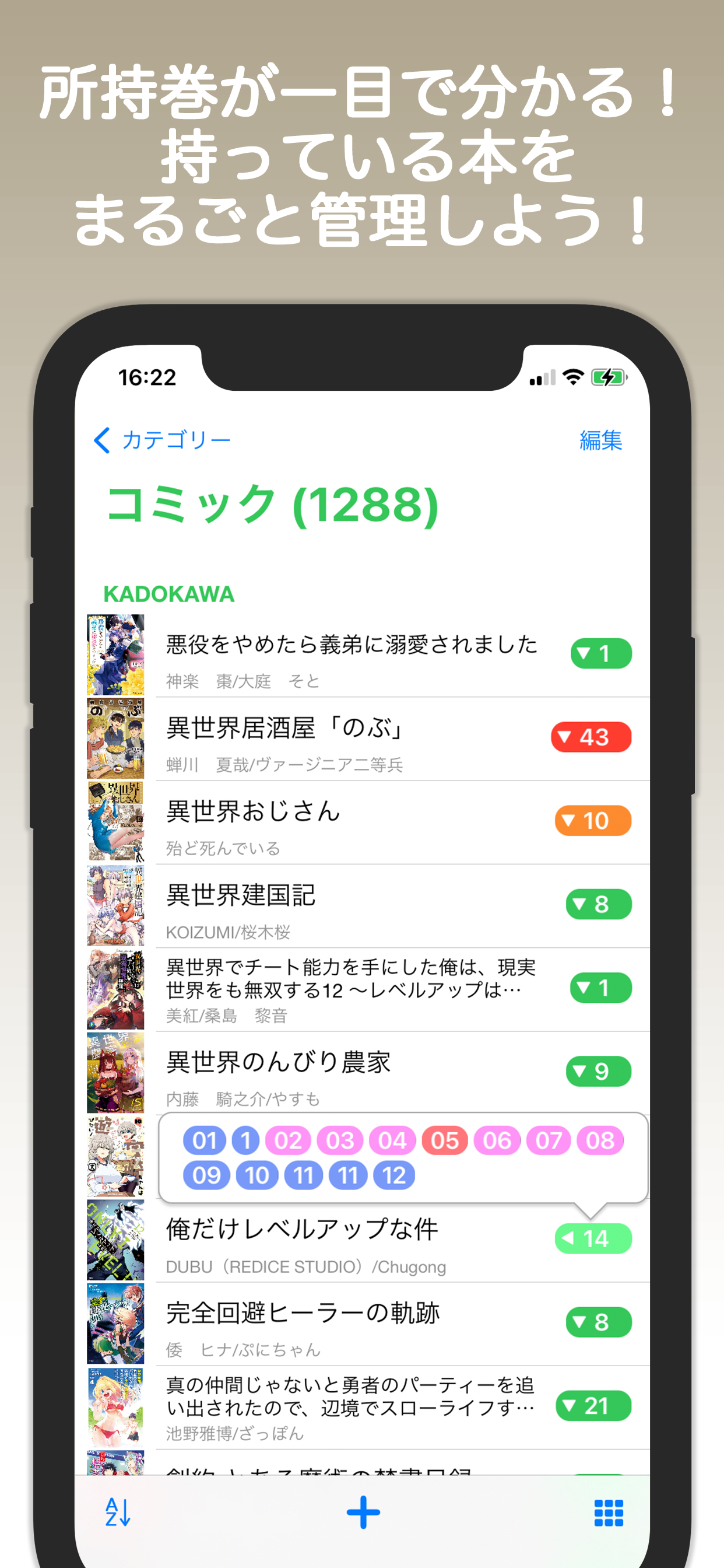
This app lets you see at a glance which volumes you have.
Keep track of all the books you own in one place!
■ Main Features
- Create bookshelves for your favorite titles by category and organize Volume 1, Volume 2, and more together.
- Tap the number on a bookshelf to display a pop-up list of owned volumes.
- Automatically sort by title, author, publisher, or release date, or sort manually.
- Freely change book images using photos from your album, camera, or web search.
- Automatically fill in book details by searching. Barcode scanning and manual entry are also supported.
- View book rankings and discover books you want to read.
- Track reading status (Want to Read, Unread, Reading, Finished), ratings, and notes.
- Display graphs for added dates and finished reading dates.
■ Adding Books
When you launch the app, a “+” button appears at the bottom.
Tap it to add a book. If you select a category first, the book will be added to that category.
To add a book to a specific bookshelf, choose “Select Bookshelf” or create a new one.
For the title field, enter the book’s title.
If a bookshelf is selected, enter only the volume number.
(This is because searches are performed using the bookshelf name + title.)
If you search for a book and select it, the details will be filled in automatically.
If no bookshelf is selected, one will be created automatically.
(If you select a category before adding a book, the bookshelf will be created within that category.)
If you search without entering any keywords, the sales ranking will be displayed.
Entering search conditions will show recommended results.
The “+” button allows manual entry of books into the selected bookshelf.
You can also search and register books using barcodes.
When searching, selecting a bookshelf in advance enables bulk registration.
Bulk registration via “Add” allows you to add multiple volumes at once, from a starting number to a specified number.
■ Adding Categories
On the category screen, tap “Edit” and then tap “+” to add a category.
You can also change category settings by selecting a category while editing.
(Settings can also be changed via the long-press menu.)
■ Adding Bookshelves
Selecting a category displays its bookshelves.
Tap “Edit” and then the “+” button at the bottom to add a bookshelf.
In list view, you can change bookshelf settings by selecting a bookshelf while editing.
(Settings can also be changed via the long-press menu.)
Use the icon at the bottom right of the bookshelf to switch between list view and icon view.
While editing, you can perform bulk deletion and bulk category changes.
■ Bookshelf Settings
○ Management Type
Comics
For serialized comics. If a book title includes volume numbers, a bookshelf is created using the title name. All volumes are grouped under that bookshelf, and individual book names consist of the volume number only.
Author
For paperbacks and novels. If there is no volume number but an author is present, a bookshelf is created using the author’s name, and books are grouped under that author.
Other
All other books fall into this category. You can freely add books.
※ Bookshelves created via search follow the above rules.
※ If the option “Bookshelf name = title only” is enabled during search, books without volume numbers will be categorized as “Other.”
○ Completed
Check this option for completed series to display a mark in the bookshelf list.
■ Book Settings
You can change the book image from the icon in the top-right corner.
Images obtained from albums or image searches are high resolution.
Tapping the blue text for authors or publishers will search for related books.
Wishlist and favorites are displayed in the category list.
When a book is marked as a favorite, you can add ratings and reviews.
Rang speichern
Der Store-Rang basiert auf mehreren Parametern, die von Google und Apple festgelegt wurden.
Alle Kategorien in
Vereinigte Staaten--
Bücher in
Vereinigte Staaten--
Top-Wettbewerber und alternative Apps
Apps mit hoher Wahrscheinlichkeit, von denselben Benutzer:innen aus demselben Store verwendet zu werden.

Book Tracker Reading Log - Hon

Record: Books and Movies

Must Read – The Book Tracker

Library Catalog
 Book Collect – Reading Log VS.
 August 17, 2026