

You’ve hit your search limit
Start your free trial to keep exploring full traffic and performance insights.
Get StartedHDRI Prep app analytics for October 9

HDRI Prep
- Squirrel FX LLC
- Apple App Store
- Paid
- Photo & Video
HDRI Prep is a small utility for use in visual effects for creating HDRI bracketing sets for RICOH THETA 360 cameras, specifically, the V, Z1 and X. (If you don't know what all that is than this app probably isn't for you.)
Different bracket settings are needed for different production situations. The THETA cameras does do multi-image exposure bracketing that you can set with the iPhone THETA app, but modifying them is painfully slow and difficult and you can't save sets and reuse them later. I wrote this to fill that need and speed up use of the THETA on set for taking HDRIs.
With HDRI Prep you can:
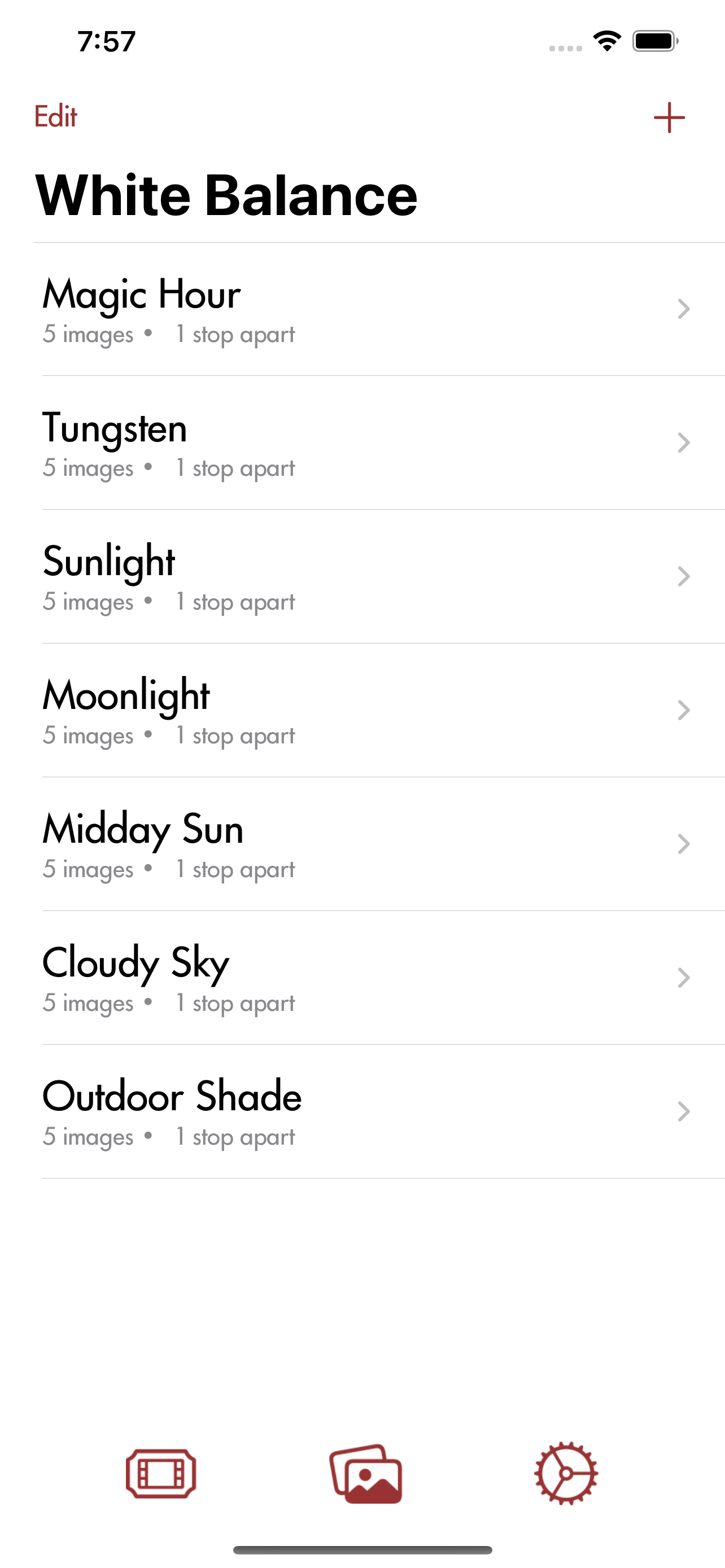
• Define brackets as X number of photos (3 to 19, always odd numbers) taken X stops apart (1 to 3) rather than setting each photo’s parameters individually
• Pick the camera and you can set the Aperture, ISO and Color Temperature for all the photos at once with the settings limited to what the camera can actually execute
• Pick a Center Shutter Speed and the bracket extends exposures equally higher and lower
• Custom name brackets, organize by show, drag and drop reorder them, move between shows, and duplicate them as needed
• View the photos taken read from the camera
Quickly modify the Camera’s speaker volume and time it takes to auto-sleep (up to 60 minutes so watch your battery)
HDRI Prep is not intended to be a full featured replacement for other THETA iPhone apps. It is designed only to fill a hole in the current functionality of the official THETA app (and what 3rd party apps I've played with): to make a library of Bracket settings, a method of organizing them, and a way to call them up and use them quickly on set. As such you will find it is missing various functions of the official THETA app. Those extended features may be added at some later date, but I make no promises. I recommend using it in conjunction with other apps as needed.
Some limitations of the app:
• Currently this only works with a direct Wifi connection to the camera (camera hosting Wifi) and it assumes the ip address is 192.168.1.1.
• Image viewing is minimal. You can see what is on the camera (heads up, it's slow to load) but I am leaving the downloading and deleting of images up to other apps. You can use the official THETA app or you can manage them on a Mac using Image Capture (you're on your own with Windows).
• Be aware that adjusting the camera shutter sound volume and the sleep delay time writes these changes to the camera, overwriting any previous camera setting. If you change the sleep time to 10 minutes it will stay that way even when HDRI Prep isn't connected or running.
• If you want to see a live count of the images as they are taken you can actually switch to the official THETA app after beginning a capture. I hope to add this to my interface in the future.
Store Rank
The Store Rank is based on multiple parameters set by Google and Apple.
All Categories in
United States--
Photo & Video in
United States--
Top Competitors & Alternative Apps
Apps with a high probability of being used by the same users, from the same store.

HDRI

Simple HDR

ShotBOT

Exposure Check
 HDRI Prep VS.
 October 9, 2026