

Calculator SAFE – Protect Private Photo & Documents 앱 분석 (10월 9일)

Calculator SAFE – Protect Private Photo & Documents
- Pick Technology Limited
- Apple App Store
- 유료
- 생산성
iPhone is a popular toy to your friends and even your lover. They love to play with it and may view the contents. But everyone always want to keep some of their info "low profile". Stop embarrassment now! Calculator SAFE is the best app you need.
- Hide your private photos, documents and other files.
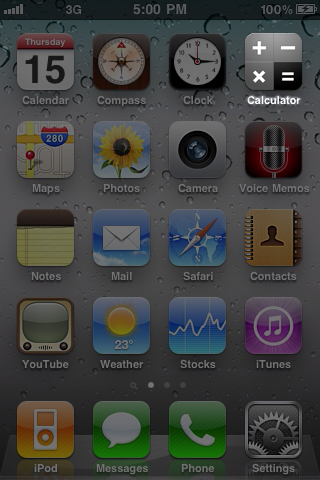
- An ordinary icon. No one would get noticed with it.
- It acts like a normal calculator. You can really do simple Math with it.
- Enter your password and shake to reveal the secret SAFE.
- Directly move your photos from Camera Roll to the SAFE. No computer operations.
- Secretly open files from email attachments or website downloads.
- Sync with iTunes. Drag & drop files to put and get from the SAFE.
- Built-in HD photo viewer. Enjoy all your eye-candies in the original taste.
- Full standard document viewer support. Read PDF, DOC, XLS, PPT and a lot more without getting out the app.
# IMPORTANT ADVICE #
Your files can be easily reviewed through iTunes backup process while connected to a computer. Please do the followings to strictly ensure your privacy.
- Setup a password to encrypt your iTunes backup files.
- Setup a device lock password in your iPhone to avoid others syncing it without your proper permission.
# INSTRUCTIONS #
Follow the steps to reveal the private SAFE.
- Enter your magic number as password
1. Press "/"
2. Press "0"
3. Press "="
- Screen displays "ERROR"
- Shake your device
# FIRST RUN INSTRUCTIONS #
When you first run the app, do the followings to make sure the app works properly.
- When Popup window asks ["Calculator" Would like to Use Your Current Location - This allows access to location information in photos and videos]
>> You must select "OK" to allow the app to access your Camera Roll.
- If you've accidentally selected "Don't Allow" in the previous step, or no popup at all, you may fix it by:
- Quit the Calculator
- Go to Settings ‚Üí General > Location Service. Make sure the setting is "ON"
- Check the item "Calculator" in the menu below. Make the setting to be "ON"
- Start Calculator again
스토어 순위
스토어 순위는 Google과 Apple이 설정한 여러 매개변수를 기반으로 합니다.
모든 카테고리 ·
미국--
생산성 ·
미국--
Calculator SAFE – Protect Private Photo & Documents10월 9, 2026