

Squish: Photo Size Reducer 앱 분석 (10월 10일)

Squish: Photo Size Reducer
- FatCouple OU
- Apple App Store
- 유료
- 사진 및 비디오
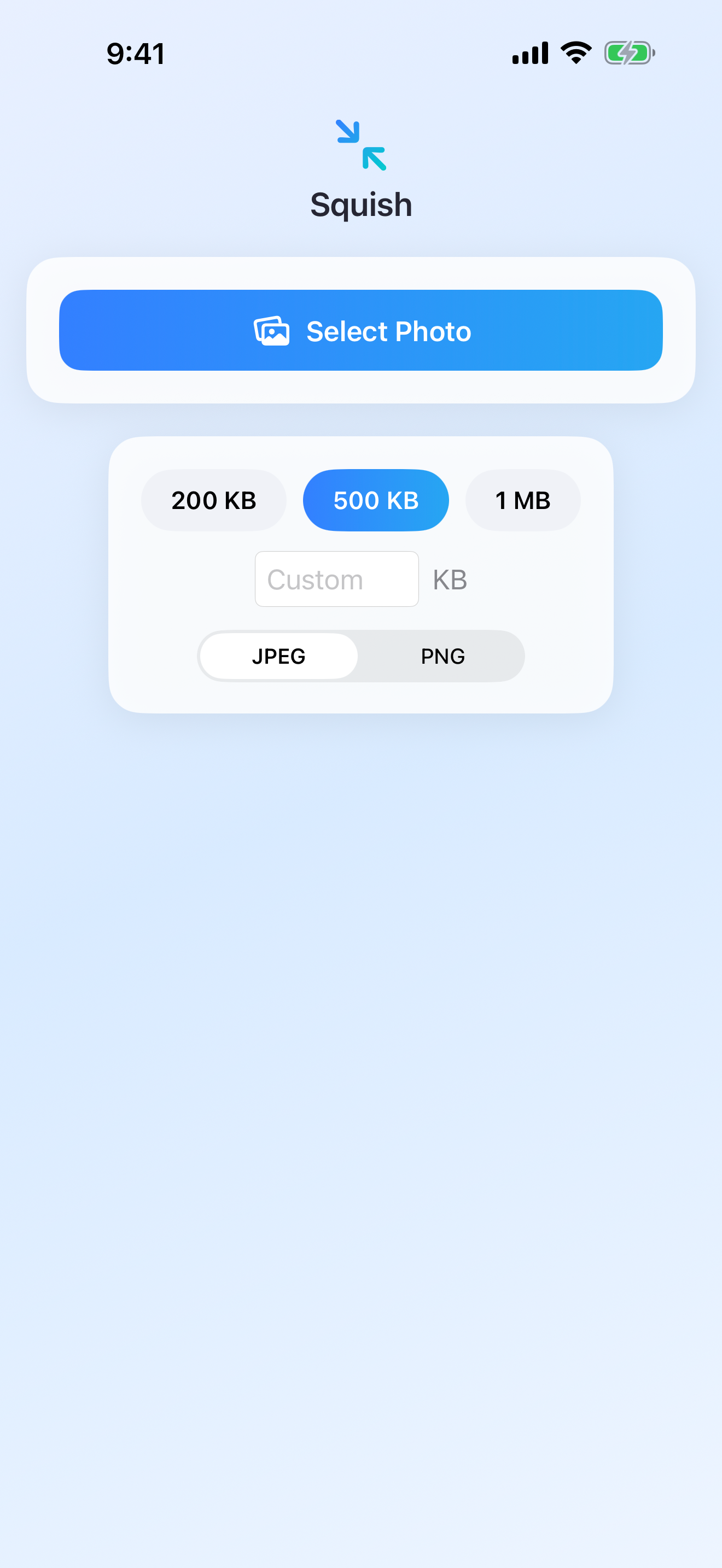
Squish reduces any photo to an exact target file size — 200 KB, 500 KB, 1 MB, or any number you type — in a couple of seconds. Pick a photo, choose a target, save. That's it.
HOW IT WORKS
1. Select a photo from your library or take a new one.
2. Choose a target size: 200 KB, 500 KB, 1 MB, or enter any custom KB value.
3. Pick JPEG or PNG.
4. See the before and after file sizes instantly.
5. Save the compressed photo to your library or share it directly.
Squish binary-searches the compression settings to find the highest quality that still fits your target. When adjusting quality alone isn't enough, it scales the image down as well. You get the best-looking file that meets your size limit.
WHY USE IT
- Attach photos to email that has a file size limit.
- Upload to forms, applications, or government portals that require images under 500 KB or 200 KB.
- Free up storage on your device.
- Prepare images for web uploads, messaging apps, or anywhere with size restrictions.
- Resize passport, ID, or visa photos to meet strict file size requirements.
WHAT MAKES IT DIFFERENT
No subscription. No ads. No account. No in-app purchases. Pay once, use it forever.
Your photos never leave your device. Compression runs entirely on your iPhone or iPad, with no internet connection required. Nothing is uploaded, nothing is collected, and no server is involved at any point.
Both JPEG and PNG are supported, in light mode and dark mode, with a layout built natively for iPhone and iPad.
ABOUT IMAGE QUALITY
Making a file smaller means giving something up — that's what compression is. Squish's job is to give up as little as possible: it keeps the highest quality that still fits the size you asked for, and shows you the result before you save. Reduce a typical photo to 500 KB and the difference is hard to spot at normal viewing size. Reduce that same photo to 50 KB and you will see it. The trade-off is always yours to make.
COMMON QUESTIONS
Q: How do I make a photo smaller than 500 KB on iPhone?
A: Open Squish, select your photo, tap 500 KB, and save. It takes seconds.
Q: Does it work on iPad?
A: Yes. Squish runs on both iPhone and iPad, with a layout built for each.
Q: Will my photo lose quality?
A: Some, unavoidably — that's what compression is. Squish keeps as much quality as your target size allows.
Q: Is my data safe?
A: Completely. Everything runs offline on your device. No photo is ever sent anywhere.
Q: Do I need a subscription?
A: No. One-time purchase. No recurring charges, no in-app purchases, no ads.
스토어 순위
스토어 순위는 Google과 Apple이 설정한 여러 매개변수를 기반으로 합니다.
모든 카테고리 ·
미국--
사진 및 비디오 ·
미국--


 Squish: Photo Size Reducer VS.
 10월 10, 2026