

You’ve hit your search limit
Start your free trial to keep exploring full traffic and performance insights.
Get StartedScreenshotResize análises de aplicativos para 10 de setembro

ScreenshotResize
- Linosec
- Apple App Store
- Pagos
- Ferramentas do desenvolvedor
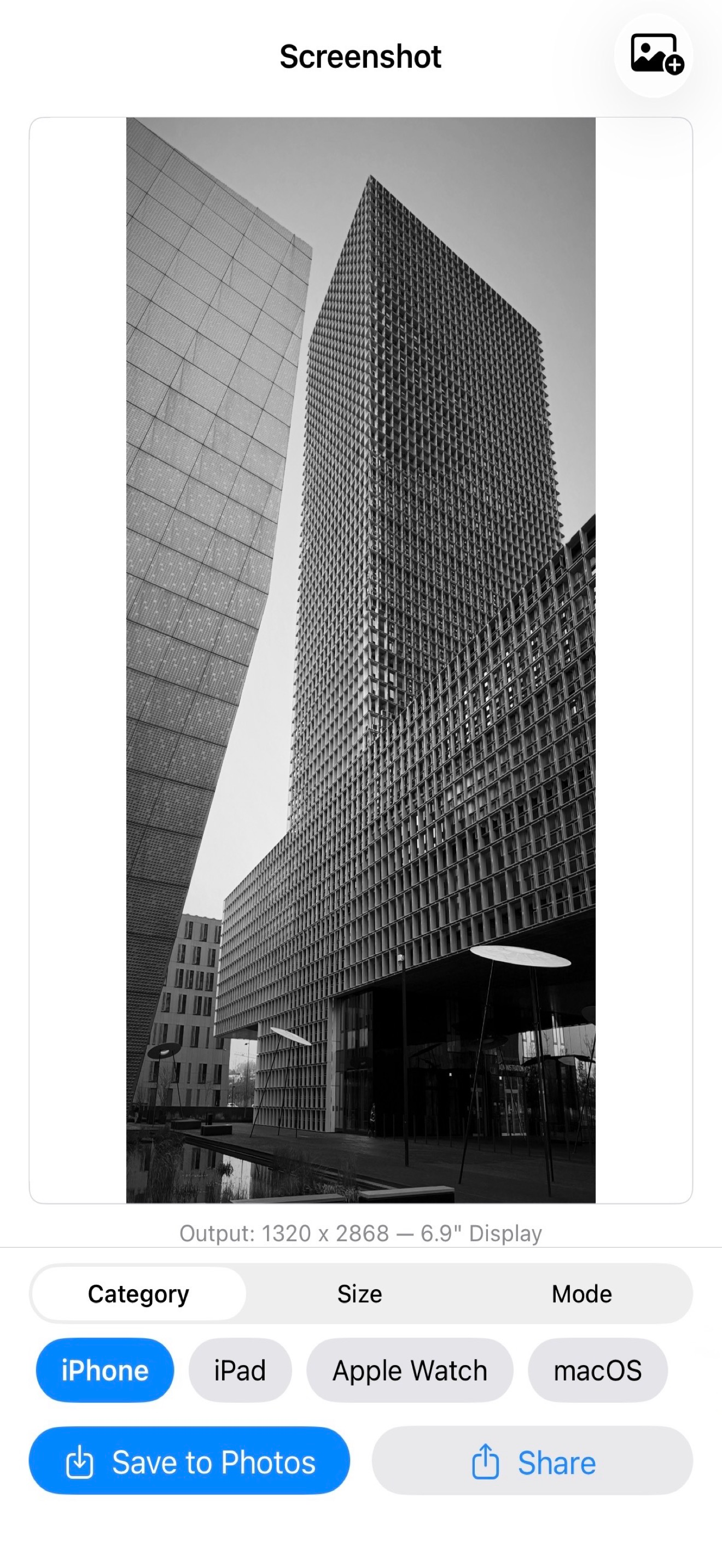
Screenshot Resize makes it easy to prepare your app screenshots for App Store Connect submission. Import multiple images at once and resize them to the exact pixel dimensions Apple requires — across all device categories.
SUPPORTED DEVICES & SIZES
Resize for every Apple platform with 66 built-in resolutions:
- iPhone — 6.9", 6.5", 6.3", 6.1", 5.5", 4.7", 4.0", and 3.5" displays including portrait and landscape orientations
- iPad — 13", 12.9", 11", 10.5", and 9.7" displays
- Apple Watch — Ultra 2, Series 10, Series 7+, Series 4–6, and Series 3
- Mac — 1280x800 through 2880x1800
- Apple TV — 1080p and 4K
- Apple Vision Pro — 4K
BATCH IMPORT & MULTI-IMAGE WORKFLOW
Select multiple screenshots at once from your Photo Library or Files app. Swipe between images to preview each one, and crop or adjust them individually. A position indicator shows which image you're viewing. When you're done, save all images to Photos in one tap or export them together as a ZIP file for easy sharing.
SMART SUGGESTIONS
The app analyzes your source image and suggests the best matching resolution based on aspect ratio and pixel count. Switch between device categories and the suggestion updates automatically — so you spend less time hunting for the right size.
THREE RESIZE MODES
Fit — Stretches the image to the exact target dimensions. Quick and precise when you need pixel-perfect output.
Fill — Centers your image on a customizable background color while maintaining its aspect ratio. Pick a color with the built-in color picker or type a hex code directly.
Crop — Interactively position and scale your image with drag and pinch gestures. The live preview shows exactly what the final output will look like. Zoom in to focus on a specific area or zoom out to reveal a border.
LIVE PREVIEW
See the result in real time as you adjust settings. The preview updates instantly when you change the resize mode, pick a new resolution, or reposition your crop. Output dimensions are always displayed so you know exactly what you're exporting.
EASY EXPORT
Save the current image or all images at once directly to your photo library. With multiple images, share them as a single ZIP file — perfect for uploading a full set of screenshots to App Store Connect. Single images can be shared anywhere using the system share sheet. Works with AirDrop, Files, email, and any other share destination on your device.
SIMPLE SINGLE-SCREEN LAYOUT
Everything fits on one screen with no scrolling. The top half shows your live preview — swipe to navigate between images when working with a batch. The bottom half gives you tabbed controls for device category, size selection, and resize mode. Browse all available sizes in a dedicated picker organized by display size.
DESIGNED FOR APP DEVELOPERS
Built specifically for indie developers and teams who need to prepare App Store screenshots without a Mac or desktop image editor. Import your screenshots in bulk, pick your target device and size, adjust each image individually, and export them all — from your iPhone or iPad.
No subscriptions. No watermarks. No internet connection required.
Ranking da Loja
A Store Rank é baseado em vários parâmetros definidos pelo Google e Apple.
Todas as categorias em
Estados Unidos--
Ferramentas do desenvolvedor em
Estados Unidos--
Principais concorrentes e aplicativos alternativos
Aplicativos com alta probabilidade de serem usados pelos mesmos usuários, da mesma loja.

MiniHog View PostHog Analytics

PLIST Editor Mobile

PostgreSQL Client

OnSpace AI: Mobile App Builder
 ScreenshotResize VS.
 setembro 10, 2026