

8月20日 的 Super Memo 應用程式分析

Super Memo
- Toshihiko Arai
- Apple App Store
- 免費版
- 生產力
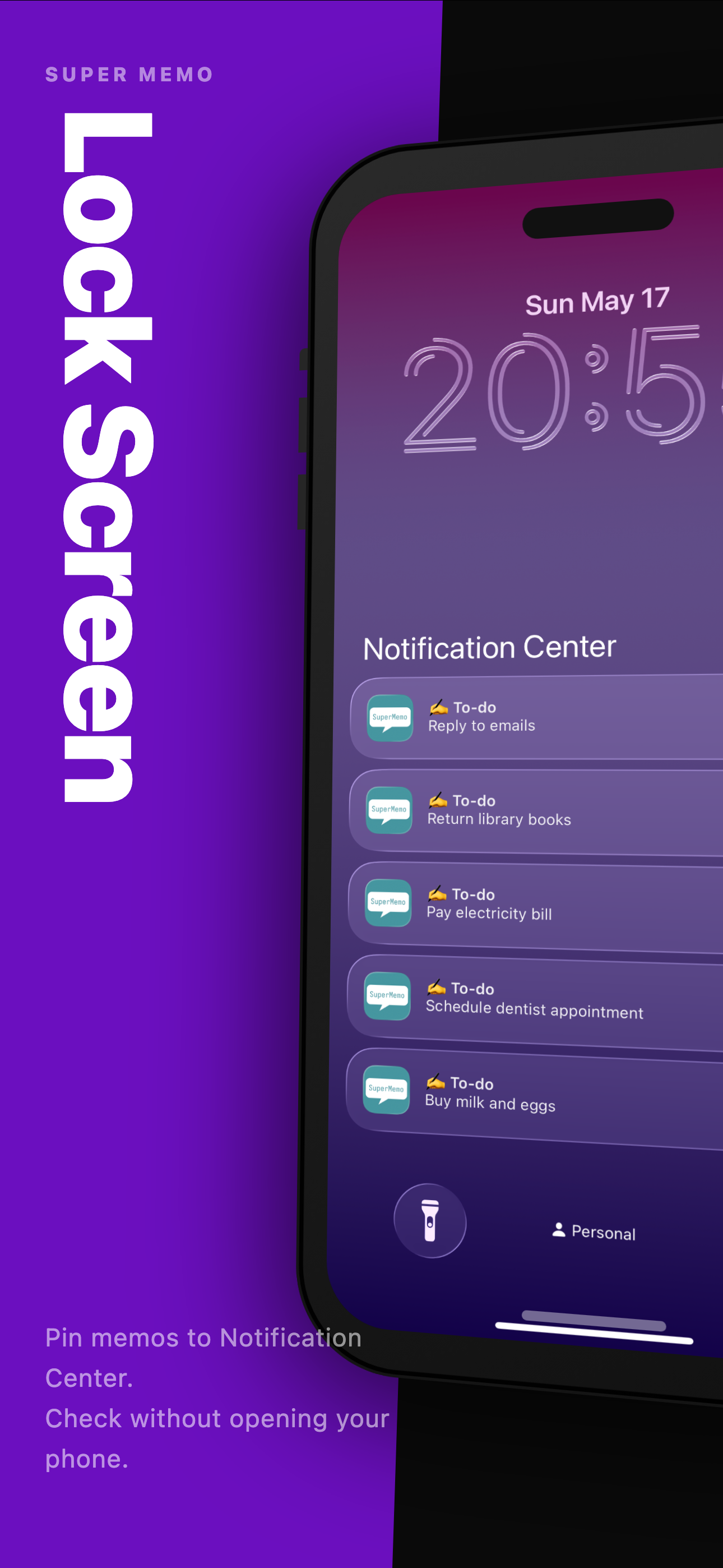
See the note you need today the moment you check your phone.
Super Memo is for short notes you look at repeatedly: shopping lists, things to bring, tasks for today, quick checklists, URLs, and small reminders you do not want buried inside a full note app. Select the notes that matter now and keep them available from the lock screen and Notification Center, so you can check them without opening the app and searching through a long list.
Use it when a reminder is too heavy and a long note is too easy to forget. A grocery list while you are walking through a store. Things to pack before you leave. A short set of steps you need to follow. A URL you want to keep with the rest of your notes. A few tasks that should stay visible today.
What you can do with Super Memo:
- Add selected notes to Notification Center
- Check frequently viewed notes from the lock screen
- Organize notes with tags such as shopping, work, home, or travel
- Mark notes as done with strikethrough — completed notes stay visible but dimmed
- Share notes as Markdown with tag headings and checkbox support
- Customize up to four floating action buttons for quick access to your most-used actions
- Save URLs from Safari and other apps with the Share Extension
- Import line-by-line lists from a text file
- Move finished notes to the archive
- Delete notes you no longer need
- Create an iCloud backup and restore it when needed
Super Memo is intentionally simple. It is not trying to replace a full notebook, calendar, or project manager. It works best for the small pieces of information you want to see quickly and repeatedly. If you need to write a long document, use a note app. If you need an alarm at a specific time, use a reminder. If you want a short note to stay close at hand, use Super Memo.
Strikethrough lets you mark notes as done without deleting them. A completed shopping item or finished step stays in the list but appears dimmed, so you always know what is left. When you are done, move the checked items to the archive in one step.
When you want to share a set of notes, export them as Markdown. Tags become headings, and notes marked with strikethrough are written as [x] checkboxes. Useful for sending a list to someone else or pasting it into another app.
Tags help keep the list manageable as your notes grow. You can separate shopping, errands, work, home, travel, and personal notes, then choose only the items that should appear in Notification Center. Finished items can be archived so your active list stays focused, while older notes remain available when you need them.
The Share Extension makes it easy to send a URL or text from another app into Super Memo. When you find a page, product, recipe, or reference you want to check later, save it with a tag and keep moving. Text import is useful for preparing a list on another device or in another app, then bringing it into Super Memo as individual notes.
For small notes that need to stay visible, not buried, keep them on your lock screen and in Notification Center with Super Memo.
商店排名
商店排名基於Google和Apple設定的多個參數。
所有類別 在
美國--
生產力 在
美國--




 Super Memo VS.
 8月 20, 2026