


8月30日 的 X Widget 應用程式分析

X Widget
- 雪 赵
- Apple App Store
- 付費
- 生產力
X Widget
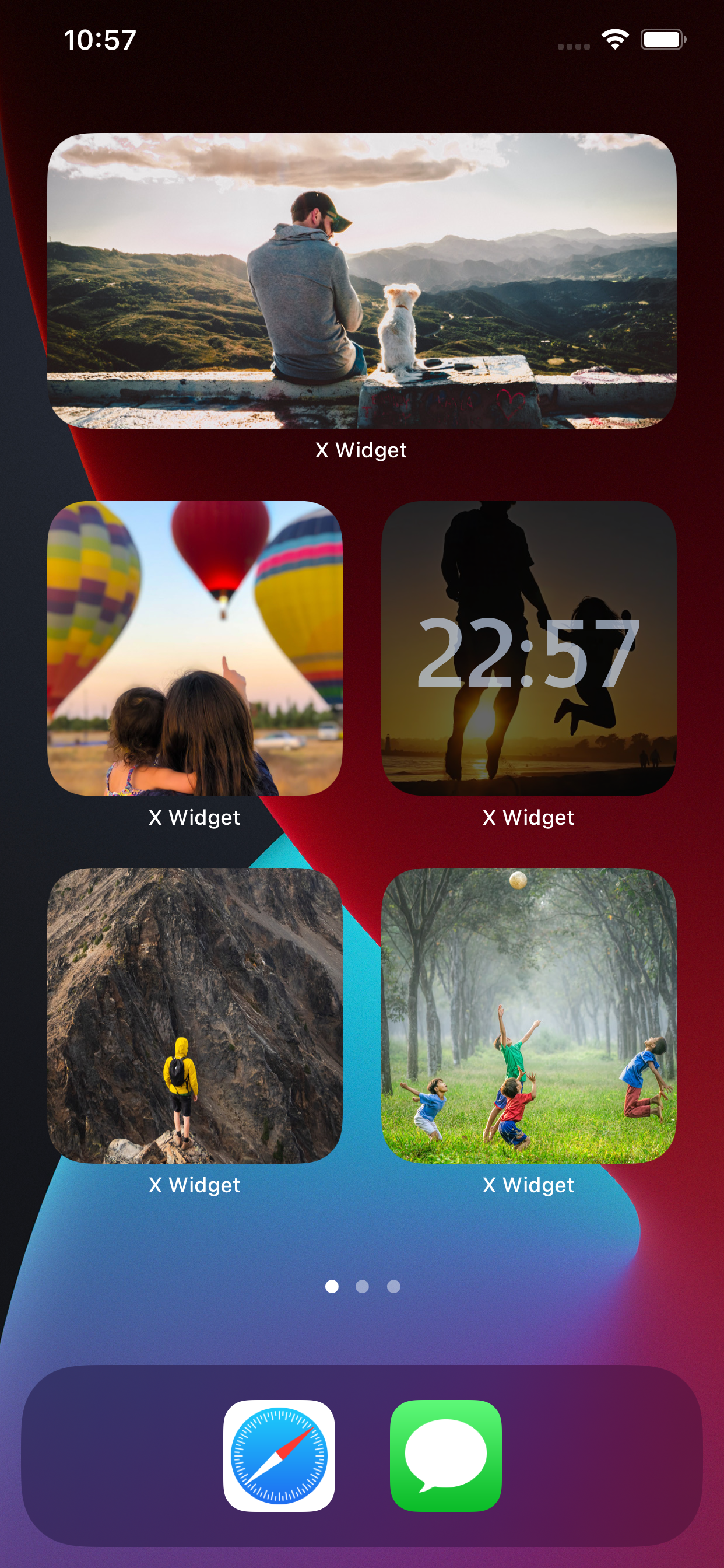
X Widget lets you create custom and personalized widgets for your iOS 14 home screen.
X Widget app features a variety of small, medium, and large widgets for functions like Photo, Photo Slideshow, Custom Text, Date, Time. Each one can be customized to your liking through choices of font, text color, and background color.
--
Set up a Widget
1. Open the X Widget App.
2. Choose whether you want to make a Small Widget, Medium Widget, or Large Widget.
3. Select the widget style of your choice.
4. Design the widget.
5. Add widget to your home screen.
--
Add Widget to Your Home Screen
Once you’ve designed the iOS 14 home screen widget in the X Widget app,
you can head back to your home screen, long-press to enter jiggle mode,
then tap the “+” icon in the upper-left corner.
Look for X Widget in the list of apps, then choose the size of the widget you created.
--
On your iOS 14 home screen, you can use as many widgets from X Widget as you’d like.
Once you add the X Widget size to your home screen, long-press, choose “Edit Widget” and choose the “Widget” option to pick from the multiple designs you created in the X Widget app.
商店排名
商店排名基於Google和Apple設定的多個參數。
所有類別 在
美國--
生產力 在
美國--


 X Widget VS.
 8月 30, 2026