

You’ve hit your search limit
Start your free trial to keep exploring full traffic and performance insights.
Get StartedPlanMaker app analytics for August 31

PlanMaker
- SoftMaker Software GmbH
- Apple App Store
- Free
- Productivity
■ PlanMaker
► The only complete Office spreadsheet program for your Excel files
► Work on your Excel spreadsheets wherever and whenever you want.
► When working on the go, take advantage of a feature set that you would otherwise only know from your PC or Mac.
► Almost all features can be used permanently free of charge.
The complete set of features that you know from Microsoft Excel or PlanMaker on your Mac or PC is now offered by PlanMaker on your iPhone and iPad.
Compatibility without compromise: PlanMaker uses the Microsoft Office XLSX format as its native format. This guarantees seamless data exchange. You can open your spreadsheets directly in Microsoft Excel without having to convert them.
Intuitive operation on iPhone and iPad: PlanMaker always provides an ideal user experience, regardless of whether you're using it on your iPhone or an iPad. On an iPhone, you can use the practical toolbars with just one finger. On an iPad, you work with ribbons similar to those on your Mac or PC.
Save locally or in the cloud: PlanMaker not only enables you to open and save documents stored on your device, but it also allows you to access your files in iCloud, Dropbox, OneDrive and all other cloud storage services.
The PlanMaker user interface is available in English, German, French, Spanish, Italian and more than 20 other languages.
PlanMaker brings the features of a desktop spreadsheet program to your iPhone and iPad. You shouldn't settle for less.
■ Working with files
► Worksheets can be losslessly exchanged with PlanMaker for Windows, Mac and Linux.
► Open and save XLSX and XLS files with full fidelity from Microsoft Excel 5.0 to 2021 and Excel 365, also with password protection
► Import and export assistant for text files
■ Extensive calculation capabilities
► More than 430 calculation functions
► 1 million rows and 16384 columns
► Complex numbers and array functions
► AutoSum, AutoProduct, AutoFill, etc.
► External references
■ Editing and formatting
► Conditional formatting
► Format painter for the rapid transfer of formatting
► Borders, shading, fill patterns
► Cell styles
► Forms with input fields, checkboxes, dropdown lists, etc.
► Syntax highlighting
► Input validation (data validation)
► Sheet, workbook and document protection with encryption
■ Analyzing data
► AutoFilter
► Data grouping (outliner)
► Detective ("formula auditing") for troubleshooting worksheets
■ Comprehensive graphics functions
► Draw and design directly in the worksheet
► Excel-compatible AutoShapes
► Insert images
► Crop pictures, change brightness, contrast and gamma
► TextArt function for striking font effects
■ Presenting and visualizing data
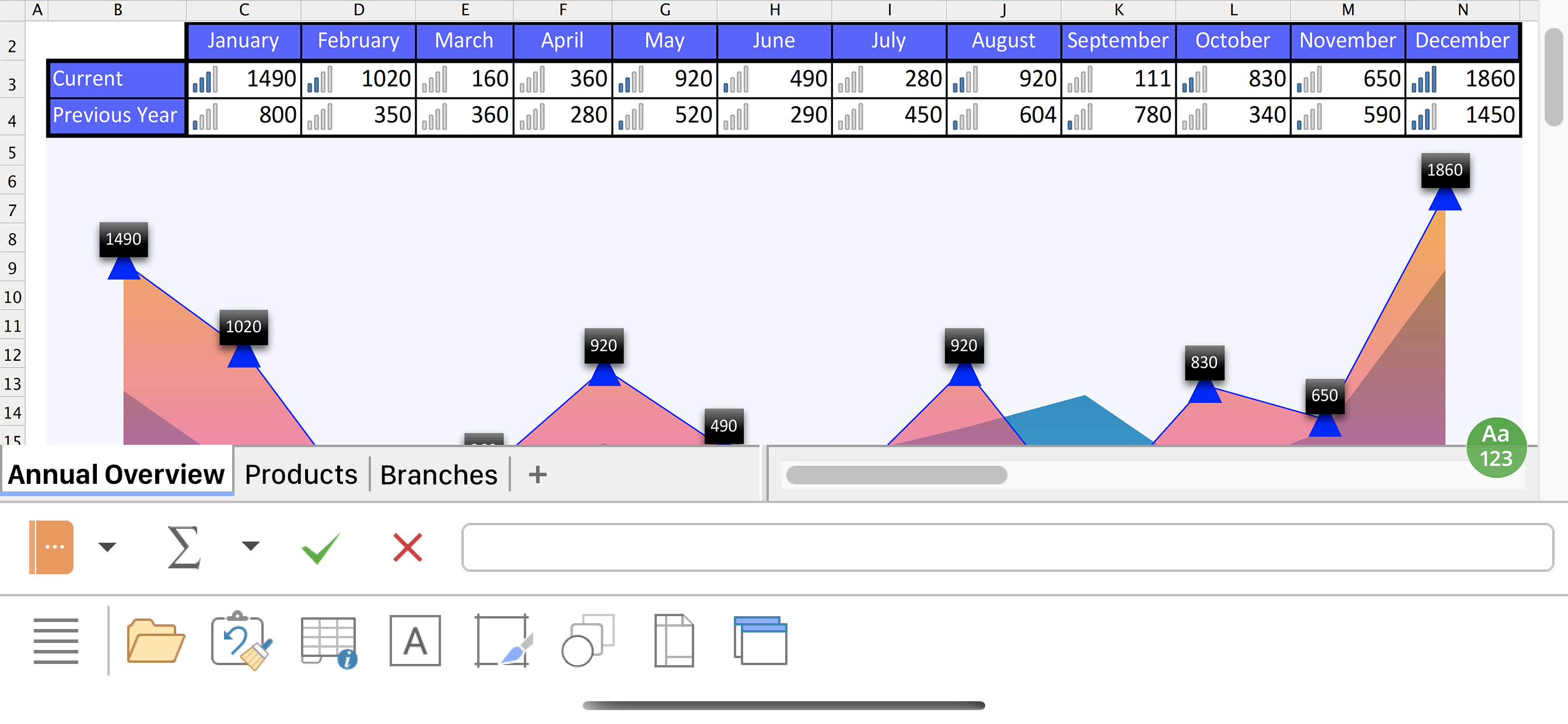
► More than 80 types of 2D and 3D charts, for example, column and pie charts
► Impressive effects on charts: soft shadows, rounded edges, etc.
■ Other features
Almost all features of PlanMaker for iOS can be used free of charge. The following additional features are available to you via an inexpensive subscription:
► Printing
► Export to PDF and PDF/A
► Pivot tables
► Distributing text to cells
► Scenarios
► Data consolidation
► Sharing documents directly from PlanMaker
► Free customer support
A single subscription unlocks these features simultaneously in PlanMaker, TextMaker and Presentations for iOS.
License agreement: https://www.apple.com/legal/internet-services/itunes/dev/stdeula/
Store Rank
The Store Rank is based on multiple parameters set by Google and Apple.
All Categories in
United States--
Productivity in
United States--
Top Competitors & Alternative Apps
Apps with a high probability of being used by the same users, from the same store.

ONLYOFFICE Documents

Collabora Office

Zoho Sheet—Spreadsheet on iPad

AO Office
 PlanMaker VS.
 August 31, 2026