

10月7日 的 Finale Keyboard 應用程式分析

Finale Keyboard
- Grant Oganyan
- Apple App Store
- 付費
- 公共設施
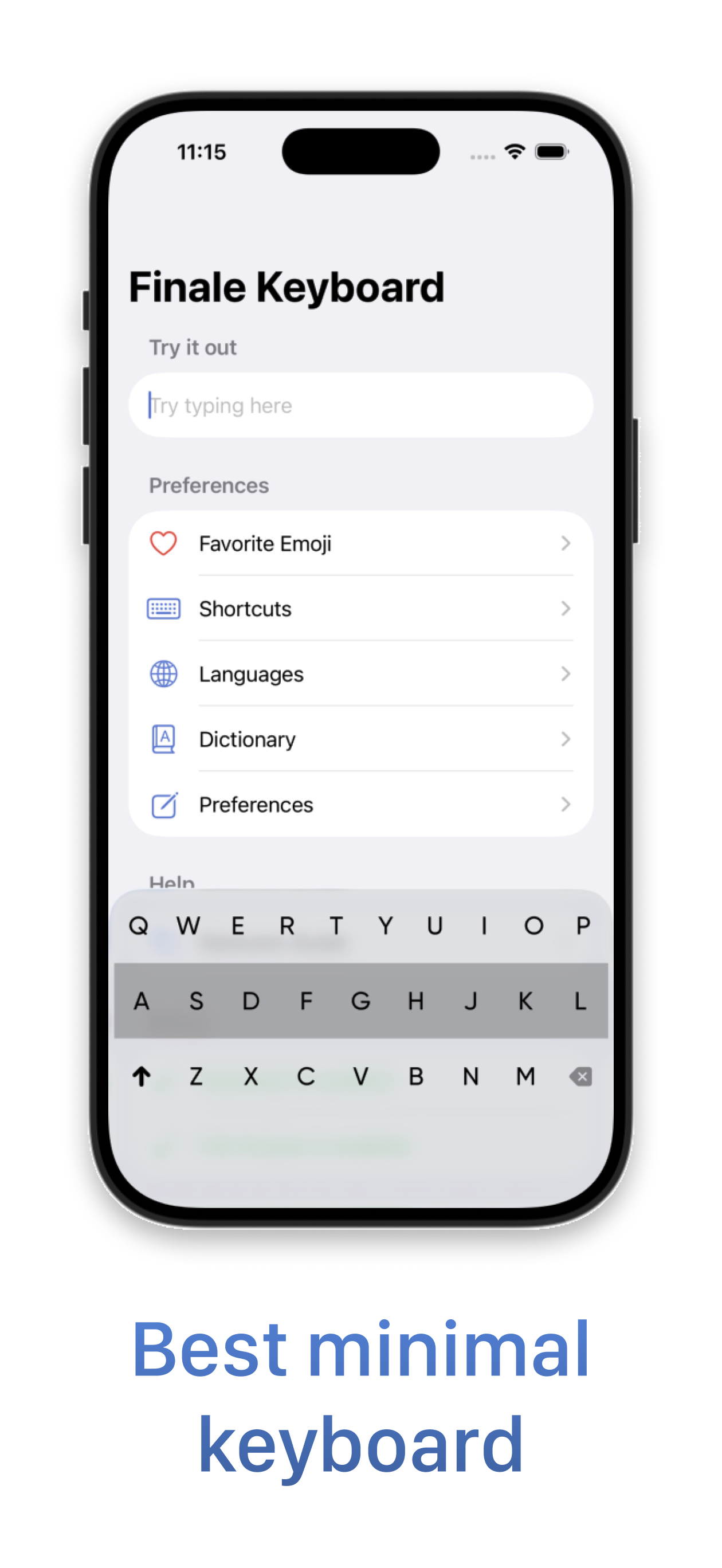
Finale Keyboard is a gesture-based minimal keyboard loaded with smart features to help you type faster. Ever used Fleksy (R.I.P)? You'll feel right at home. A new, freshly renovated, modern home.
Finale Keyboard is not your typical keyboard. While you type characters as usual, most other actions - like inserting spaces, autocorrecting, adding punctuation, and more - are done using swipe gestures.
Gestures allow you to type much faster than traditional keyboards. While they may take a few days to get used to, once they become second nature, you won't want to type without them.
Finale Keyboard also has the smallest footprint of any keyboards available on iPhone. So, not only will you type faster, but you'll also reclaim valuable screen real estate.
-- Features --
- Smallest keyboard for the iPhone:
Save your screen real estate for what matters the most.
- Easy-to-master gestures that let you type faster:
Type blazingly fast with convenient gestures for your most important actions.
- Smart autocorrect:
Swipe right after typing a word to quickly autocorrect it and insert a space. Don't worry about typos - Finale will take care of misspellings for you.
- Learns your vocabulary:
Often use "gonna", "wanna", "yaaas", or have your own unique slang? Finale Keyboard will automatically learn words you type often and add them to its dictionary.
- Shortcuts:
Add shortcuts to any key and trigger them with a downward swipe or a long-press. Insert emojis, contact information, perform cut / copy / paste, and more.
- Clipboard history:
Access your clipboard history to quickly paste anything you copied before. Perfect for links, codes, addresses, numbers and other text you might need to reuse.
- Dynamic touch zones:
Finale Keyboard predicts which characters you are most likely to type next and will dynamically increase their touch zones to help you be more accurate.
- Favorite Emojis:
Create a personalized emoji layout so your most-used emojis are always exactly where you expect them.
- Custom extensions:
Build custom actions to load data or trigger actions in third-party apps and services, right from your keyboard.
-- Gestures guide --
Essential
- swipe right: Autocorrect a word and insert a space
- swipe right after a space: Insert punctuation
- swipe up or down: Cycle through suggestions
- swipe left: Delete words
- swipe right on 'shift': Toggle symbols
- swipe left on 'backspace': Open emojis
- swipe down: Close emojis
- swipe up on 'backspace': Return
Shortcuts
- swipe down on a shortcut key: Use shortcut
- hold 'backspace': Peek at shortcuts
Miscellaneous
- swipe up on 'shift': Change language
- swipe up: Learn a new word
- hold 'shift': Toggle autocorrection
- hold and slide anywhere: Move cursor
- swipe up and hold: Continuously type a character
- swipe left or right with two fingers: Switch one-handed mode
Keyboard controls
- swipe down on 'backspace': Hide keyboard
- swipe down on 'shift': Change keyboard
Supported languages: Arabic, Belarusian, Bulgarian, Catalan, Croatian, Czech, Dutch, English, French, German, Hebrew, Hungarian, Italian, Kazakh, Latvian, Lithuanian, Polish, Portuguese (Brazil), Portuguese (Portugal), Romanian, Russian, Serbian, Spanish, Swedish, Ukrainian.
Email me at grant@finaletodo.com to request the language you need!
商店排名
商店排名基於Google和Apple設定的多個參數。
所有類別 在
美國--
公共設施 在
美國--


 Finale Keyboard VS.
 10月 7, 2026