


8月28日 的 Monthly Calendar Moca 應用程式分析

Monthly Calendar Moca
- aill, k.k. (JP)
- Apple App Store
- 免費版
- 生產力
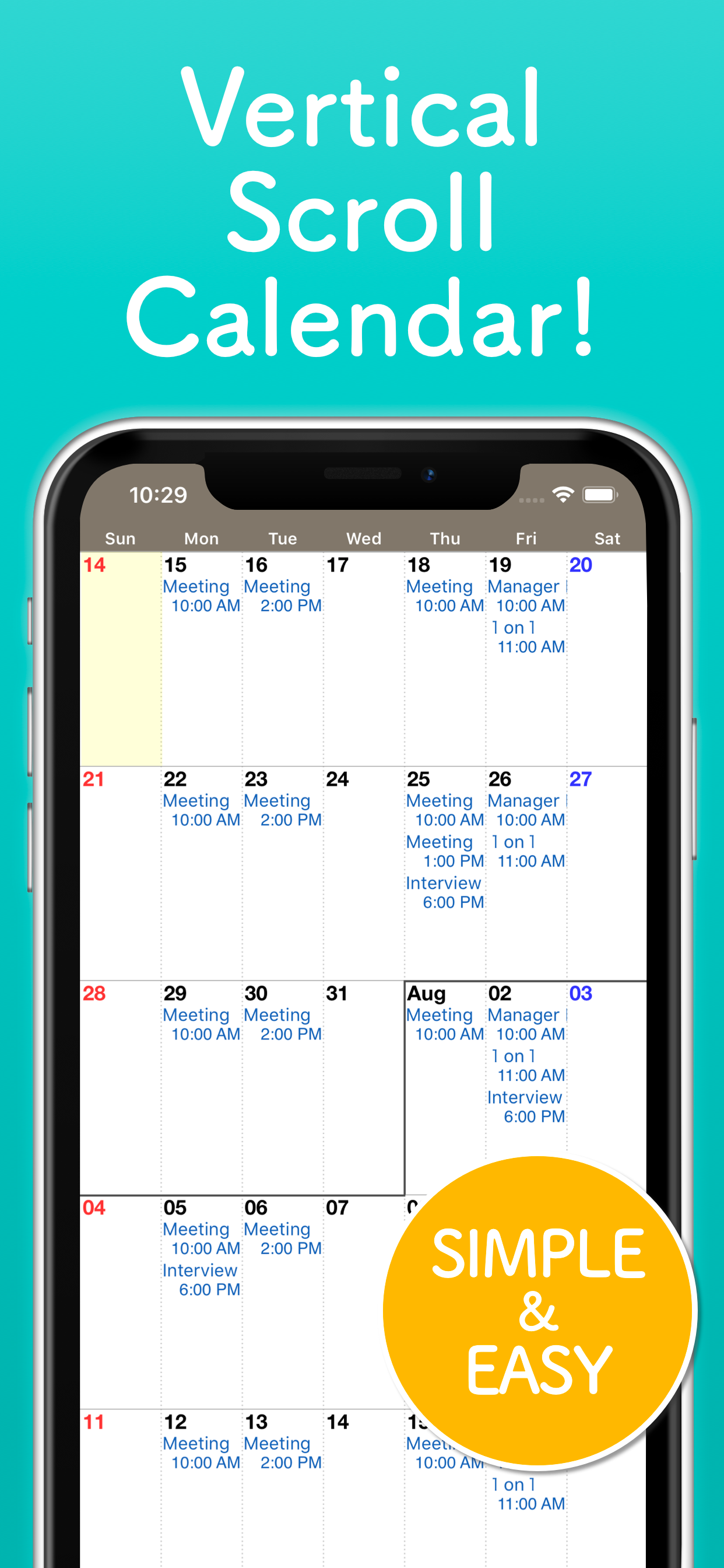
A calendar app built for the month view. Months flow continuously — scroll up and down as far as you like. Released in 2012 and still actively updated.
■ Vertical scrolling
Monthly calendars are joined together vertically, which makes it especially convenient when you want a quick look at what's coming up.
Even at the end of the month, you can browse next month and beyond without interruption.
Tap a date to see that day's events in a list at the bottom of the screen.
■ Made for month-view people
If you mostly use Google Calendar's custom "4 weeks" view, or you always keep the built-in Calendar app in Month view, this app is for you.
On the other hand, it may not suit you if you want to manage every event in fine detail. Rather than showing everything about each event, Moca prioritizes giving you an overview of the next several weeks at a glance.
■ Works with your iOS calendars
Moca reads your calendars and events from the accounts already added in Settings on your iPhone or iPad. Your Google and iCloud calendars work with Moca as-is, so there is no complicated setup inside the app.
You can add and edit events from Moca as well.
■ Minimal, essential customization
- Which calendars to show
- Holiday display
- First day of the week
- Font size, bold text, and how many events to show per day
- Event times in the month view
- Color themes (including custom colors)
- Dark mode (automatic / always light / always dark)
- App icon badge
- Rokuyō, the traditional Japanese six-day cycle
■ Other features
- Widgets: put your next event or today's date on the Home Screen or Lock Screen
- Event search: find your events by keyword
- Duplicate events: copy the same event to multiple selected dates at once
■ One small request
Moca is developed by one person, who uses it every day to check their own schedule. If anything feels awkward or doesn't work properly, the developer would like to fix it — so please get in touch with support directly. Reviews don't allow the developer to ask about your situation or to follow up with you individually.
Tap the gear button at the bottom right to open the settings screen, then choose "Send feedback and bug reports". You are also welcome to contact support at the email address below.
app+mc@aill.org
■ Frequently Asked Questions
Q. How do I remove the ads?
You can remove ads with an in-app purchase.
Tap the gear button at the bottom right to open the settings screen, then choose "Remove Ads" at the bottom of the Settings section.
If you have purchased before, try "Restore purchases" on the same screen.
Q. How do I change the color of an event?
Event text is shown in the color assigned to its calendar.
Under "Calendars" in the settings screen, add separate calendars for different purposes, then assign events to them so that they appear in different text colors.
Q. How do I show an event as a bar?
Events with "All-day" turned on are shown as a bar.
You can also turn on "Multi-day event always shows on band" under "Options" in the settings screen, and events that span multiple dates will be shown as a bar even if they are not all-day.
商店排名
商店排名基於Google和Apple設定的多個參數。
所有類別 在
美國--
生產力 在
美國--


 Monthly Calendar Moca VS.
 8月 28, 2026