


10月6日 的 Read Markdown: Fast & Light 應用程式分析

Read Markdown: Fast & Light
- VU THANH
- Apple App Store
- 免費版
- 開發者工具 (Developer Tools)
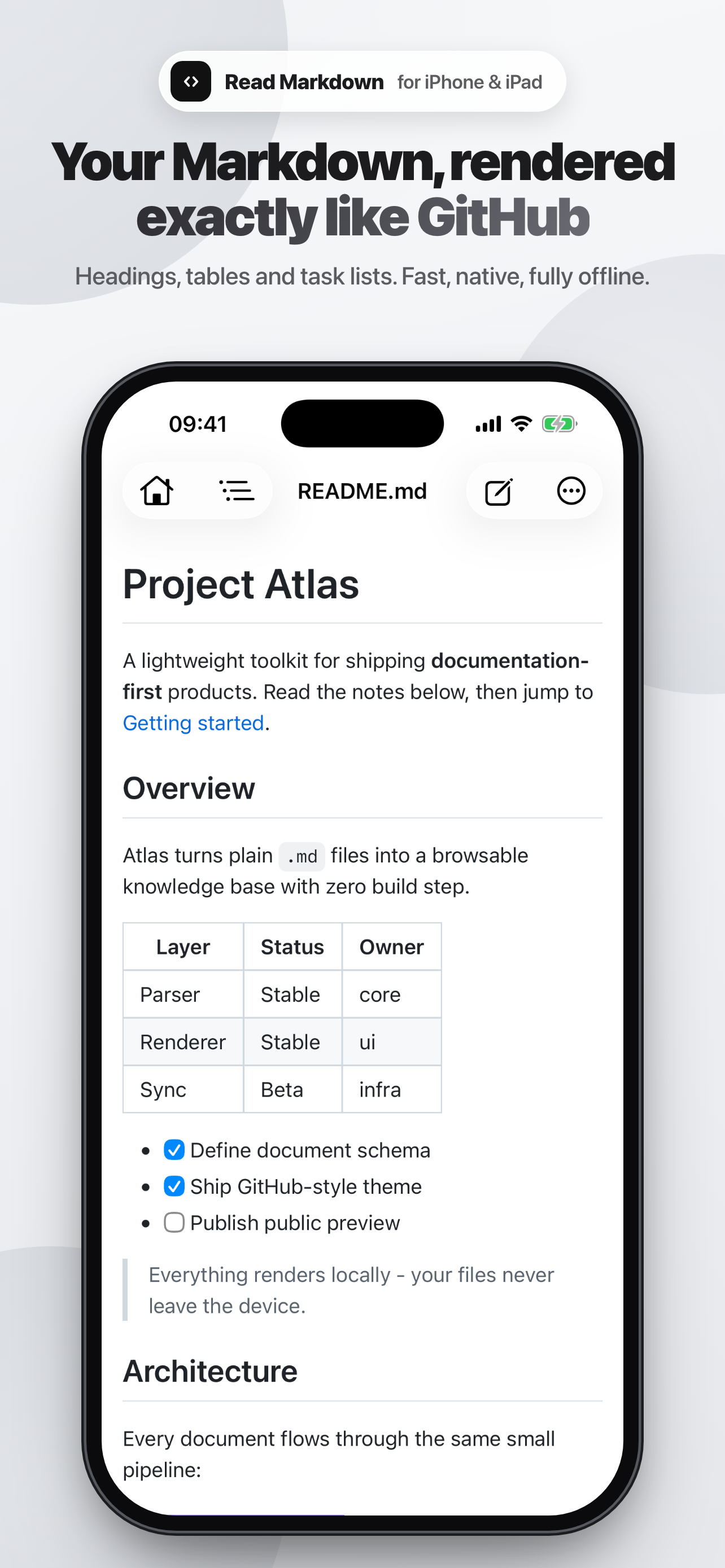
Read Markdown (R.md) is the fast, lightweight way to read and edit Markdown on iPhone and iPad. Open a .md file and it appears instantly, rendered exactly like GitHub, in a clean, distraction free layout. Need to change something? Tap the pencil and edit, with a formatting bar right above the keyboard. Truly native, no accounts, no setup, no internet.
WHY READ MARKDOWN
• Fast: opens in a blink and scrolls smoothly, even for big documents.
• Lightweight: a tiny native app that is easy on memory and battery.
• Dead simple: just open a file and read. Nothing to configure.
READING
• Renders like GitHub, including tables, task lists and blockquotes.
• Syntax highlighting for code blocks, with a copy button on each one.
• Live Mermaid diagrams: flowcharts and sequence diagrams render in the page.
• Dark mode that follows your system appearance.
• Live outline: tap a heading to jump, or filter to find one. On iPad it stays open in a sidebar.
• Images next to your document and links to other .md files just work.
• Find in page, adjustable text size, and a list of recent files.
• Export a clean, paginated A4 PDF and share it anywhere.
EDITING
• Reading stays reading: the app only switches to editing when you tap the pencil.
• On iPad, edit side by side with a live preview that updates as you type.
• Formatting bar for headings, bold, italic, code, links, lists, checklists and tables, plus undo and redo.
• Smart typing: Return continues lists, code fences close themselves, and pasting a URL over selected text makes a link.
• Tick a checkbox right in the rendered page and the change is saved to your file.
• Light syntax colors in the editor, a clear unsaved indicator, and a prompt before you close.
• Plays well with other apps: changes made elsewhere are detected, and you choose to reload or keep yours.
• Hardware keyboard shortcuts on iPad: Cmd+B, Cmd+I, Cmd+K and Cmd+S.
WORKS WITH YOUR FILES
Open documents from the Files app, iCloud Drive or any other app with Open In. Files are edited in place, so nothing is copied or uploaded.
Works fully offline. No account, no tracking, and your files never leave your device.
Perfect for developers, writers and anyone who reads README files, design docs and notes. Download Read Markdown and open your first .md file in seconds.
商店排名
商店排名基於Google和Apple設定的多個參數。
所有類別 在
美國--
開發者工具 (Developer Tools) 在
美國--


 Read Markdown: Fast & Light VS.
 10月 6, 2026