

5月3日 的 Supremo Remote Desktop 應用程式分析
Supremo Remote Desktop
- Nanosystems
- Google Play 商店
- 免費版
- 生產力
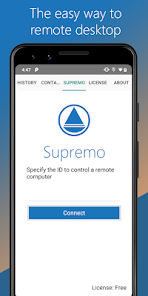
Supremo Remote Desktop is a powerful, easy and complete solution for remote desktop control and support. It allows to access a remote PC in just a few seconds. Supremo is also compatible with Supremo Console, the IT Management Console.
Download, access, control.
With Supremo Remote Desktop you can:
• Remote control PCs and servers, from your personal devices
• Chat with the remote user
Features:
• Secure remote control, protected by AES 256-bit encryption
• Full mouse and keyboard support, including special keys
• Zooming and screen scrolling
• Integrated chat
• Multi-display support
• UAC-compliant
• Cloud-synced address book powered by Supremo Console
Get started:
1. Install Supremo Remote Desktop
2. Download and launch Supremo for Windows from the PC/server you need to remote control, take note of ID and password
3. Launch Supremo Remote Desktop and specify ID and password
4. Remote control the machine!
Supremo Remote Desktop 使用排名
基於 Similarweb 的算法,根據過去 28 天的安裝數和活躍用戶數進行計算。
所有類別 在
巴西--
生產力 在
巴西--
用戶興趣和熱門類別
Supremo Remote Desktop用戶使用的熱門類別和應用程式











 Supremo Remote Desktop VS.
 5月 3, 2026