

10月11日的Renotify: Notification History应用程序分析

Renotify: Notification History
- HAKJAE KIM
- Apple 应用商店
- 免费
- 公共事业
Dismissed a notification by accident?
Cleared one before you read it?
Now you can see it again in Renotify.
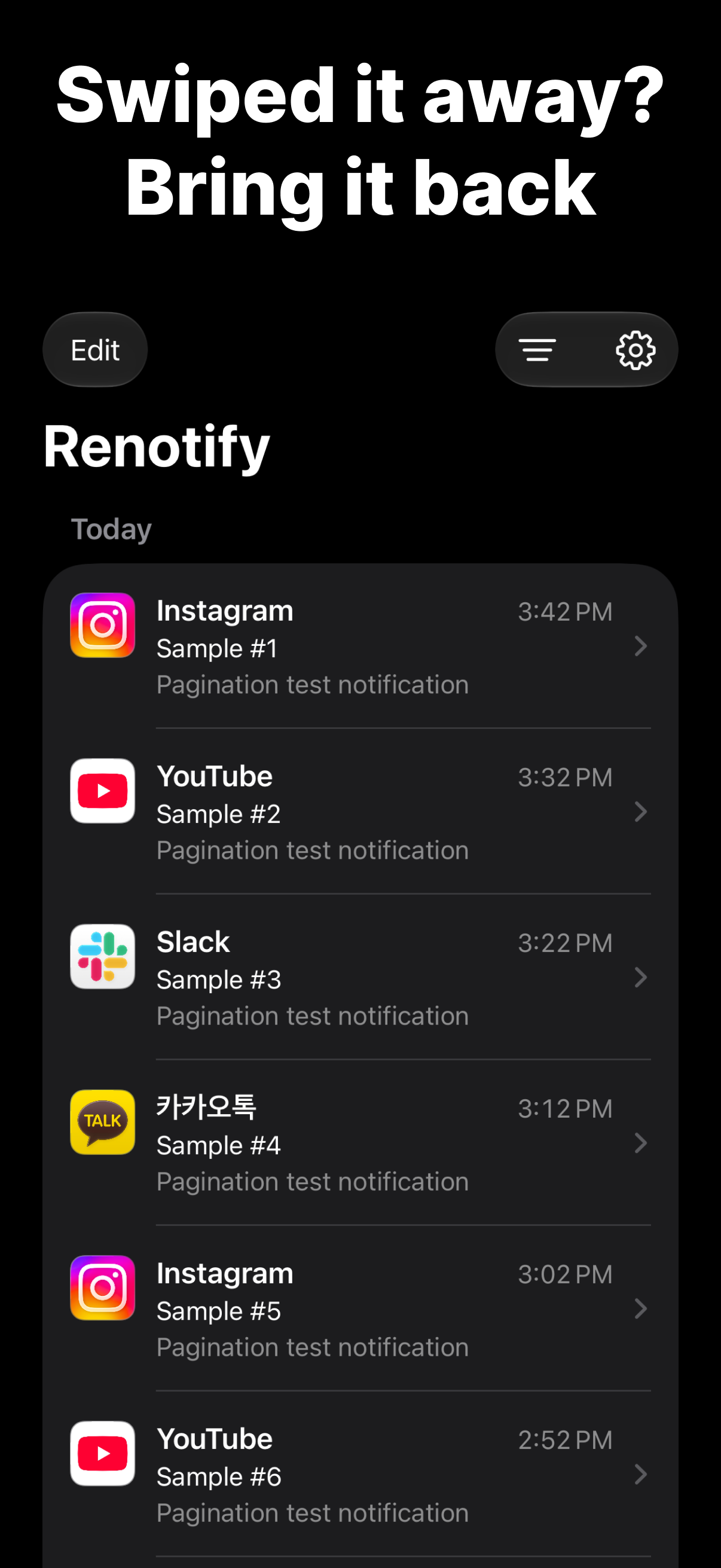
Renotify uses the Notification automation in iOS 27 Shortcuts to keep the notifications you receive on your iPhone.
Set it up once, and new notifications are saved automatically.
Features
• Timeline: See your notifications grouped by day.
• Search: Find past notifications by app name, title, or message.
• Date & app filters: Show only a specific day or a specific app.
• App icons: See at a glance which app each notification came from.
• Light and dark themes, in English and Korean.
One-time setup
1. In the Settings tab, tap Add Shortcut to add the shortcut.
2. In the added shortcut, choose the apps whose notifications you want to save.
3. Turn on Automation. That's it!
(Send a test notification to check your setup right away.)
Your notifications stay on your iPhone
• Your history is stored only on your device.
• No accounts, ads, or tracking.
• Notification content is never sent to a server.
Good to know
• Requires iOS 27 or later.
• Only notifications from apps added to the Shortcuts automation are saved. Add newly installed apps to the shortcut yourself.
• Notifications are saved starting from when you install Renotify and turn on the automation.
Contact: hakjae.dev@gmail.com
商店排名
商店排名基于 Google 和 Apple 设置的多个参数。
所有品类在
美国--
公共事业在
美国--


 Renotify: Notification History VS.
 十月 11, 2026