

You’ve hit your search limit
Start your free trial to keep exploring full traffic and performance insights.
Get StartedHard Disk - Monitor Disk Usage app analytics for June 29

Hard Disk - Monitor Disk Usage
- Stefan Van Damme
- Apple App Store
- Paid
- Utilities
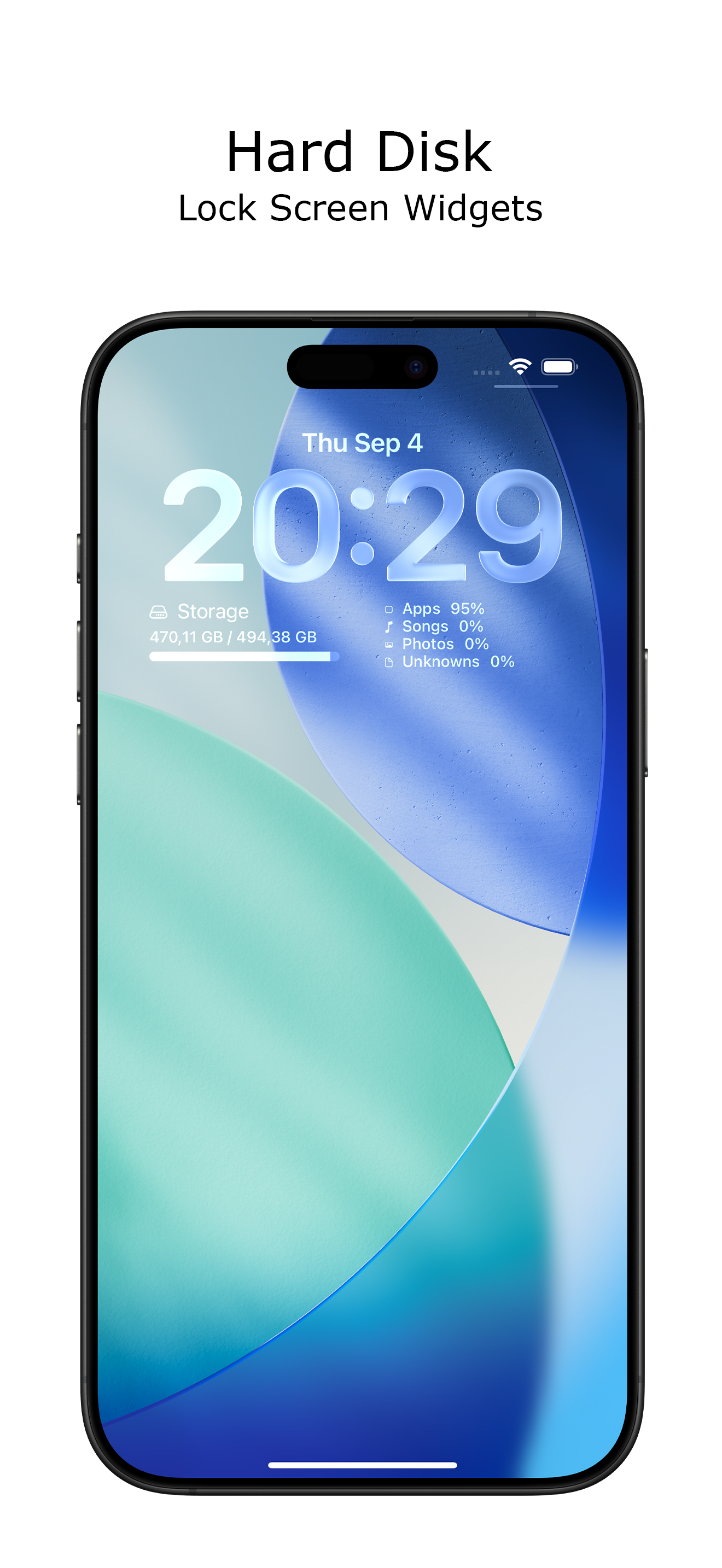
Want to see how much free space you have left on your storage? See today's current free space on your internal drive at a glance from your iPhone with the help of a simple app. The Hard Disk app is a handy and informative tool. It also includes an overview of your system information in one app. Plus, it comes with a variety of beautifully designed widgets for your Home Screen and Lock Screen, and it supports both Light Mode and Dark Mode.
The monitor disk usage widgets have a prominent place on your screen. You can place a simple widget that displays the text label showing the current free space, used space, and total capacity of your device. And with a progress bar to get a sense of the available spaces. Alternatively, you can place the detailed widget, which displays the total number of photos, videos, music, and unknown files on your current device. Or place the storage utilization widget to see the percentage usage of your total internal storage.
You can choose up to 27 widgets to display on your Home Screen, Lock Screen, or in StandBy mode. Place beautifully designed iOS widgets anywhere you like, keeping your storage information always within sight.
This useful and premium app works across macOS, iOS, iPadOS, watchOS, tvOS, and visionOS. So what are you waiting for? Get it Now!
iPhone app features:
◆ Real-time storage usage preview for your current device
◆ Add widgets on your Home Screen and Lock Screen
◆ Get insights into your iPhone's storage right on your Mac desktop
◆ Customizable background, text, and progress bar colors
◆ Support for Dark Mode
The following high-quality widgets are available in this widget bundle:
◆ Shows the progress bar and the label for free, used, and total capacity (in small, medium, inline, circular, rectangle, and corner sizes)
◆ Detailed Usage of your current storage with the device name on top (in small, medium, large, extra large, inline, circular, rectangle, and corner sizes)
◆ Shows the colorful progress bar with the type of files, such as Songs, Photos, Videos, Apps, and Unknown files (in small, medium, large, and extra large sizes)
◆ Percentage Usage of your current storage in the larger font size (in small, medium, inline, circular, rectangle, and corner sizes)
◆ Gauge Usage of your current storage in the gauge (in small and medium sizes)
◆ Dashboard Usage of your current storage (in rectangle size)
Store Rank
The Store Rank is based on multiple parameters set by Google and Apple.
All Categories in
United States--
Utilities in
United States--
Top Competitors & Alternative Apps
Apps with a high probability of being used by the same users, from the same store.

Vidimote for Safari

Sys Info Widget

How Long Left

Device System Services - Tools
 Hard Disk - Monitor Disk Usage VS.
 June 29, 2026