

You’ve hit your search limit
Start your free trial to keep exploring full traffic and performance insights.
Get StartedTurn Off the Lights for Safari app analytics for January 14

Turn Off the Lights for Safari
- Stefan Van Damme
- Apple App Store
- Free
- Productivity
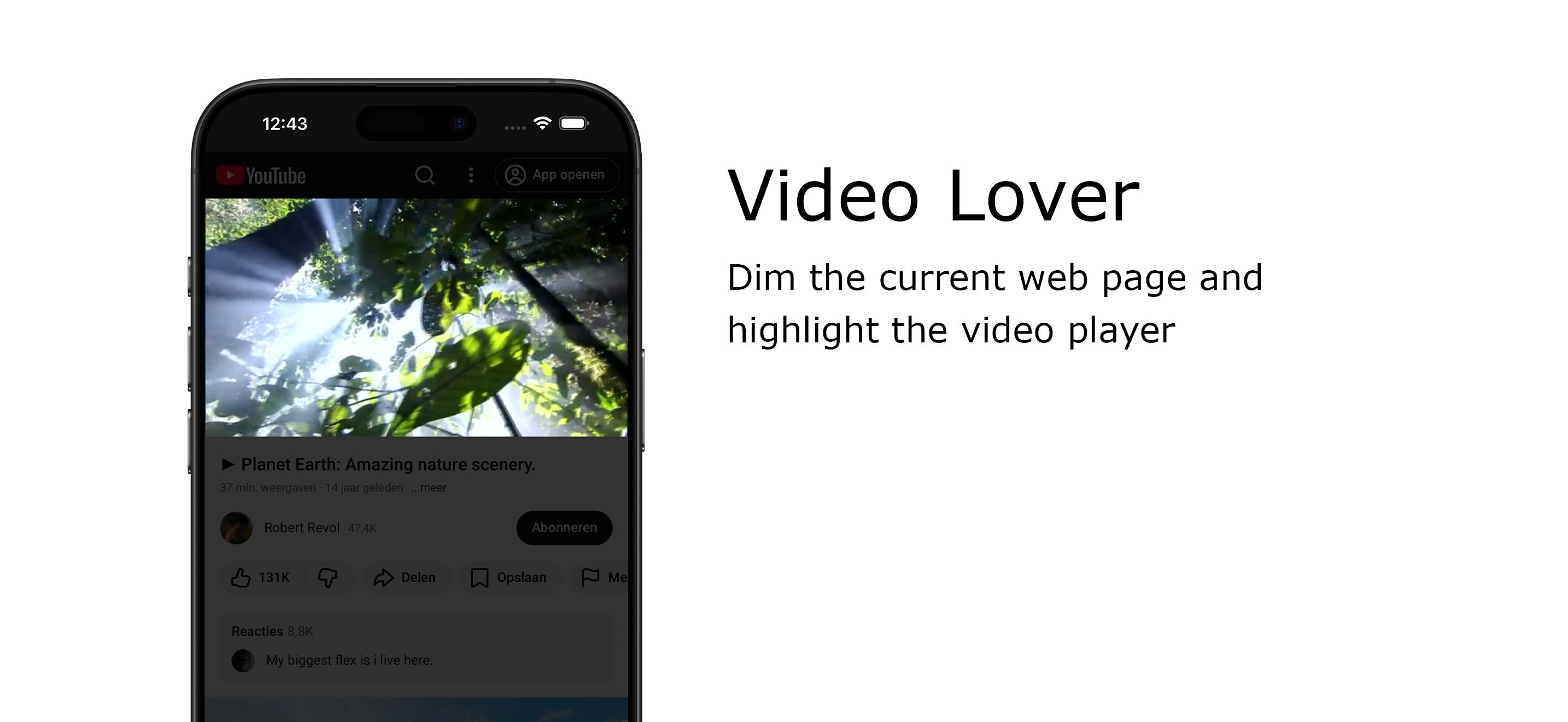
Immerse yourself in a cinematic atmosphere while watching videos online with Turn Off the Lights. This powerful browser extension dims everything on the web page except for the video you are watching, bringing your focus to the content that matters most.
Turn Off the Lights browser extension has also been featured on several popular websites, including Lifehacker, CNET, ZDNet, BuzzFeed, and PC World. With its growing popularity and positive feedback, it is no surprise that the Turn Off the Lights browser extension has become one of the most popular and trusted browser extensions in the market.
Please share your feedback, suggestions, and thoughts with us https://www.turnoffthelights.com/support
Browser extension features:
◆ Turn the lights back on by clicking on the black layer
◆ Supports multiple video sites: YouTube, Dailymotion, Vimeo, Twitch, and more
◆ Customize your YouTube experience:
- Auto HD: Set videos to play in HD automatically, with options ranging from highres > 8K > 5K > 4K > 1080p > 720p > 480p > 360p > 240p > 144p > default
- Auto Wide: Automatically plays videos in the widest mode
- 60 FPS Block: Disable YouTube 60 FPS for Auto HD 30 FPS video quality
◆ Easter Eggs:
Shortcut key: T -> Experience a real movie theater feeling
◆ Darken the screen when the user clicks on the play button
◆ Toggle fade in and fade out effects
◆ Customize colors
◆ Enable Multimedia Detection
◆ Display Dimness Level Bar
◆ Eye Protection for nighttime browsing, with a whitelist/blacklist filter
◆ Atmosphere lighting to create a glow around the video player
◆ Show the dark layer on top of the window
◆ Shortcut Keys:
Ctrl + Shift + L: Toggle the lights
Alt + F8: Restore default opacity value
Alt + F9: Save current opacity value
Alt + F10: Enable/disable the Eye Protection feature
Alt + (Arrow Up): Increase opacity
Alt + (Arrow Down): Decrease opacity
Alt + *: Toggle lights on all open tabs
◆ Mouse Wheel Volume Control for each HTML5 video player
◆ Apply filters to the current HTML5 video player (grayscale, sepia, invert, contrast, saturate, hue rotation, brightness)
◆ Audio Visualization effect on top of the current HTML5 video (Blocks, Frequency, and Music Tunnel)
◆ Loop the current HTML5 video player
◆ Night Mode switch to toggle YouTube in black or white theme, with whitelist/blacklist filter
- Timestamp: Activate Night Mode within the chosen time
- Blackout: Dim web page and activate Night Mode
◆ Stop YouTube and HTML5 videos from automatically playing
◆ And more…
Do not forget to Like & Follow Us:
Facebook
https://www.facebook.com/turnoffthelight
X
https://www.x.com/TurnOfftheLight
Pinterest
https://www.pinterest.com/turnoffthelight
Instagram
https://www.instagram.com/turnoffthelights
YouTube
https://www.youtube.com/@turnoffthelights
Project Information:
https://www.turnoffthelights.com/browser
Note: YouTube is a trademark of Google Inc. Use of this trademark is subject to Google Permissions.
Store Rank
The Store Rank is based on multiple parameters set by Google and Apple.
All Categories in
United States--
Productivity in
United States--
Top Competitors & Alternative Apps
Apps with a high probability of being used by the same users, from the same store.

SingleFile for Safari

Darker - Dark Mode for Safari

Dark Reader for Safari

1Password: Password Manager
 Turn Off the Lights for Safari VS.
 January 14, 2026