

You’ve hit your search limit
Start your free trial to keep exploring full traffic and performance insights.
Get StartedArpBud 2 AUv3 MIDI Arpeggiator app analytics for July 1

ArpBud 2 AUv3 MIDI Arpeggiator
- Cem Olcay
- Apple App Store
- Paid
- Music
ArpBud 2 is a MIDI arpeggiator application that enables users to create distinctive arpeggiation patterns and arpeggiate their preferred software or hardware synthesizers.
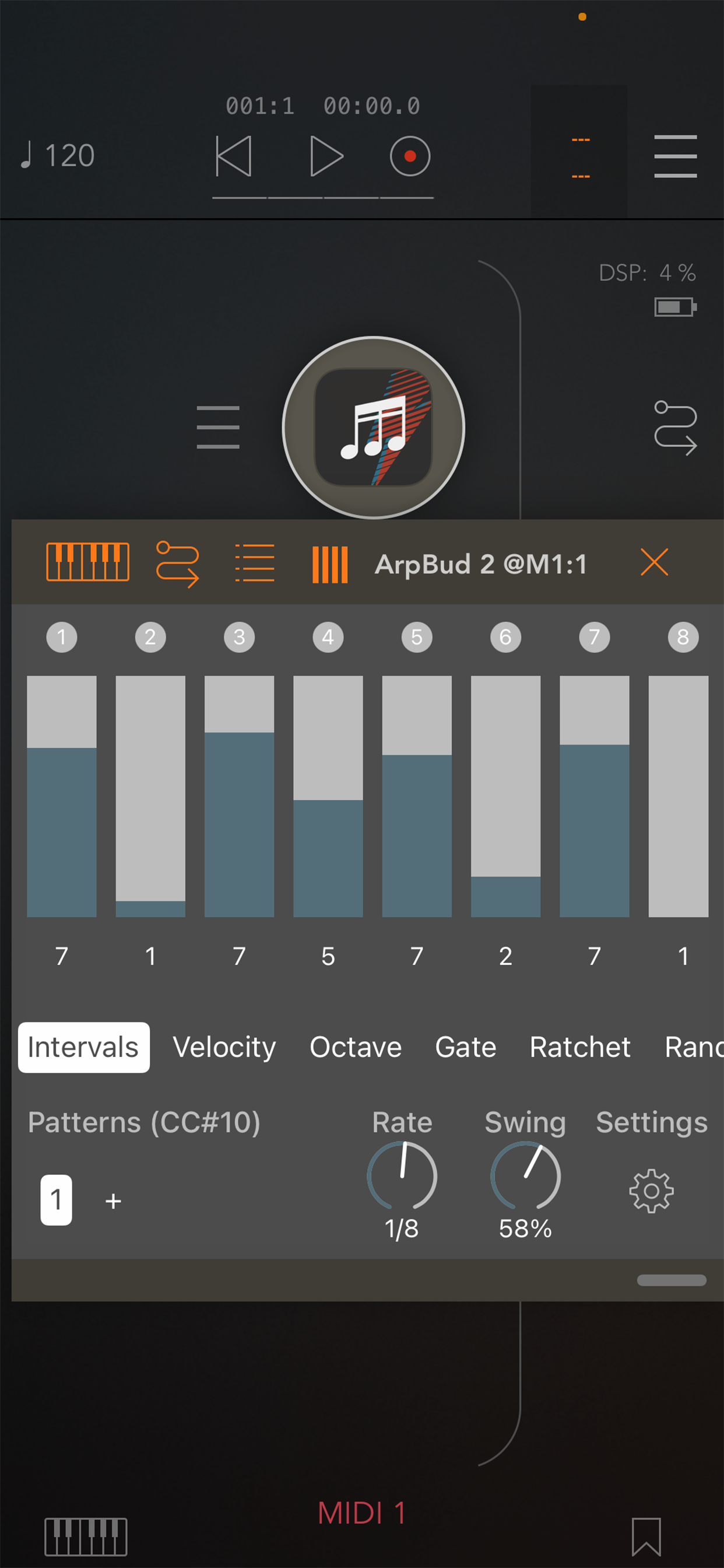
Distinct from conventional up/down style arpeggiators, ArpBud 2 offers users the ability to design unique patterns with an unlimited number of steps. Each step can be customized with parameters such as note interval, velocity, octave, ratchet, gate, and probability. Additionally, ArpBud 2 features a robust randomizer that allows users to randomize any step within any mode.
Within a project, users can create an unlimited number of patterns. Each pattern can be assigned distinct note rates and swing values. MIDI CC messages from other applications can be utilized to modify the playing pattern.
From the settings menu, users can assign a MIDI CC number for pattern changes, specify the maximum number of interval numbers, configure randomizer settings, and enable knob control.
ArpBud 2 reacts to pattern changes and step edits in real time during live performances, making it an exceptional live performance tool as well as an arp design tool.
ArpBud 2 can be utilized in standalone mode, IAA (Inter-App Audio) mode, Audiobus mode, AUv3 Audio Unit plugin mode, and supports Ableton Live.
It is important to note that ArpBud 2 is a MIDI effect tool and does not generate sound independently. It requires both MIDI input and output connections to function effectively.
Here’s how to use ArpBud 2:
1. Connect a MIDI source: To ArpBud 2, connect a MIDI source such as a MIDI keyboard, chord sequencer, or any other MIDI application. This source will feed ArpBud 2’s sequencer.
2. Connect ArpBud 2 to an Audio app: Connect ArpBud 2 to any MIDI-compatible Audio application.
3. Arm the sequencer: If using the standalone version or Audiobus/IAA version, press the play button located on the top right corner of ArpBud 2. If using the AUv3 plugin, press the play button on your host application.
Store Rank
The Store Rank is based on multiple parameters set by Google and Apple.
All Categories in
United States--
Music in
United States--
Top Competitors & Alternative Apps
Apps with a high probability of being used by the same users, from the same store.

StepPolyArp

Shimmer AUv3 Audio Plugin

Ruismaker

OCTACHRON MIDI Drum Sequencer
 ArpBud 2 AUv3 MIDI Arpeggiator VS.
 July 1, 2026