

Photo Art: Rift Effects vs Fractalizer Usage & Stats
Creative filter tools for every layer include: Blend, mask, pointillize, frame, distort, dissolve, edge, spot, tile, twirl, crop, rotate, straighten, blur, multiply, vivid, subtract, exposure, gamma, hue, tone curve, vibrance, posterize, invert, x-ray, dither, vignette, kaleidoscope, star shine, sunbeam, texts, fonts, move, shrink, shift, expand, random,
and many more.
Layer filters over filters. Save stacks of filter effects as your templates. Motion comes from transition filters, video from your photo library and rate controlled changes of settings. It can be an amazing show from a stream of photos from your photo library. See the dissolve, swipe, and more. All effects can be saved as new images. There are no changes made to your source photos or videos. Record it all with a built in screen capture.
- Apple App Store
- Paid
- Photo & Video
Store Rank
- -
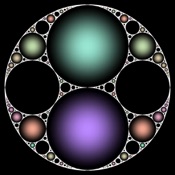
Fractalize your photos! Transform your pictures and videos into stunning works of art with this fun and easy to use app. Take new photos, media from your gallery, or live camera input and apply a fractal lens that sends them spiralling and swirling towards infinity. Control the transformation seamlessly in real-time using simple gestures. When you are happy with your creations you can save or share as still images or videos.
- Apple App Store
- Paid
- Photo & Video
Store Rank
- -
Photo Art: Rift Effects vs. Fractalizer ranking comparison
Compare Photo Art: Rift Effects ranking trend in the past 28 days vs. Fractalizer
 Fractalizer- -
Rank
Photo Art: Rift Effects vs. Fractalizer ranking by country comparison
Compare Photo Art: Rift Effects ranking trend in the past 28 days vs. Fractalizer
No Data to Display
Compare to any site with our free trial
 Photo Art: Rift Effects VS. Fractalizer
December 9, 2025