

You’ve hit your search limit
Start your free trial to keep exploring full traffic and performance insights.
Get StartedUpper – S3 Shortcuts app analytics for February 6

Upper – S3 Shortcuts
- Paul Haedrich
- Apple App Store
- Paid
- Developer Tools
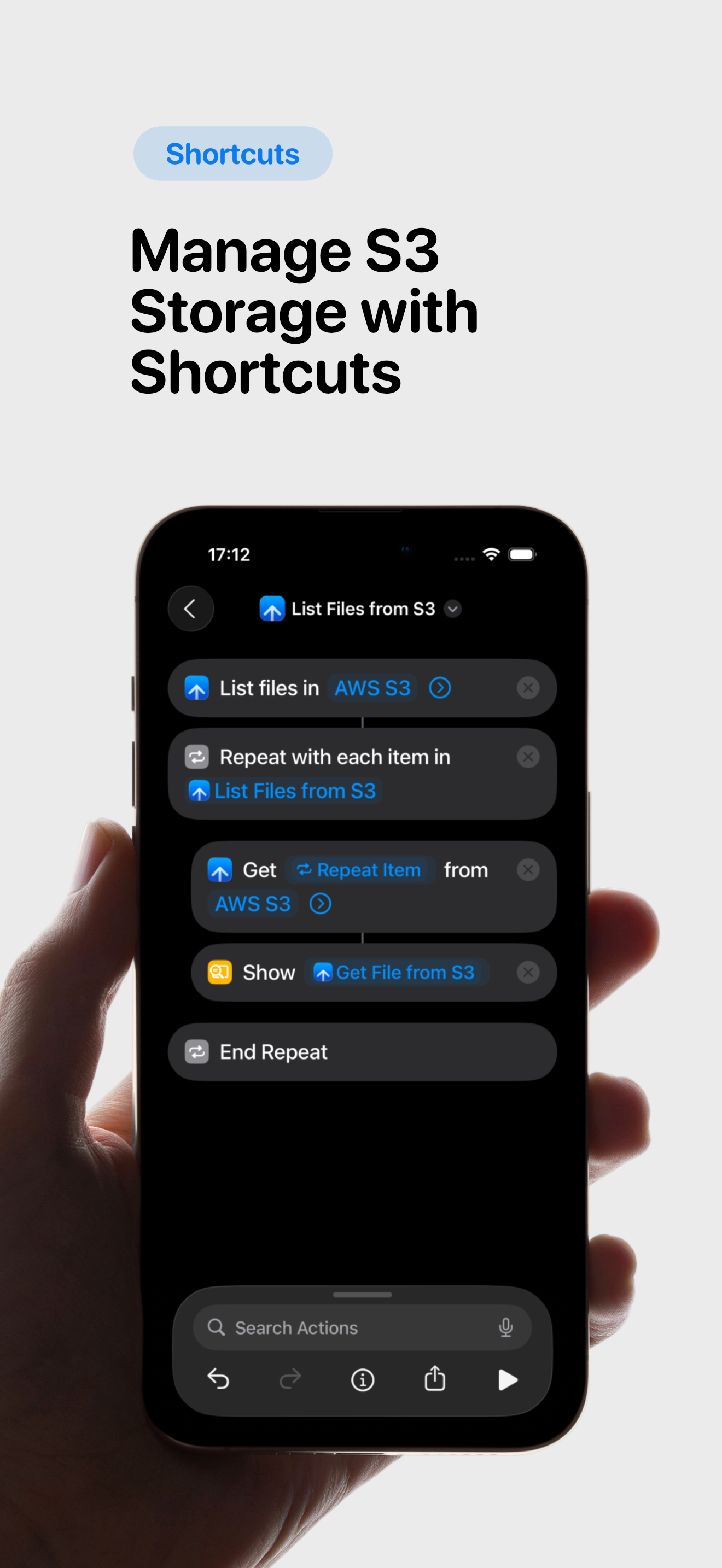
Take Control of S3 Storage – Right from Shortcuts
Whether you're a cloud expert or just exploring S3-compatible storage, Upper makes it effortless to:
• Create, list, and delete buckets
• Upload, download, list, and delete files
• Change ACL for buckets and files
Why You’ll Love Upper
• Compatible with AWS S3, Cloudflare R2, Scaleway, MinIO (with TLS), Hetzner, and other S3-compatible providers
• Fully integrated with the Apple Shortcuts app
• One-time purchase – no subscriptions, no in-app purchases
• Privacy-friendly – only opt-out, anonymized telemetry to improve the app
• Clean, minimal UI that stays out of your way
Getting Started is Easy
1. Install Upper
2. Add and configure your S3 endpoints in Upper
3. Open the Shortcuts app → tap “Add Action” → search for “Upper”
4. Choose your desired S3 action, select an endpoint – done!
Happy automating!
Store Rank
The Store Rank is based on multiple parameters set by Google and Apple.
All Categories in
United States--
Developer Tools in
United States--
Top Competitors & Alternative Apps
Apps with a high probability of being used by the same users, from the same store.

iDepth NDI

Container Manager

iPulse - Monitor Your Device

Portainer & Docker: Pourtainer
 Upper – S3 Shortcuts VS.
 February 6, 2026