

You’ve hit your search limit
Start your free trial to keep exploring full traffic and performance insights.
Get StartedDaily Task Planner MyDailyTime app analytics for January 27

Daily Task Planner MyDailyTime
- App Palette LLC
- Apple App Store
- Free
- Productivity
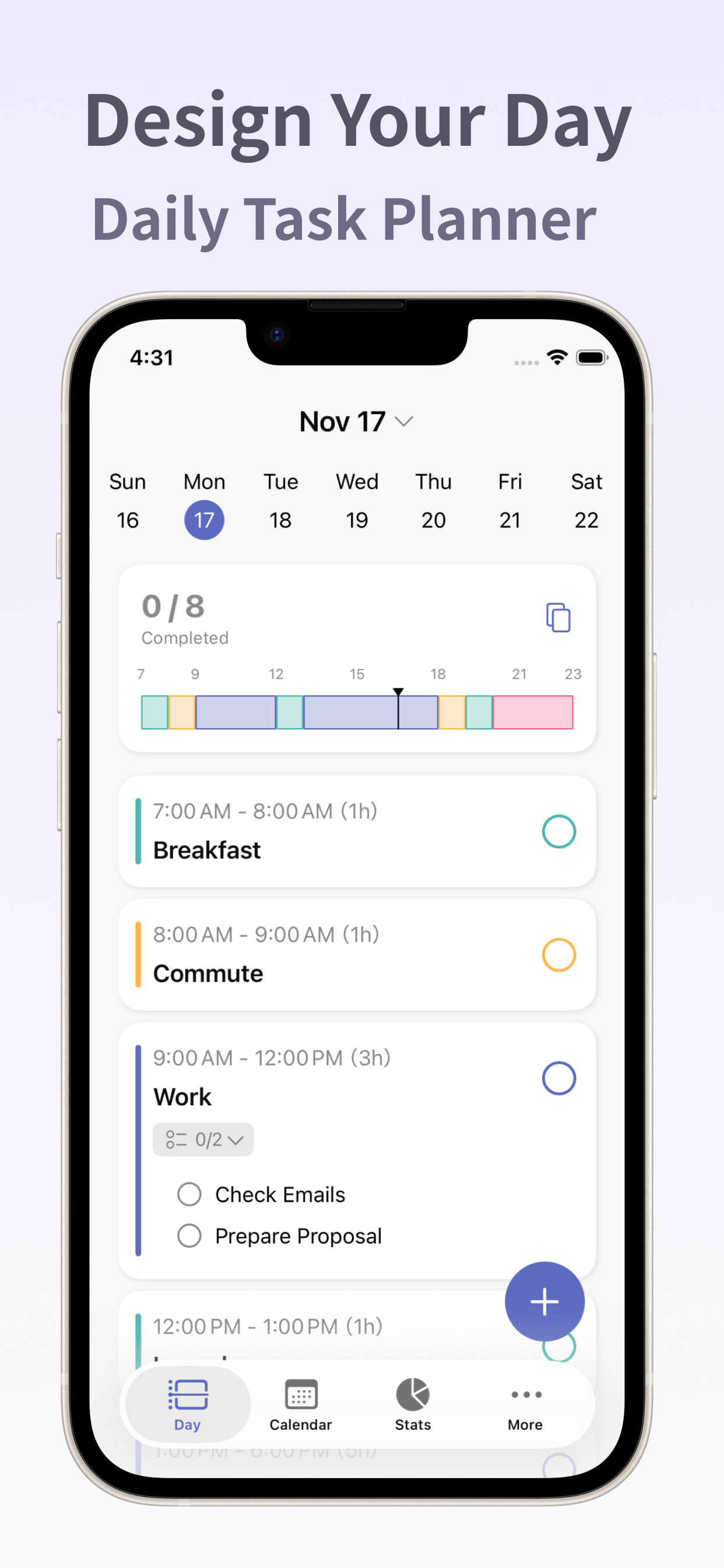
MyDailyTime is a daily task and schedule planner that helps you design your day—your way.
With a clean and intuitive timeline bar, you can see your entire day at a glance.
Visualize the balance between tasks and free time to plan a stress-free, productive day.
From personal plans and work tasks to household chores,
MyDailyTime fits seamlessly into every part of your life—helping you make the most of your time.
Perfect for those who want to plan their day carefully,
keep track of what needs to be done, or get a clear overview of the week ahead.
Its simple and intuitive design makes it easy to use, even on your busiest days.
What you can do with MyDailyTime
- Visualize your day with a timeline bar
See your schedule and tasks at a glance, and organize your time intuitively.
- Set reminders and subtasks
Manage detailed to-dos in one place and never miss what’s important.
- Categorize tasks by color
Add color to your day—organize tasks by type or theme for clarity and focus.
- View your weekly calendar
Check and plan your week at a glance to create a balanced schedule.
- Home screen widgets
Display your timeline or tasks directly on your home screen for quick access and progress tracking.
- Premium Plan
With the Premium Plan, you’ll unlock the following features to help you spend your day your way:
• Calendar Import
• Statistics
• Recurring Tasks
• Daily Templates
The Monthly Premium Plan renews automatically every month.
The Annual Premium Plan renews automatically every year.
- Check and Cancel Subscription
1. Open the Settings app > Tap your Apple Account > Subscriptions.
2. Tap the subscription you want to manage.
3. From this screen, you can check the next renewal date or cancel the automatic renewal.
- Restore on New Device
If you’ve switched devices, you can restore your previously purchased plan.
Sign in with the same Apple Account you used for the original purchase, then tap the Restore Purchases button in the app.
- Privacy Policy
https://www.apppalette.co.jp/privacypolicy_en
- Terms of Use
https://www.apppalette.co.jp/termsofuse_en
Store Rank
The Store Rank is based on multiple parameters set by Google and Apple.
All Categories in
United States--
Productivity in
United States--
Daily Task Planner MyDailyTimeJanuary 27, 2026