

Khmer Keyboard: Cambodia Voice app analytics for December 28

Khmer Keyboard: Cambodia Voice
- Digital Apps club
- Google Play Store
- Free
- Productivity
Do you want to send messages to your friends and relatives in the Khmer language using your phone? You’re in the right place!
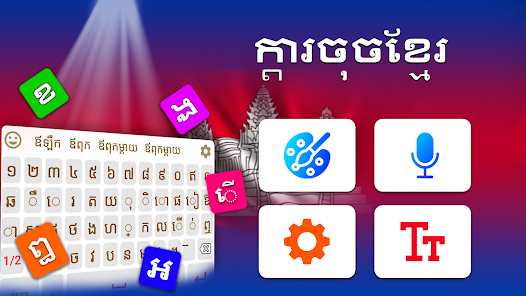
Khmer keyboard is a dual language Khmer & English typing keyboard app. Khmer Keyboard allows you to write both Khmer and English languages, at the same time.
✿ Key Features of the Khmer keyboard:
•• Switch between English to Khmer Keypad easily.
•• Simple, elegant, and easy-to-use User Interface (UI).
•• Beautiful Keyboard themes and backgrounds in Khmer keyboard.
•• Support auto-suggestion and auto-correction.
•• English word prediction.
•• Conversation mode to chat with anyone with your voice.
•• Khmer to English Translator with 100+ languages.
•• English Dictionary.
•• Khmer voice typing (Khmer speech to words/texts).
Switch between Khmer and English keyboards with a single click. Type anything in English and Khmer languages through the Khmer Typing Keyboard App.
Khmer Voice Typing:
Type anything you want with voice typing in both languages with the Khmer voice keyboard app.
Customizable:
This is a customizable Khmer Keyboard application. You can change keyboard themes. And can make changes in settings like turning on/off vibration, keypad sound, word suggestion, etc.
Conversation Mode:
Start conversing with other people using your voice in 60+ languages using the Khmer keyboard app.
Translation Mode:
Type text with your voice and translate your desired language into 100+ different languages using the Khmer voice typing keyboard.
English Dictionary:
Search for any English word using the dictionary option on the Khmer keyboard.
Khmer Keyboard Emojis:
There are hundreds of built-in emojis in this Khmer English Voice keyboard. You can make your chats more realistic and expressive with emojis.
How to use this Keyboard:-
1. First, install the Khmer keyboard.
2. Open the Khmer Language Keyboard.
3. First, enable the keyboard.
4. Then select the Khmer typing keyboard as the default keyboard of your phone. All done.
5. Just choose your favorite keyboard theme of the Khmer keyboard and enjoy typing Khmer and English languages easily.
Khmer Keyboard: Cambodia Voice Usage Rank
The usage rank is based on Similarweb's algorithm that calculates current installs and active users over a 28-day period.
All Categories in
United States--
Productivity in
United States--
Top Competitors & Alternative Apps
Apps with a high probability of being used by the same users, from the same store.

Amharic Keyboard Ethiopia

Naver SmartBoard - Keyboard

Easy Tamil Voice Keyboard App

Urdu Keyboard
 Khmer Keyboard: Cambodia Voice VS.
 December 28, 2025