

SA Contacts app analytics for December 9
SA Contacts
- samapp
- Google Play Store
- Paid
- Business
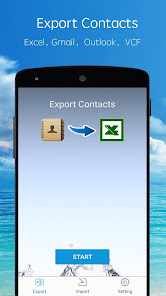
SA Contacts is the best way to transfer contacts to and from your phone! No other app lets you so easily control your phone's most valuable data:
1. Update, modify and maintain your contacts easily and conveniently on your computer using Excel, OpenOffice or any other Excel-compatible application.
2. Sends all of your contacts to you from your phone in a convenient zip file by email, SD card, Dropbox, Google Drive or Box! Contact photos are sent, too!
3. You don’t need to share your contacts with Yahoo or other websites in order to have a backup. The export file contains ALL of your contacts in a convenient, easy format.
4. Restoring or changing contacts from the spreadsheet is as simple as uploading the file to your phone via USB, email, Dropbox, Google Drive or Box. It couldn't be easier.
5. You can print a hardcopy of your phone contacts.
6. You can now export phone contacts to an Excel file which can then be imported to Outlook Contacts directly.
7. You can also import contacts from an Excel file that has been exported from Outlook to your phone.
8. You can now export/import phone contacts to/from a Gmail CSV-format file(UTF-8 encoded or Unicode encoded).
9. All Contact fields except Ringtones can be exported/imported.
10. You can organise your contacts into groups easily on a spreadsheet and also assign a contact to multiple groups.
11. You can remove all phone contacts or groups before importing your organized contacts.
12. Support 10,000+ contact entries.
13. All column headers and labels in the Excel file are localized.
14. Export an Excel file with all photos included - this makes the contacts in your spreadsheet look better.
15. You can password protect your export file.
16. Export/Import contacts to/from a VCF file.
17. Schedule backup. The app can backup all contacts to SD card, Dropbox, Google Drive and Box automatically.
Tutorial videos on youtube is now available (KEYWORD: “samyuapp”).
Email: support@samapp.com
SA Contacts Usage Rank
The usage rank is based on Similarweb's algorithm that calculates current installs and active users over a 28-day period.
All Categories in
Germany--
Business in
Germany--
Users Interests & Top Categories
Top categories and apps used by SA Contacts users
Top categories
Affinity
Top apps within the category
26%


17%

12%

10%



Top Competitors & Alternative Apps
Apps with a high probability of being used by the same users, from the same store.

Smart Contact Reminder

Phone Contacts

Sleep Tracker basic

Atto - Time Clock & Scheduling
 SA Contacts VS.
 December 9, 2025