

Sie haben Ihr Suchlimit erreicht
Starten Sie Ihren kostenlosen Testzugang, um weiterhin alle Traffic- und Performance-Insights zu erkunden.
Los geht'sSmart Calculator - SmartCalc App-Analysen für 17. Januar
Smart Calculator - SmartCalc
- Takao Ichimura
- Apple App Store
- Kostenlos
- Versorgungseinrichtungen
"What numbers did I input?” "Was the number I input correct?” Everyone must have caught on such anxiety while using a calculator.
SmartCalc is a calculator that wipes out such anxiety.
Because, after a calculation, inputs are displayed as you input, and also one input number can be changed for the next calculation.
[Instructions]
• To recall calculation history, tap ▼older key until you find the history you want. After you tapped ▼older key, if you want to recall a newer history, tap ▲newer key until you find it.
• To clear the calculator completely including calculation history, close SmartCalc.
• To clear the calculator except for the set memory and the independent memory on MR-line, tap C key and then tap AC key appeared, that is, double tap C key.
• To clear the independent memory on MR-line, tap MR key and then tap MC key appeared, or swipe on MR-line.
• To completely clear the number you have just input on 1st-line or 2nd-line, tap C key.
• To erase a right end number at 1st-line or 2nd-line framed in the input mode, swipe on the line.
• To change one of input numbers after a calculation, please tap the input line display to input a new number.
• Tapping Result-line display is a convenient substitute for tapping = key.
[Features]
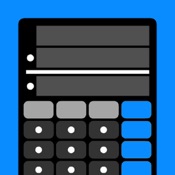
• SmartCalc is a calculator with a large 4-line display, which consists of 1st-line, 2nd-line, Result-line and MR-line. As all numbers related to a calculation are displayed on the lines all together, a user can check the calculation at a glance.
• SmartCalc doesn't require any special operations. Anyone can use SmartCalc easily.
• SmartCalc equips the set memory in addition to the general independent memory. The set memory automatically memorizes calculation history of all sets of calculated input numbers, an arithmetic operator and a result number.
The developer assumes no responsibility for any loss or claims by third parties which may arise from the use of this app.

Rang speichern
Der Store-Rang basiert auf mehreren Parametern, die von Google und Apple festgelegt wurden.
Alle Kategorien in
Vereinigte Staaten--
Versorgungseinrichtungen in
Vereinigte Staaten--
Top-Wettbewerber und alternative Apps
Apps mit hoher Wahrscheinlichkeit, von denselben Benutzer:innen aus demselben Store verwendet zu werden.

The Simple Calculator - Solve!

Calculator Offline

単純な電卓

CalcHistory
 Smart Calculator - SmartCalc VS.
 Januar 17, 2026