

Sie haben Ihr Suchlimit erreicht
Starten Sie Ihren kostenlosen Testzugang, um weiterhin alle Traffic- und Performance-Insights zu erkunden.
Los geht'sRingtone Maker: audio extract App-Analysen für 9. Januar

Ringtone Maker: audio extract
- Parsottambhai Dhameliya
- Apple App Store
- Kostenlos
- Musik
Ringtone Maker: audio extract may be a terribly powerful and complete audio editor and ringtone creator!.
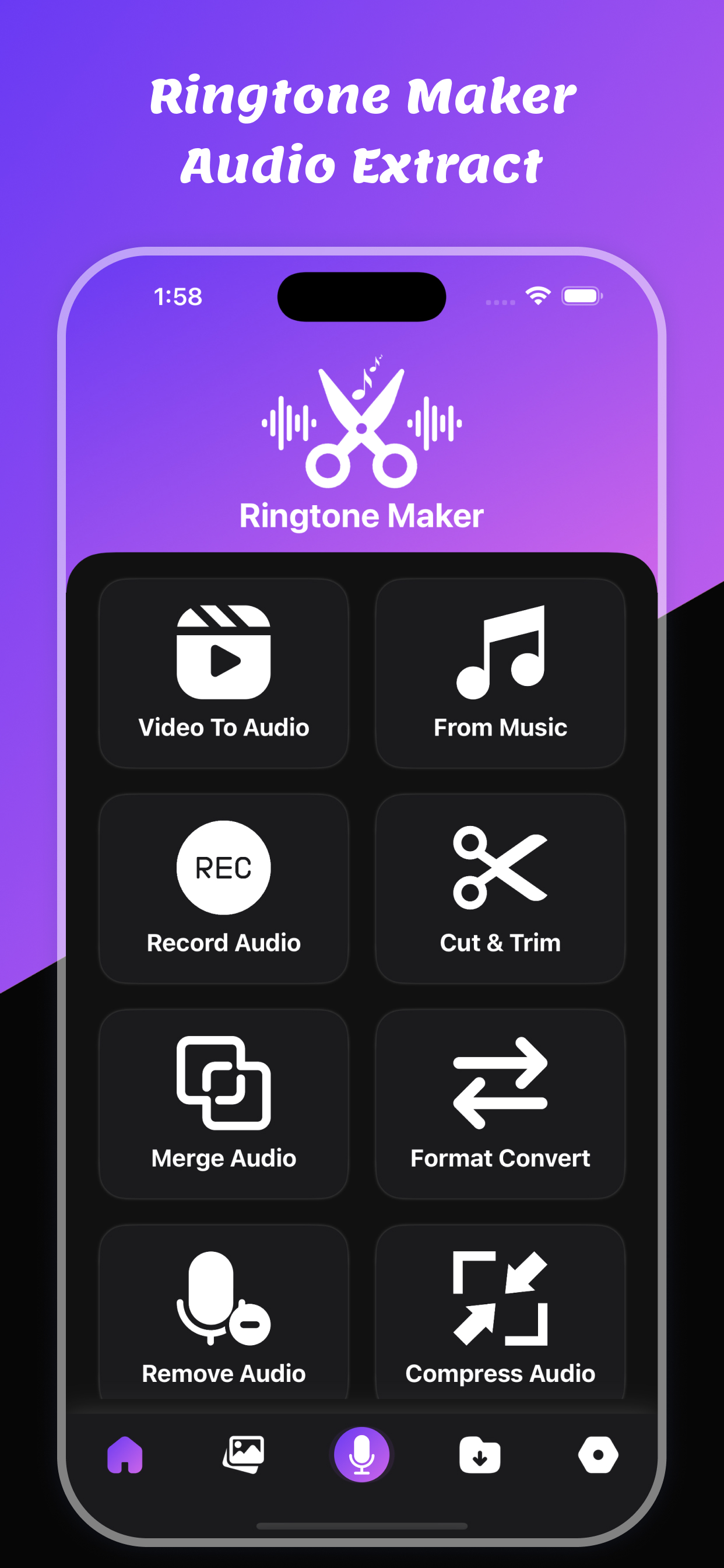
Turn your favorite moments into custom ringtones with this powerful and easy-to-use ringtone maker app. Whether you're creating a tone from a video, trimming a song, or recording your own voice — everything you need is here in one sleek app!
You can convert any video to audio using single selection.
You can trim any audio file using single selection.
It's a skilled sound editor that helps you simply make music, and has all the options you would like in an exceeding Ringtone Maker: audio extract, music maker, music cutter, audio trimmer, and more! you'll be able to edit any song or sound with tools., mp3 converter, music mixer.
Features:
1. Cutting the music on your phone and create a ringtone.
2. Record new audios and cut and create ringtones. You'll be able to even use it for the audio merger, audio recorder, audio reverser, audio mechanical device - the list of app options goes on!
3. Trim video to audio
4. Trim Audio file
5. Share trimmed files
Key Features:
* Video to Audio : Extract audio from any video file and turn it into a ringtone or notification sound. Supports popular formats like MP4, MKV, MOV, and more.
* Voice Recorder : Record high-quality audio directly within the app. Perfect for personal voice ringtones, custom alerts, or audio notes.
* Cut & Trim Audio : Easily cut or trim any part of an audio file to select the exact section you want as your ringtone. Visual waveform display makes editing intuitive and precise.
* Merge Audio Files : Combine multiple audio clips into a single track. Great for mixing intros, songs, or sound effects into a unique ringtone.
* Audio Format Converter : Convert audio between formats like MP3, AAC, WAV, M4A, and OGG to ensure compatibility across all devices and platforms.
* Remove Sounds : Use smart noise reduction tools to remove background noise, silence, or unwanted sections from your audio clips.
* Compress Audio : Reduce file size while preserving quality. Save space on your device and make audio files easier to share.
* Adjust Volume : Increase or decrease the audio level to create balanced and clear ringtones, even for soft recordings.
* Wallpapers : Go beyond sound — generate beautiful, customizable live wallpapers that match your ringtone for a fully personalized phone experience.
You can trim video using this app
You can trim audio file using this app
You can extract audio from video file
You can convert video to audio files
You can convert your audio file using this audio converter
You can cut your audio file using an audio cutter
Download and enjoy the Ringtone Maker: audio extract!
Privacy Policy: https://glistensolution.com/Apps/App_Privacy.html
Terms of use: https://glistensolution.com/Apps/App_TOS.html
Rang speichern
Der Store-Rang basiert auf mehreren Parametern, die von Google und Apple festgelegt wurden.
Alle Kategorien in
Vereinigte Staaten--
Musik in
Vereinigte Staaten--
Top-Wettbewerber und alternative Apps
Apps mit hoher Wahrscheinlichkeit, von denselben Benutzer:innen aus demselben Store verwendet zu werden.

Easy Audio Cutter & Trimmer

Music Editor : Ringtone Maker
Ringtone Maker AI - Mp3 Cutter

MP3 Cutter : Merge Music
 Ringtone Maker: audio extract VS.
 Januar 9, 2026