

Sie haben Ihr Suchlimit erreicht
Starten Sie Ihren kostenlosen Testzugang, um weiterhin alle Traffic- und Performance-Insights zu erkunden.
Los geht'sSmart Adding Machine App-Analysen für 17. Januar

Smart Adding Machine
- Harry Detrick
- Apple App Store
- Bezahlt
- Versorgungseinrichtungen
This app has a numeric keyboard. It may not always be visible.
If it is not visible, pressing the input button that has the text
'Insert an Amount or ...', will cause one to appear. If you want to
hide it, select the button on the left titled 'Hide KB'.
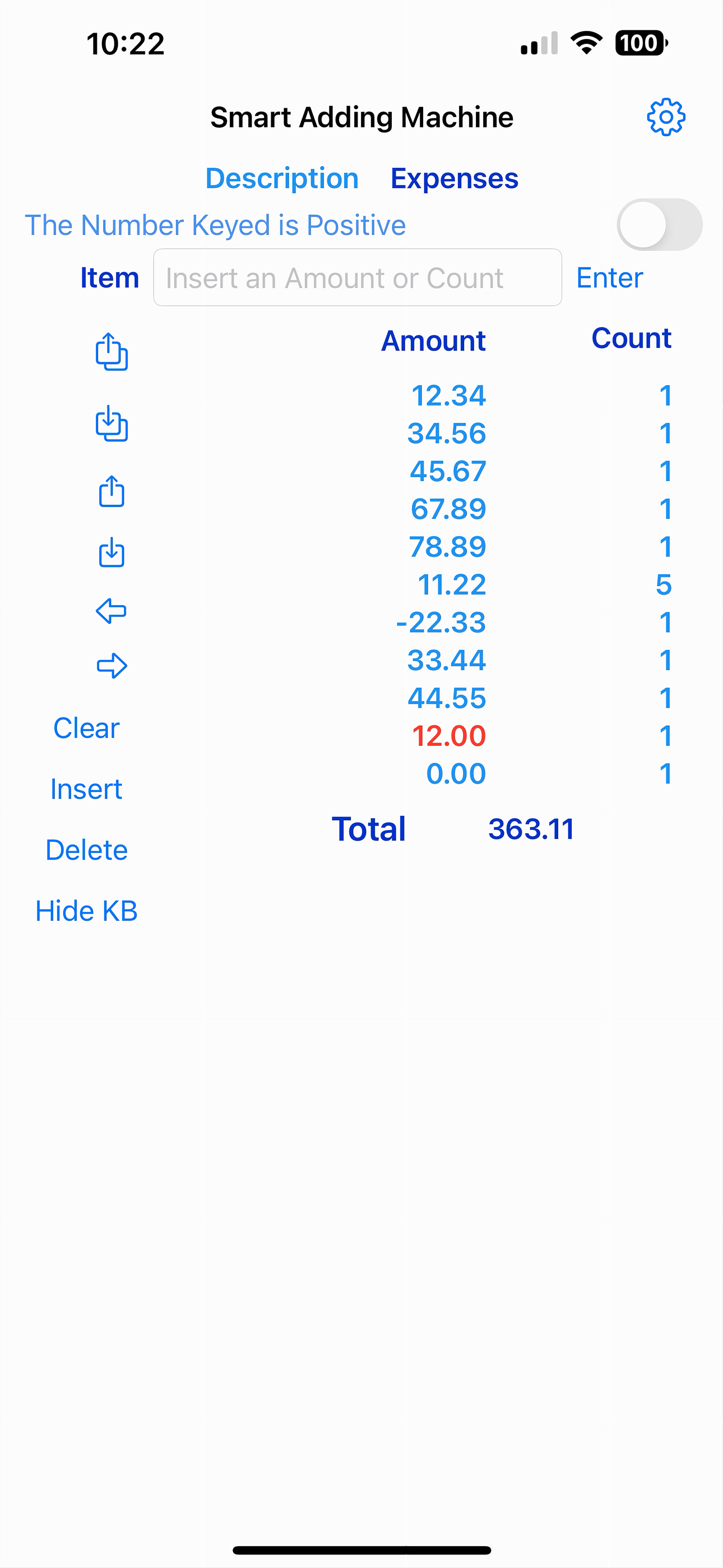
The Adding Machine contains a visual tape with two columns of numbers.
The left is the amount you keyed. The right column has in a '1' which is
the count. The system puts in a '1' for you. As you add items, the tape
grows. The last item is always followed by an empty item colored red.
This color red is important because it indicates where your next entry will be placed!!!
After entering a number, press the 'Save' button. If this is your
first entry, two items will appear on the tape. The first one will
contain the number you keyed. The second will be red with the
amount showing: 0.00 and a count showing 1. This pattern will continue as
you add items
On the left side of the screen are 11 buttons in a column. The first
six are for moving the red color - but not its contents. This allows for
the correction of errors.
The first two are: first - go to tape start & second to tape end (red item).
The second two go up one item and down one item on the tape.
The last of the group switch between amount & count
- usually used to change the count from 1.
There a 4 named buttons the effect the tape: Clear, Insert (an empty row where the red is, Delete(the row that a red item) and Hide KB.
The keyboard has no minus sign. There is a slider button that can be used to cause an number to be negative. It is red for emphasis
At least 50 items can be entered. The tape can be scrolled by using
your finger to see the entire tape.
At the very top of the screen is a 'Help' chevron that switches to a
page of help text.
Rang speichern
Der Store-Rang basiert auf mehreren Parametern, die von Google und Apple festgelegt wurden.
Alle Kategorien in
Vereinigte Staaten--
Versorgungseinrichtungen in
Vereinigte Staaten--
Top-Wettbewerber und alternative Apps
Apps mit hoher Wahrscheinlichkeit, von denselben Benutzer:innen aus demselben Store verwendet zu werden.

BigCalcMini

Gleesfun Pro

Keweenaw Petroleum

Print Calculator
 Smart Adding Machine VS.
 Januar 17, 2026