

Remote ADB Shell App-Analysen für 23. Dezember

Remote ADB Shell
- Cameron Gutman
- Google Play Store
- Kostenlos
- Tools
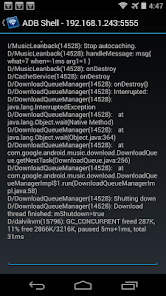
Remote ADB Shell is a terminal app that allows you to connect to the ADB shell service of other Android devices over the network and execute terminal commands. This can be useful for remotely debugging Android devices (running tools like top, logcat, or dumpsys). It supports multiple simultaneous connections to different devices and keeps these connections alive even when the app is in the background. This app does not require root on either device, but root may be helpful to configure the target devices. If the target devices are not rooted, you must use a computer with the Android SDK and Google USB drivers to configure the them (detailed below).
This app is a wrapper around the shell that is exposed over ADB. It maintains a 15 command history which is accessible by long pressing the command box. Long pressing the terminal display itself will give the option to send a Ctrl+C, toggle auto-scrolling, or exit the terminal session.
This works in the exact same way that the "adb shell" command works on a computer. Because this app uses a native implementation of the ADB protocol in Java, it does not require root on either device or any 3rd party apps on the target device. The devices simply speak the same protocol to each other that they would to a computer running the ADB client from the Android SDK.
IMPORTANT: Devices running Android 4.2.2 and later use RSA keys to authenticate the ADB connection. In my testing, devices running 4.2.2 will need to be plugged in to a computer the first time you connect to them (from each device with this app installed). This allows them to display the public key acceptance dialog, which you must accept (and check "Always allow from this computer"). Devices running Android 4.3 and 4.4 seem to have no problem displaying the dialog without a connection to a computer, so it looks like this is a workaround specific to Android 4.2.2.
To configure a stock un-rooted target, plug the target device into a computer that has the Android SDK installed and run "adb tcpip 5555" from the Android SDK's platform-tools folder. This will start ADB listening on port 5555 on the target device. The device can then be unplugged and will remain configured properly until reboot.
For devices that are rooted (although it's not required), you can install one of the several "ADB WiFi" apps to enable the ADB server to listen over the network. Devices with a custom ROM may have an option to enable ADB over the network in the Developer Options pane of Settings. Using either of these methods will properly configure ADB for network access with this app. The extra step for 4.2.2 is still required for the initial connection.
To connect to your remote Android device, type in the IP address of the device and the port number (5555 from the example above) in Remote ADB Shell. Tap Connect and it will attempt to connect to the device and start up the terminal.
Developers: The custom Java ADB library I've written for this app is open-source under the BSD license at https://github.com/cgutman/AdbLib
The source for this app is available under the Apache license: https://github.com/cgutman/RemoteAdbShell
Remote ADB Shell-Nutzungsrang
Das Ranking der Nutzung basiert auf dem Algorithmus von Similarweb, der aktuelle Installationen und aktive Benutzer:innen über einen Zeitraum von 28 Tagen berechnet.
Alle Kategorien in
Brasilien--
Tools in
Brasilien--
Benutzerinteressen und Top-Kategorien
Top-Kategorien und -Apps, die von Remote ADB Shell Benutzern verwendet werden
Top-Kategorien
Affinität
Top-Apps innerhalb der Kategorie
Weitere Apps
70%






12%


10%

3%

Top-Wettbewerber und alternative Apps
Apps mit hoher Wahrscheinlichkeit, von denselben Benutzer:innen aus demselben Store verwendet zu werden.

Unmutify

NETGEAR Orbi – WiFi System App

xHP Flashtool

Yatse: Kodi remote and cast
Remote ADB Shell VS. Dezember 23, 2025