

Sie haben Ihr Suchlimit erreicht
Starten Sie Ihren kostenlosen Testzugang, um weiterhin alle Traffic- und Performance-Insights zu erkunden.
Los geht'sKids to Grandmasters Chess App-Analysen für 23. Januar

Kids to Grandmasters Chess
- Metatrans Apps
- Google Play Store
- Bezahlt
- Spiele > Brett
This app has also a FREE Version with the same name. Search it on the store or visit https://metatransapps.com
An interactive offline chess game with different playing modes and levels.
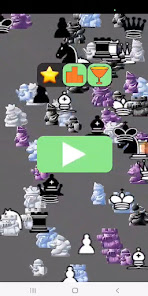
It is an educational chess game especially designed for kids to help them learn chess by playing in a sequential way and of course to have fun.
Currently the app doesn't contain chess lessons or instructions regarding chess theory.
We believe the way to learn chess by playing is at least equally important as chess theory and this app could be an additional tool and also could be the main tool when the kid is not going to courses and lessons or learn in chess any different way.
When the piece is selected, the possible moves are colored in green on the board, and a red color marks all tries to move where it is not allowed in the current game mode.
Having this in mind the kids could learn by playing, needing only a little help in the beginning mainly with the buttons and menu, not with the board and pieces themself.
The game could be played by 2 players on the same device, so the opponent could be your friend who is physically with you.
Also you could play as 1 player and then your opponent will be the open source chess engine Bagatur. When Bagatur plays, it has an increasing strength level, starting from level 1.
Playing instructions:
1. First step is the beginners to play Freestyle mode until they realize in chess games there are 2 colors/players and they move one after another and each move is from one board square to another board square as well as when a pawn goes to the last rank, it could be promoted to queen or another piece.
2. In Freestyle all moves are possible, so all board squares are colored in green, when a chess piece is selected.
3. Second, beginners play Pieces Aware mode until they realize there are different pieces in chess and each can move differently.
4. And last, the beginners play All Chess Rules mode or classic chess.
5. In Pieces Aware and All Chess Rules modes, when a chess piece is selected, additionally to the green coloring, there is also red coloring. All this shows what moves are possible and what are not.
6. The default chess pieces set is specially designed for this app in order to be more attractive for kids. It is recomended to play with it only in Freestyle mode, where all pieces move the same way. You could change it anytime in the menu.
7. If possible, it is always better to play with another person using the Human-Human mode of the app.
8. Check the menu and make sure the strength level is appropriate.
9. Select/deselect the Human/Computer buttons for both sides according to which side you want to play and whether you play against a computer or another person.
10. Use the flip board button to change sides if you play with black.
11. Move the piece by drag and drop or by selecting from/to squares.
12. If you want, you could use the back button to revert the last move. It can be done several times to revert more than one move if necessary.
13. It is recommended to check all settings in the menu and make sure you play with the option you like most (e.g. move animation speed, chess pieces set, colors).
In general, chess is one of the games that challenge your brain.
Playing chess is fun, but also it is helpful, because it develops and increases several mind capabilities like Analytical skills, Memory, Strategic thinking, Concentration level, IQ, Patterns recognition and many others.
Permissions:
The free version of the app uses ACCESS_NETWORK_STATE and INTERNET permissions, because it shows ads.
Your feedback and/or review is more than welcome.
https://metatransapps.com/chess-art-for-kids-kindergarten-to-grandmaster/
Kids to Grandmasters Chess-Nutzungsrang
Das Ranking der Nutzung basiert auf dem Algorithmus von Similarweb, der aktuelle Installationen und aktive Benutzer:innen über einen Zeitraum von 28 Tagen berechnet.
Alle Kategorien in
Vereinigte Staaten--
Spiele > Brett in
Vereinigte Staaten--
Benutzerinteressen und Top-Kategorien
Top-Kategorien und -Apps, die von Kids to Grandmasters Chess Benutzern verwendet werden
Top-Kategorien
Affinität
Top-Apps innerhalb der Kategorie
20%



18%



18%


11%

Top-Wettbewerber und alternative Apps
Apps mit hoher Wahrscheinlichkeit, von denselben Benutzer:innen aus demselben Store verwendet zu werden.

Mini Chess Games

ChessWorld - Chess for Kids

Chess Pro

7 Wonders DUEL
 Kids to Grandmasters Chess VS.
 Januar 23, 2026