

Offline password manager: Zero App-Analysen für 23. Dezember

Offline password manager: Zero
- Blue Space Information Technology Co., Ltd.
- Google Play Store
- Kostenlos
- Tools
If you have any questions, please get in touch with us at ✉️: contact@bluespace.tech.
Why is Zero Password Manager (formerly ID Guard Offline) more trustworthy?
- We have been developing many verifiable security technologies instead of "Please trust the developers".
- We have consistently improved the security instead of always saying, "The UI has been updated again".
【Solid security model】
- 🚫 True offline keeps your data isolated from the Internet.
Zero is an offline password manager. Your passwords are only stored on your phone and can never be uploaded to the cloud secretly.
- 🛡️ Security chip encrypts your data on your device.
Mobile wallets use the same chip to protect your card information, so if you trust the mobile wallet, you can trust Zero Password Manager.
- 👥 Neither require sign-up nor collect personal information.
We don't have any information on you and don't know who you are, let alone bother you with ad tracking. This is one thing that makes offline password managers better than online password managers.
- 🔐 Biometric authentication to safely unlock the app.
Or you can set a master password for an extra layer of protection.
Of course, we also use other standard encryption technologies like AES-256 and PBKDF2.
【Feature-rich and easy to use】
- 📋 Account security templates
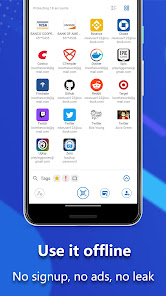
Hundreds of account templates, including Google, Capital One, Binance, Epic, etc., can hold all sorts of security information you can think of, such as passwords, recovery keys, and security Q&A. Some templates also have security tips.
- 💳 Save payment cards
As long as you enter the card number, Zero Password Manager can automatically identify the card issuer, card organization, etc. It's easier than ever to store payment card information.
- 📝 Autofill passwords
Fill in your username and password on mobile apps or websites with only two taps. Zero Password Manager will also automatically check the security of the app or website you are filling in.
- 🕜 OTP Authenticator
Zero Password Manager integrates OTP (one-time password) authenticator to facilitate 2FA. You can keep passwords and OTPs in just one record.
- 🖥️ Desktop browser extension
With the extension, you can scan QR codes with the app to safely fill passwords into desktop browsers (Safari, Chrome, Edge, and Firefox). The app securely stores passwords totally offline, while the extension implements a remote autofill framework without storing passwords.
- *️⃣ Password generator
Besides the most basic options like numbers, letters, and length, you can also choose to include certain special symbols, emojis, etc., in your passwords. It works for websites with complex password rules.
- 🔎 Find back master password
Forgot your master password? Don't worry. You can ask your friends to help find it back; they can't peek at any data.
More great features like password meter, password timeline, password change reminder, etc. are all available in Zero Password Manager.
【Permissions】
✔️ Access camera: Scan QR code to save or fill passwords.
✔️ Use fingerprint hardware: Use fingerprint recognition to authenticate user. (Cannot steal fingerprint data)
✔️ Foreground service: Display the autofill bar when using accessibility service and let user know which app is displaying the floating bar.
✔️ Google Play billing service: Unlock PRO features on Google Play. Google Play connects to the network to authorize user.
✔️ Hide overlay windows: Hide overlay windows to prevent overlay attacks. (Android 12+)
❌ FULL NETWORK ACCESS. True offline password manager. Minimize the attack surface and can never leak any data or be attacked via the network.
Offline password manager: Zero-Nutzungsrang
Das Ranking der Nutzung basiert auf dem Algorithmus von Similarweb, der aktuelle Installationen und aktive Benutzer:innen über einen Zeitraum von 28 Tagen berechnet.
Alle Kategorien in
Brasilien--
Tools in
Brasilien--
Benutzerinteressen und Top-Kategorien
Top-Kategorien und -Apps, die von Offline password manager: Zero Benutzern verwendet werden











Top-Wettbewerber und alternative Apps
Apps mit hoher Wahrscheinlichkeit, von denselben Benutzer:innen aus demselben Store verwendet zu werden.

Keyguard

One Pass™

Letters - newsletters manager
 Offline password manager: Zero VS.
 Dezember 23, 2025