

You’ve hit your search limit
Start your free trial to keep exploring full traffic and performance insights.
Get StartedAnálisis de la app References para 7 de octubre
References
- Benjamin Burton
- App Store de Apple
- Pagado
- Productividad
Carry your BibTeX libraries with you on your iPad and iPhone!
A BibTeX library is a collection of bibliographic references (papers, books, reports, etc.), designed to work with the LaTeX typesetting system. Each library is stored in a specially-formatted text file (typically ending in .bib), which you can create with your favourite text editor.
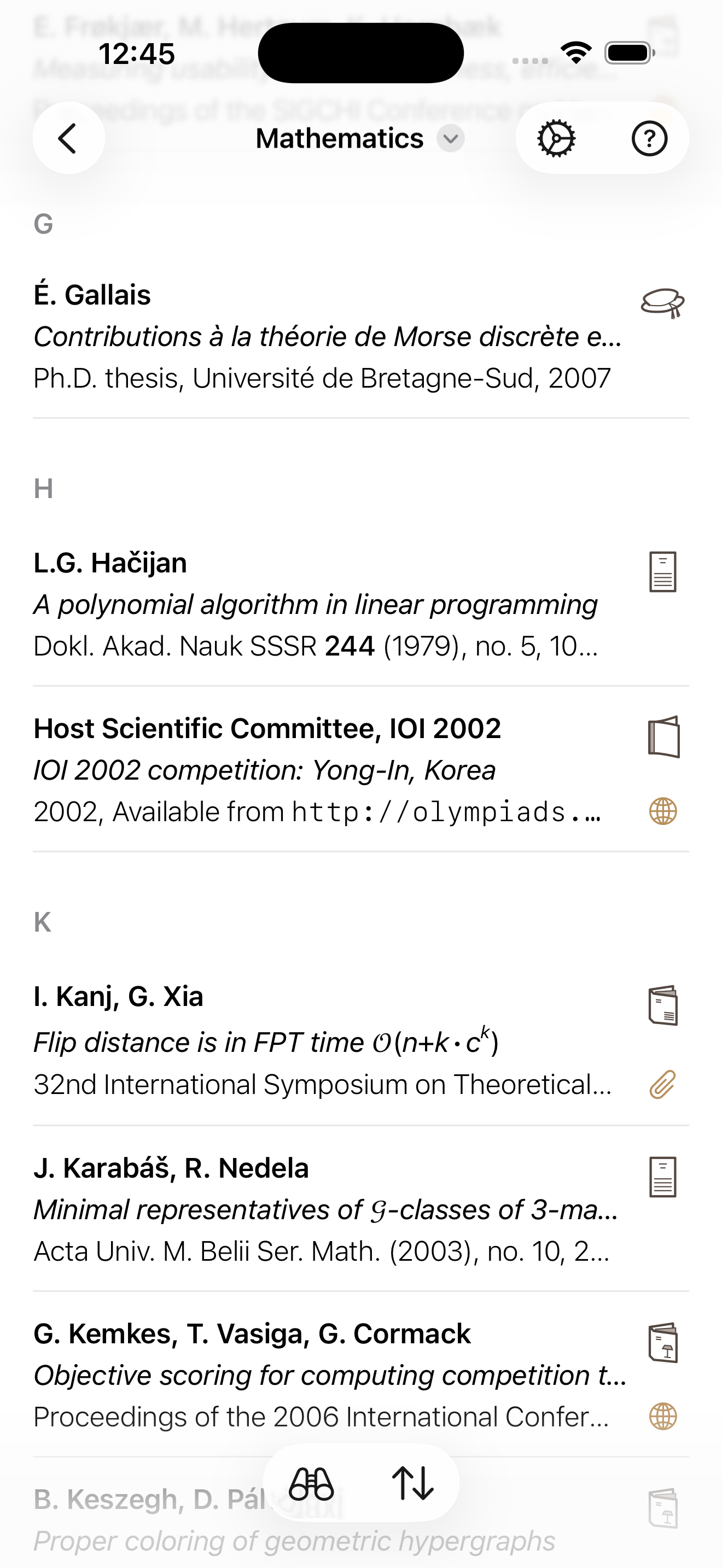
The References app gives you an easy way to browse through and interact with your BibTeX libraries. You can scroll, search, follow links, and view file attachments. In particular:
- The app creates links from DOIs, MathSciNet references, ACM IDs, and of course URLs.
- The app understands elementary LaTeX, so if your titles and/or abstracts contain markup or mathematics (and if your LaTeX is simple enough) then the app can display them nicely.
- If you used BibDesk or JabRef to create your library, the app can view your file attachments (e.g., PDFs that you have attached to your references).
- You can view references grouped by keywords, if you use the Keywords field in your BibTeX libraries. You can also view all of your smart/static groups from BibDesk, and your dynamic/static groups from JabRef.
- The app supports BibLaTeX libraries as well as classic BibTeX.
The References app can open BibTeX libraries from anywhere on your device. In particular, you can use iCloud Drive to keep them synchronised between your devices.
This app is read-only, not an editor. It takes great care in helping you view and explore BibTeX libraries and their links and file attachments; however, it does not provide a way to modify your libraries.
FILE ATTACHMENTS:
To view file attachments (e.g., PDFs), the path to each file should be included in the corresponding entry in your BibTeX library. You can do this using the specially encoded Bdsk-File-* fields (as used by BibDesk), or the plain text File field (as used by JabRef). If you are writing your BibTeX files by hand, just add a File field giving the location of the attachment, such as File = {../PDFs/foo.pdf}.
You can tell References where to find these attachments by linking folders in your app settings. The app will look for your attachments within these folders – for example, if you link your Documents folder then the app will be able to match the BibTeX field {../PDFs/foo.pdf} to a real location such as Documents/PDFs/foo.pdf or Documents/foo.pdf.
The app is able to read attachments stored on your device, or on iCloud Drive, or on third-party providers including Box, Dropbox, Google Drive, Nextcloud or OneDrive. If you are having trouble viewing attachments from a third-party provider, please mail the References developer with the details.
FURTHER INFORMATION:
To learn more about BibTeX, see http://www.bibtex.org/ .
Clasificación de tiendas
El Store Rank se basa en múltiples parámetros establecidos por Google y Apple.
Todas las categorías en
Estados Unidos--
Productividad en
Estados Unidos--
Principales competidores & aplicaciones alternativas
Aplicaciones con una alta probabilidad de ser utilizadas por los mismos usuarios, desde la misma tienda.

Texifier : LaTeX editor

*scratch*

PlanMeasure

Family Foqos
 References VS.
 octubre 7, 2026