

You’ve hit your search limit
Start your free trial to keep exploring full traffic and performance insights.
Get StartedAnalyse de l'application WriteAccess: SSH & SFTP Editor pour le 26 septembre

WriteAccess: SSH & SFTP Editor
- Alec Burrett
- App Store Apple
- Gratuit
- Outils de développement
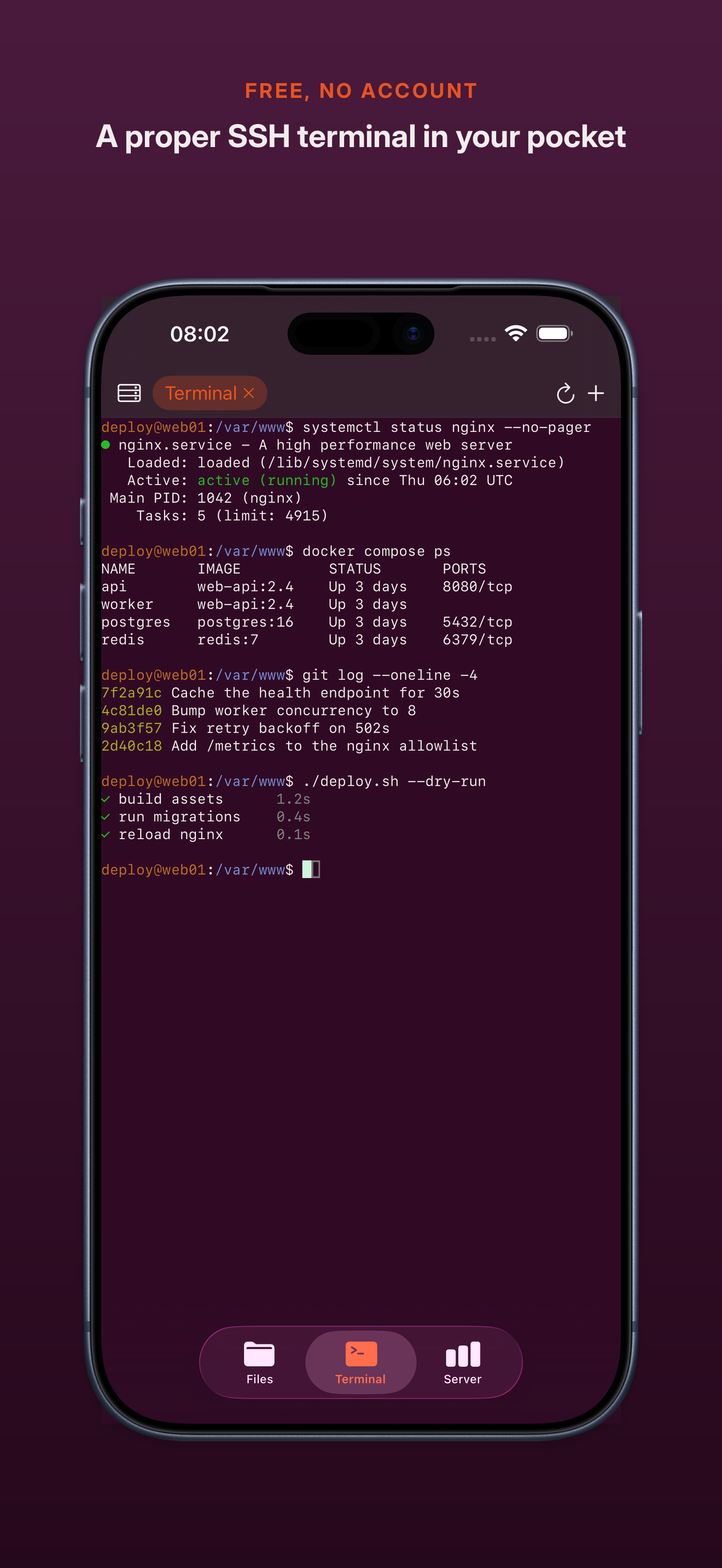
A real SSH terminal, an editor that saves straight to the server, and live vitals — free, with no account and no subscription. Enough of a remote IDE to actually fix something from an iPhone or iPad.
For the people who keep boxes running: a VPS, a homelab, a build server, the machine your coding agent lives on.
A REAL TERMINAL, NOT A TOY
Proper SSH shells, several at once over one connection. Full colour. A key row for the symbols a shell needs. Pinch to zoom. Tap where you want the cursor and the caret walks there, so fixing a typo mid-command is a tap rather than a marathon on the arrow key. It learns the commands you type and offers them back, on top of a bundled library of common ones. Copy out, paste in, both directions, like every other app on your phone.
CHANGE A CONFIG. SAVE. DONE.
Open a file over SFTP, edit it, save it, and it goes back exactly where it came from. No sync layer, no local copy to reconcile, no wondering which version is real. Saved means the server confirmed the write. And if a server cannot promise a clean atomic overwrite, the file opens read-only rather than gamble with your data — the one thing a text editor must never get wrong.
YOUR AGENT, WHERE YOUR CODE IS
Save a launch command per server — whatever CLI tool you run — and open a terminal straight into it. It runs on your machine, with your files and your toolchain, at your server's speed rather than your phone's. You just drive.
SEE WHAT THE BOX IS DOING
Uptime, load, memory, disk, and the processes eating your CPU, read off the machine over the connection you already have. Restart the service, watch the load settle, get on with your day.
FILES AT BOTH ENDS
Browse over SFTP — folders first, hidden files one tap away — and create, rename, delete and search filenames under the folder you connected to. Every connection is pinned to one folder you choose, so the browser cannot wander somewhere you did not mean it to go. Point the app at a folder in Files as well — On My iPhone, iCloud Drive, any Files provider — and edit in place, with proper Markdown highlighting. Get interrupted mid-sentence and your unsaved work is still there when you come back.
YOUR SERVERS. YOUR KEYS. NOBODY ELSE.
No account. No relay. No middleman. WriteAccess connects to your machines and nothing else. Sign in with a password, an SSH key — encrypted keys included — or the interactive prompt a lot of servers ask for instead. Host keys are pinned and checked on every connection; if one ever changes you see both fingerprints, and nothing connects until you say so. Credentials stay in the iOS Keychain. Your saved servers can follow you between devices through your own iCloud: the connection details travel, the passwords and keys do not. Those stay on the device you added them on.
BUILT FOR iPAD, NOT JUST RESIZED
Files and terminal side by side on a divider you can drag, vitals underneath. Landscape, multitasking, external keyboards, the lot.
WHAT IT WILL NOT DO
It is a hands-on tool, not a background service: sessions close when you leave, so it will not babysit an overnight job or notify you when one finishes. Logins that need more than one step, like an app code after your password, are not supported yet. UTF-8 text files up to 50 MiB, and anything over 5 MiB asks first. Filename search returns the first 200 matches. It is not an offline sync client and is not pretending to be one.
Free, and free of the usual: no account, no subscription, no ads, no analytics, no telemetry.
Classement dans le store
Le classement des stores est basé sur plusieurs paramètres définis par Google et Apple.
Toutes les catégories dans
États-Unis--
Outils de développement dans
États-Unis--
Principaux concurrents & apps alternatives
Applications ayant une forte probabilité d'être utilisées par les mêmes utilisateurs, à partir du même store.

SendMan: API & HTTP Client

Typst Editor

CodeMote: Mobile Vibe Coding

Dev Tool box - Developer Tools
 WriteAccess: SSH & SFTP Editor VS.
 septembre 26, 2026