

You’ve hit your search limit
Start your free trial to keep exploring full traffic and performance insights.
Get StartedRoboMaker® app analytics for January 29
RoboMaker®
- Clementoni S.p.A.
- Google Play Store
- Free
- Games > Educational
The RoboMaker® kit was created to guide you on an educational journey to introduce you to robotics, logical thinking and coding. By using the 250 and more interchangeable components present in the box, you can build 5 different robots with growing levels of complexity and then programme them in a fun way through this free application.
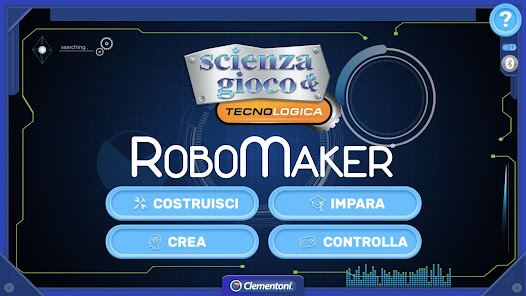
The RoboMaker® app communicates with the robots via Bluetooth® Low Energy and contains 4 different sections, each with their own specific and engaging functions:
1- BUILD
In this section the 5 robot models can be reconstructed in 3D, piece-by-piece, in a dynamic and animated way. Whenever you add a new component, you can even enlarge/shrink it and rotate the model by 360° to understand how to connect the various modules.
2- LEARN
The Learn section illustrates the basic programming concepts through 10 guided activities (2 for each robot model); which can be completed by creating specific command sequences using the Clementoni block-based programming.
3- CREATE
Once you have learnt the basic programming concepts and have familiarised with our block-based programming, you can juggle around with the options in the Create section.
In this area, after building a robot of any shape, you can programme it as you prefer. In this case, the activity is performed freely, therefore the app will not signal whether or not you have entered the sequence correctly, so you will have to realise by yourself whether the result meets your objective.
4- CONTROL
The Control mode does not entail the use of block-based programming. Through this mode it is possible to control and command in real time the 5 robot models proposed.
Each command you send will be executed instantly by the robot, without any delay.
Given that the 5 robots are different in terms of both the electronic components used and their functions, there is a specific control page for each one of them.
So, what are you waiting for? Enter the RoboMaker® world, step in the programmer’s boots and start this engaging and formative adventure!
RoboMaker® Usage Rank
The usage rank is based on Similarweb's algorithm that calculates current installs and active users over a 28-day period.
All Categories in
United States--
Games > Educational in
United States--
Top Competitors & Alternative Apps
Apps with a high probability of being used by the same users, from the same store.
Robotizen: Kid learn Coding Ro

Smoosh Lab

Robot Reading

codeSpark - Coding for Kids
 RoboMaker® VS.
 January 29, 2026