

You’ve hit your search limit
Start your free trial to keep exploring full traffic and performance insights.
Get StartedMidiflow Limiter (Audiobus) analisi dell'app per 20 gennaio

Midiflow Limiter (Audiobus)
- Johannes Doerr
- App Store di Apple
- A pagamento
- Musica
This MIDI effect app for Audiobus 3 is a filter and remapper for note velocities. Filter out notes that are too loud or too quiet, or remap them to different values. Use multiple instances to create velocity layers, which trigger different sounds based on the notes' velocity.
+ Specify a velocity range to filter out notes
+ Use a curve to remap velocities
+ Remap to a fixed velocity
+ Use multiple instances of this effect in Audiobus
NOTE: This app requires Audiobus 3. Insert it into one or more MIDI effect ports to affect the data going through the respective pipelines.
FILTER NOTES BY VELOCITY
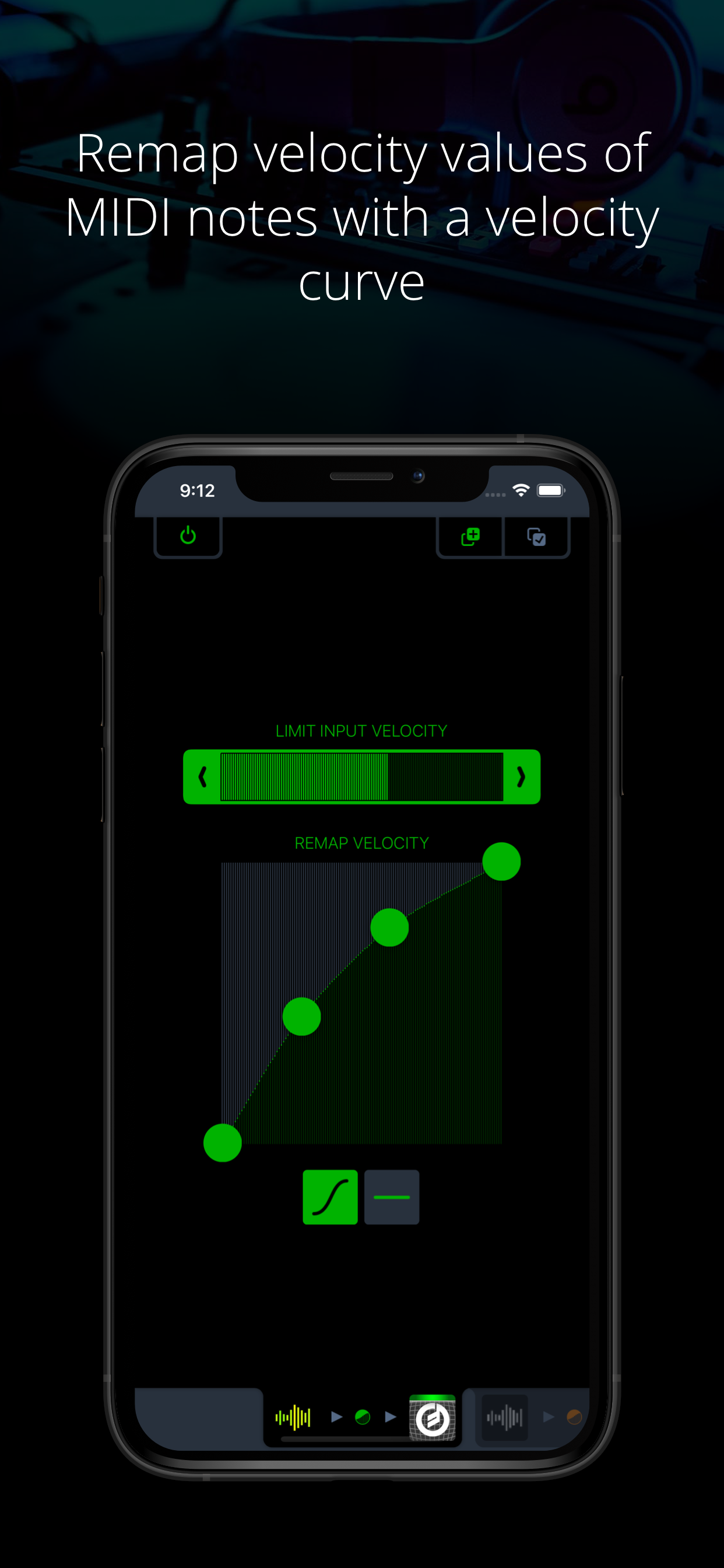
The range selector at the top allows you to specify the velocity of notes that can pass. All notes with velocities outside of that range will be filtered out. You can see in real-time what note velocities are coming in, so adjusting the range according to notes you play on a keyboard or generate with a sequencer is very easy.
CREATE VELOCITY LAYERS
Midiflow Limiter can be added multiple times to an Audiobus configuration. If you are using an external keyboard, you can build velocity layers. Just create two routes in Audiobus with the keyboard as a source and two synths as destinations. Then add Midiflow Limiter as an effect in both routes. You can then apply different velocity ranges for both synths, and only notes with a matching velocity will trigger their sounds.
REMAP NOTE VELOCITIES WITH A CURVE
The velocities of notes that have not been filtered out in the previous step can be remapped with a so-called velocity curve. The horizontal axis represents all possible values for incoming velocities. The curve determines the remapping function used to modify the velocities. Use the four handles to adjust the curve.
Velocity remapping has various applications. You can make a piano sound a lot "stronger" with a curve like above, as louder notes are triggered "earlier" in terms of force applied to the keys. A curve with the bow to the other side makes it "softer". Other curves can increase or reduce the range of velocities.
REMAP NOTE VELOCITIES TO A FIXED VALUE
If you want to get rid of the velocity information in the notes, you can remap them to one fixed value. This corresponds to a curve that looks like a horizontal line.
Classifica degli store
La classifica del store si basa su diversi parametri stabiliti da Google e Apple.
Tutte le categorie in
Stati Uniti--
Musica in
Stati Uniti--
Principali concorrenti e app alternative
App con un'alta probabilità di essere utilizzate dagli stessi utenti, provenienti dallo stesso store.

Merengue Rhythms - BeatLab

KQ Sampei 26

Magic Tines

JAX Unisonic (Audio Unit)
 Midiflow Limiter (Audiobus) VS.
 gennaio 20, 2026