

Midiflow Motion (Audiobus) analisi dell'app per 24 dicembre

Midiflow Motion (Audiobus)
- Johannes Doerr
- App Store di Apple
- A pagamento
- Musica
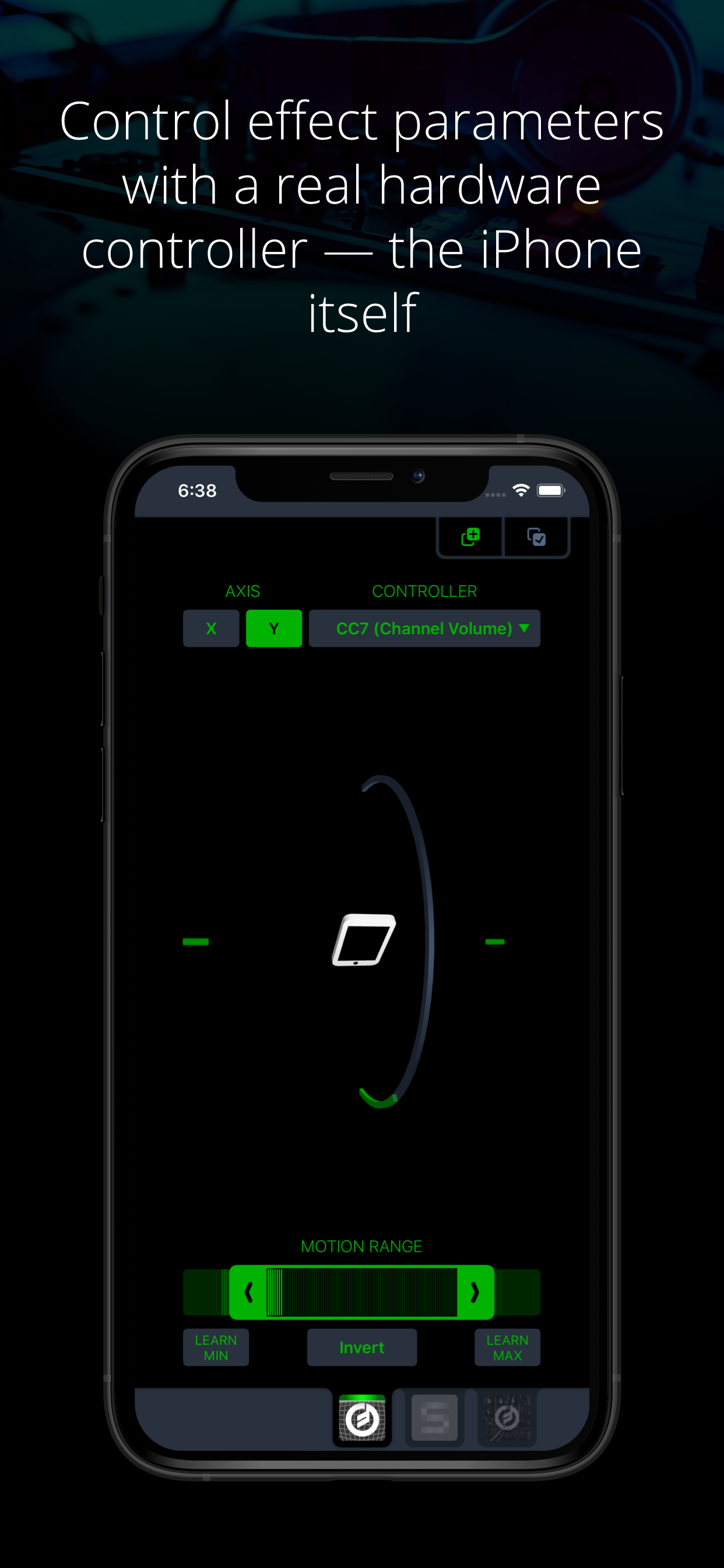
This MIDI sender app for Audiobus 3 lets you control effect parameters of other apps – in a way that no touch screen can replace – by moving the device. Set any kind of MIDI command like volume or modulation as output and fine-tune it to the exact motion range you want to perform with. You can even control multiple effects simultaneously.
+ Use device rotation around the X or Y axis
+ Adjust the range of motion for controlling a parameter
+ Adjust the range of output values
+ Send virtually any MIDI command (e.g. pitch-bend, any Control Change like modulation or expression, and even custom MIDI messages)
+ Control multiple parameters and/or multiple apps at the same time by inserting this app multiple times in Audiobus
NOTE: This app requires Audiobus 3. Insert it into one or more MIDI sender ports to control the synth apps in the MIDI output ports of the respective pipelines.
THE IPAD IS YOUR CONTROLLER
Without a doubt, the iPad's touch screen is a revolutionary tool for musicians. However, it also comes with sensors that can track how you move your device around two axes. Using those sensors to control effect parameters allows you to perform with a huge amount of expression.
CONTROL ALL KINDS OF PARAMETERS
Many synth apps allow you to "remotely" control their parameters via MIDI messages. For that purpose, Midiflow Motion can send virtually any MIDI command to those apps, through Audiobus. Just select from the list of available parameters and the app starts sending messages when you move the device. Not only can you use basic Control Changes for "volume" or "modulation", you can also use double-precision commands (LSB + MSB), RPN/NRPN commands or custom MIDI messages. If you want to play notes, you might want to add Midiflow Scales behind this app in the Audiobus MIDI routing in order to map the notes to a scale.
ADJUST MOTION RANGE
The range selector at the bottom allows you to narrow down the motion range in which you want to control the parameter. The maximum range goes from -90 to +90 degrees. Use either the slider or the learn buttons to adjust the range according to your needs.
CONTROL MULTIPLE PARAMETERS
You can insert Midiflow Motion in Audiobus multiple times. That way, you can send multiple MIDI commands simultaneously. Each of them can be configured independently. For example, you can control the cutoff of a synth by rotation around the x-axis, and use the y-axis for the resonance parameter. It is like an x/y-pad, but with the whole iPad as the controller. You can also control parameters of different synths at the same time.
Classifica degli store
La classifica del store si basa su diversi parametri stabiliti da Google e Apple.
Tutte le categorie in
Brasile--
Musica in
Brasile--
Principali concorrenti e app alternative
App con un'alta probabilità di essere utilizzate dagli stessi utenti, provenienti dallo stesso store.

LH XYZ

JAX SPECTRO SERIES : Transcend

Music Player HD

MangledVerb
 Midiflow Motion (Audiobus) VS.
 24icembre d, 2025