

You’ve hit your search limit
Start your free trial to keep exploring full traffic and performance insights.
Get StartedAuraHDR Camera analisi dell'app per 24 gennaio

AuraHDR Camera
- justin monreal
- App Store di Apple
- Gratis
- Foto e video
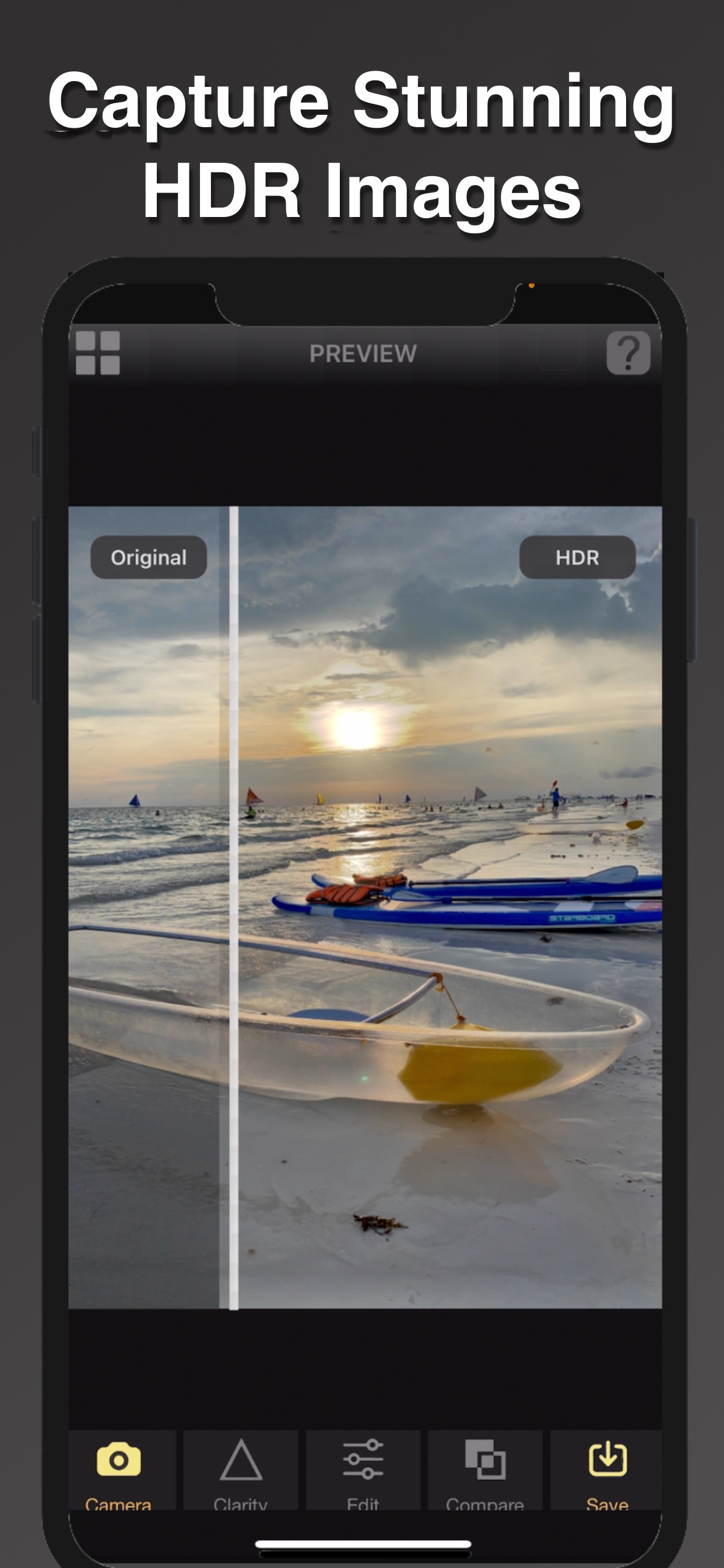
AuraHDR Camera is the ultimate HDR camera, HDR RAW bracketing, and Focus Bracketing app that make it the best app for computational photography!
It can deliver fantastic images on any iOS device camera from the oldest to the latest iPhones and iPad
What makes AuraHDR different?
1. SUPERB HDR CAMERA
• Our proprietary AuraEngine tone mapping recovers detail in challenging lighting conditions.
• AuraHDR auto-analyses the scene and applies the right tone-mapping automatically.
• Unlike other HDR apps, AuraHDR allows you to edit the HDR results with built-in tone sliders.
• With the Low Light preset, get Night Mode-like capability to get clean night shots in dark conditions.
2 POWERFUL FOCUS STACKING CAMERA
• With AuraHDR 9 now you can capture super sharp close-up shots instantly with our all new focus stacking camera.
• Perfect for product and food photography!
• Simply tap the nearest point to be in focus and take the shot.
• To avoid camera shake a tripod is required.
• The initial bracket and focus stacked shot will be saved into the camera roll.
• Note that this is designed to work with the iPhone's main camera
3. RAW EXPOSURE BRACKETING FOR HDR
• Capture RAW/JPEG bracket exposures that can be imported to any HDR editor
for the ultimate in image quality
• Shoot High Quality in Low Light. This special mode allows for capturing the cleanest brackets with the lowest ISO to ensure only the highest quality results. A tripod is recommended for this mode.
• Change the bracketing configuration (i.e.) number of brackets and bracket increment.
• Now supports from 1-5 brackets for maximum choice
4. FOCUS BRACKETING (TWO MODES)
AuraHDR has two modes of focus bracketing for maximum flexibility and performance
a. FOCUS BRACKETING (AUTO)
• Simply choose the nearest point to be in focus and take the shot.
• Up to 100 brackets are supported. You can also change the bracket increment.
b. FOCUS BRACKETING (MANUAL)
With manual focus bracketing mode, instead of selecting an initial focus point, you
simply you simply tap the various points to be in focus.
Import your brackets to professional focus stacking apps like Affinity Photo or Luminar Neo for
edge-to-edge sharpness
5. LONG EXPOSURE SHOOTING
• Easily capture dreamy long exposure shots easily. Great for flowing water or moving lights.
• With 8.0, now you can adjust the duration for different effects
6. MOON SHOOTING
• With the new Moon Shooting Mode, you can easily capture the glorious details of the moon.
• Simply zoom in and shoot.
• 4 Exposure will be automatically saved.
Visit our Youtube page to accesss the ever increasing list of tutorials on how to use all the features of AuraHDR and how to merge HDR and focus brackets
Classifica degli store
La classifica del store si basa su diversi parametri stabiliti da Google e Apple.
Tutte le categorie in
Stati Uniti--
Foto e video in
Stati Uniti--
Principali concorrenti e app alternative
App con un'alta probabilità di essere utilizzate dagli stessi utenti, provenienti dallo stesso store.

HDR Max - Photo Editor

CameraPixels PRO

Simply HDR

CameraPixels Lite
 AuraHDR Camera VS.
 gennaio 24, 2026