

PicBlend : Photo Blend Effects vs. Blender Camera: Photo Collage Utilizzo e statistiche
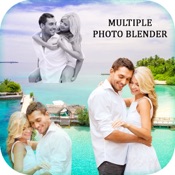
Make your normal daily photos more interesting with ease, just select a picture from your gallery or capture from camera and mix this picture with our existing stunning picture collection or choose another picture from camera/gallery and blend them together to get an amazing result.
Features:
1. Mixer/Blender
- Mix and blend two or more image with advanced blending tools.
2. Editor
- Edit pictures like professionals with many editing tools.
3. Orientation
- Adjust orientation to get perfect view of photos.
4. Effects
- Apply effects to make pictures even more beautiful.
5. Overlays
- Apply overlay to give double exposure.
6. Crop
- Crop photos in square for social media or other use.
7. Frames, Sticker, Text and many more
- To give photo your personal touch.
- App Store di Apple
- Gratis
- Foto e video
Classifica degli store
- -
This app provides the functionality to create an artistic & beautiful blender effect of your photo. it is an easy-to-use application having 15+ blend styles. You can blend two or three photos together. Photo blender lets you create an amazing poster of your photo by blending them into one.
How to use:
- Select two photos in case of “Blend Photo” & two or three photos in case of “Collage” from the photo gallery.
- Adjust transparency of your photos to make them look more creative and beautiful and stunning.
- Other features like contrast, brightness, saturation, highlight etc can also be applied.
- Each photo can be edited individually with the use of effects, filters , rotation, color and more.
- Apply photo filters to each of the image in the collage.
- Add Stickers to your individual photos in the collage as well.
- Easily save and share your creativity with your family & friends via Facebook, Instagram, WhatsApp etc.
- Supports move and pinch gestures.
- Adjust Blend Level and photo overlaying.
SUBSCRIPTION:
You can subscribe to premium features, choosing from the following plans:
– 1 week
– 12 months
– Lifetime (One Time Purchase)
The subscription automatically renews unless auto-renewal is turned off at least 24 hours before the end of the current period.
Payment will be charged to your iTunes account at confirmation of purchase.
Account will be charged for renewal within 24 hours of the end of the current period, and the cost of the renewal will be provided.
Subscriptions may be managed by the user. Auto-renewal may be turned off by going to the user’s Account Settings after purchase.
No cancellation of the current subscription is allowed during active subscription period.
Any unused portion of a free trial period, if offered, will be forfeited when the user purchases a subscription to that publication.
TERMS OF USE: https://mobisoftlabsprivacypolicy.wordpress.com/2019/12/16/terms-of-use/
PRIVACY POLICY: https://mobisoftlabsprivacypolicy.wordpress.com/2018/11/14/privacy-policy/
Enjoy & have fun !.
- App Store di Apple
- Gratis
- Foto e video
Classifica degli store
- -
 PicBlend : Photo Blend Effects VS.
  Blender Camera: Photo Collage
gennaio 20, 2026