

Blue Box vs. Selcall Selective Calling Tone Utilizzo e statistiche
Blue Box is utility for encoding and decoding DTMF (Dual-Tone Multi-Frequency) or Touch Tone signals.
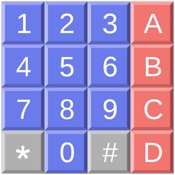
Generate tones by using the phone style keypad or decipher tones using the device’s microphone.
Tone combinations can be played back with adjustable tone, delay and pause lengths and volume.
Choose from US, UK and Europe based systems.
Enable Multi-frequency tones, which were a precursor to DTMF. Additional trunk control signals will be available including KP, ST1, ST2, ST3, KP/ST2.
Additional tones include the Dial Tone, Ring Back Tone, Busy Signal and 2600Hz. A comma can be used as a pause character to provide extra time between tones during playback.
Save and organize any number of sequences for easy recall using the Favorites feature.
Choose numbers from your contacts to display and play back tones.
Share an encoded or decoded number with the Phone, FaceTime or Messages app.
Use Red Box mode to play coin tone sequences, including 5¢, 10¢ and 25¢ for the US system and 10p and 50p for European systems.
Create a custom tone with control over individual frequencies and volumes. The custom tone can consist of any number of on and off pulses and can optionally be continuous.
Record interactions with the encoder and play them back with the same timing. The recording feature works with all tones, including the dial tone, busy signal, ring back tone, 2600Hz and coins and trunk control tones.
A help manual is including, with step-by-step instructions for all features. When the app is first run, pop-ups will be displayed indicating what the controls are used for.
Warning: Blue Box is designed as an educational tool and utility. Do not attempt to use Blue for any illegal or malicious purposes. Blue Box can be used to assist in dialing numbers, but can not be used to manipulate digital telephone utility services.
Limitations: Blue Box is software based decoding and is processor intensive. Performance may vary between devices. Tones that are less than 100 ms with pauses that are less than 100 ms are difficult to process in software. Future versions and processors may increase the reliability of faster tone sequences. If you need touch tone decoding for higher speeds, a hardware solution is recommended.
Blue Box can not play tones into the iPhone phone feature while in a call.
Blue Box is useful for entering numbers into touch tone operated systems such as an answering machine passcode or a dial-up service that requires the entering of several touch tones to navigate a menu system. Simply enter the numbers once and then play back the numbers into the phone's microphone with a touch.
- App Store di Apple
- A pagamento
- Servizi
Classifica degli store
- -
SelCall generates Selective Calling Tones. Select your tone type from the extensive selection of available modes, then touch the button for each tone you wish to send. You can even queue up tones and have them sent in a burst, if you wish. The following tone types can be generated:
DTMF
CCIR1
CCIR7
PCCIR
EIA
EEA
CCITT
EURO
NATEL
VDEW
MODAT
ZVEI1
ZVEI2
ZVEI3
PZVEI
DZVEI
PDZVEI
ICAO
ICAO SELCALL 32
CTCSS
CODAN
Touch the button on the upper right corner to get a list of SelCall tone modes, and select the mode you wish to use.
Then touch the button for each tone you wish to generate.
If you turn the switch off, you can queue up several tones (they will be displayed to the left of the switch) and then turn the switch back on to play them.
Any tones that you played by turning the switch on can be repeated by tapping the RPT/Repeat button.
You can also store commonly used tone sequences. Tap on the Mem button to bring of the list of memory entries, which will by empty at first. To add an entry, tap the Edit button, then the green plus sign to add an entry, which will get a default name of Untitled. Tap Done, then tap on the Untitled entry to edit it. You can change the name, as well as the tone keys to be sent. To send an entry, tap the send button. It will be sent (or stored in the buffer if the switch is off). It will also be placed in the repeat buffer, so you can tap RPT/Repeat to re-send it.
The duration of tones and gap between them can be customized for most modes. Enter the values in milliseconds. The maximum allowed values are 500 milliseconds.
In CTCSS mode, touch the button for the tone that you wish to continuously generate. There is a switch which turns the tone on and off, and when on, the tone will continuously play, even when you switch to another tone mode, so you can combine CTCSS with other tone modes.
In CODAN mode, adjust the center frequency if necessary, select the priority of the message, and dial in the ID to call, and your ID. Then tap Send.
Sequence mode allows you to create sequences of arbitrary tones. First, you will see a list of your sequences. You can use Edit to add additional sequences, delete a sequence, or re-arrange them. Three sample tone sequences are created for you, as examples. To rename a sequence, tap on it and edit the text.
To edit to send a sequence, tap on the disclosure indicator at the extreme right. Each sequence is a set of lines, each of which has two numbers. The first is the frequency of the tone in Hertz, the second is the duration of the tone in milliseconds. One second is 1,000 milliseconds. Do not put an additional space between the numbers, after them, before them, or use any other characters, or the sequence will not correctly play.
You can play two tones at the same time, in that case, three numbers must be entered on each line, the first two are the tone frequencies, the third is the duration.
The first sample sequence, Seq 1, sends eight tones. The first is 1200 Hz for 550 milliseconds, then there are six more tones: 1100, 1000, 1100, 1000, 1100, 1000 Hz, each 200 milliseconds. Then a final tone of 1500 Hz for 350 milliseconds.
To play a sequence, tap Send.
To edit a line, tap on it and edit the text. You need a single space between the frequency and length. You can use Edit to add additional lines, delete a line, or re-arrange them.
- App Store di Apple
- A pagamento
- Servizi
Classifica degli store
- -
Blue BoxRanking a confronto con Selcall Selective Calling Tone
Confronta la tendenza di classifica Blue Box nei ultimi 28 giorni rispetto a Selcall Selective Calling Tone
Rank
Classifica Blue Box vs. Selcall Selective Calling Tone per paese a confronto
Confronta la tendenza di classifica Blue Box nei ultimi 28 giorni rispetto a Selcall Selective Calling Tone
Tutte le categorie
Servizi
Fai confronti con qualsiasi sito con la nostra prova gratuita
 Blue Box VS.
  Selcall Selective Calling Tone
gennaio 10, 2026