

You’ve hit your search limit
Start your free trial to keep exploring full traffic and performance insights.
Get StartedVidTimer - Video Timer analisi dell'app per 15 gennaio

VidTimer - Video Timer
- Shanghai Qingge Technology Co., Ltd.
- App Store di Apple
- Gratis
- Sport
V1.1.7 New Features:
Add center reference line
V1.1.4 New Features:
Supports members to modify the timer title(watermark)
V1.1.3 New Features:
1. Added support for professional members to remove the timer watermark and screen recording watermark.
2. Significantly improved the clarity of video preview images.
VidTimer's Key Features:
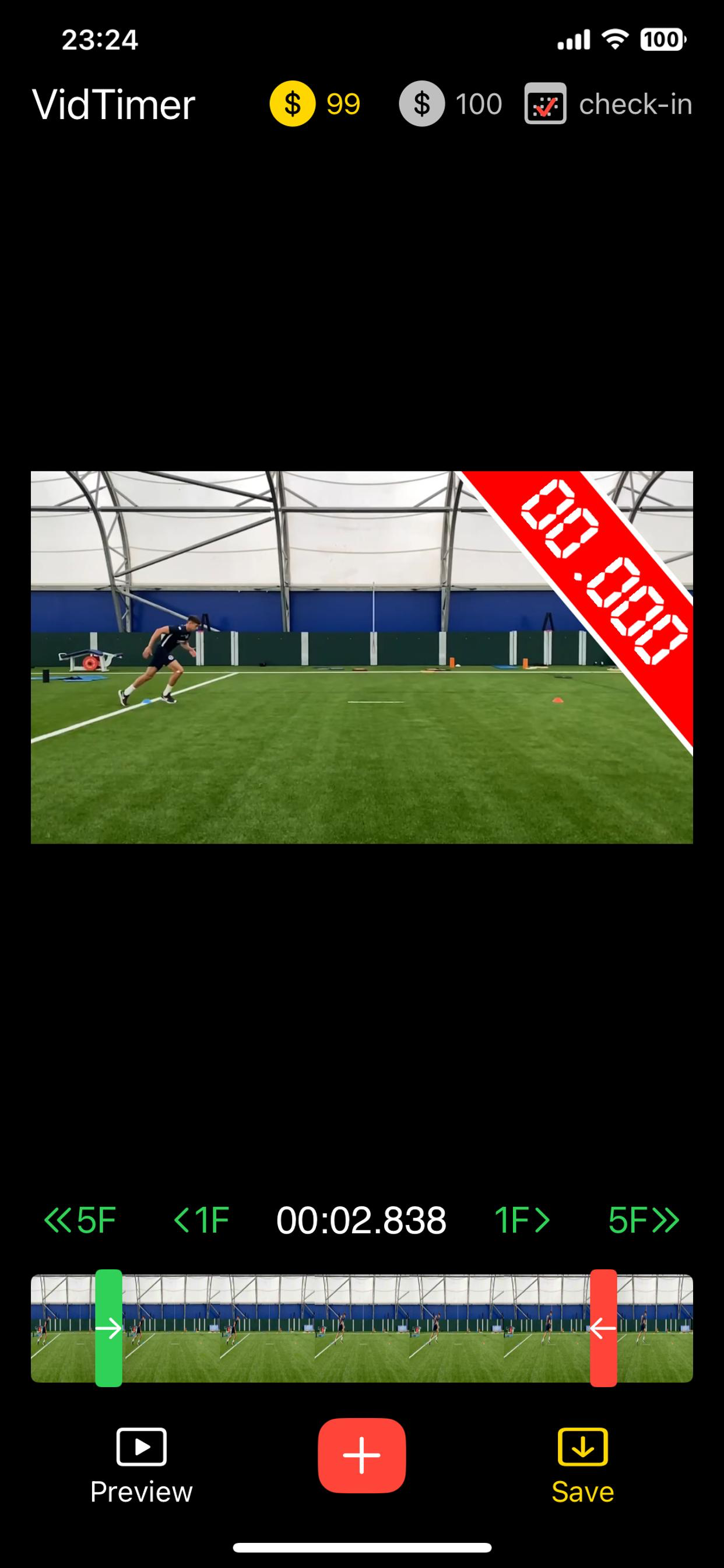
1.Drag the timer on the main interface to freely adjust its position in the video frame.
2.Easily set the timer's start point by dragging the green slider on the main interface.
3.Effortlessly set the timer's end point by dragging the red slider on the main interface.
4.Click the "Forward 1 Frame"/"Back 1 Frame" buttons on the main interface to advance or retreat by one frame, respectively.
5.Click the "Forward 5 Frames"/"Back 5 Frames" buttons on the main interface to advance or retreat by five frames, respectively.
6.Click the preview button in the bottom left corner of the main interface to preview the video with the timer added.
7.Double-clicking the video frame without zooming can show or hide the timer, making it easier to view the video content.
8.The timer's display supports two styles: the default font and a digital tube font.
9.Users can save or delete timer styles according to personal preference.
10.The timer's font size, color, and transparency can be customized.
11.The background size, color, transparency, and corner radius can be adjusted as desired.
12.The border width, color, and transparency can also be modified according to needs.
13.Supports both countdown and count-up modes.
14.Allows setting the display digits for minutes, seconds, and milliseconds.
15.Enables precise timing results based on the current start and end points.
16.Offers a custom setting for the timer's rotation angle.
17.Supports pinching to zoom and dragging operations on the video frame for precise positioning of the start and end points.
18.Supports double-clicking to restore the zoomed video frame to its original size.
We continuously update our app to deliver the best experience and more features.
By using this app, you agree to the Apple Standard End User License Agreement, available at: https://www.apple.com/legal/internet-services/itunes/dev/stdeula/
Classifica degli store
La classifica del store si basa su diversi parametri stabiliti da Google e Apple.
Tutte le categorie in
Stati Uniti--
Sport in
Stati Uniti--
Principali concorrenti e app alternative
App con un'alta probabilità di essere utilizzate dagli stessi utenti, provenienti dallo stesso store.

Perfect Stopwatch

教练智眼 - AI轨迹,高速动作捕捉,录制分析工具

Sprint Timer - On Your Mark

Photo Finish: Automatic Timing
 VidTimer - Video Timer VS.
 gennaio 15, 2026